A contractor finishes a job, packs the tools into the truck, and still has one task left: getting paid. The customer may prefer a card at the door, an invoice link later, or an ACH transfer from a business account. The software choice affects both that payment and the administrative work surrounding it.
That's why Jobber vs Square isn't just a contest between a monthly subscription and a transaction fee. Jobber is built around field-service operations. Square is built around invoicing and payment acceptance. A solo cleaner may care most about low-friction card payments, while an HVAC or plumbing company may lose more time from weak scheduling, dispatch, or customer-history tools than from processing fees.
The most useful comparison starts with two questions: How does the business collect money, and how much operational coordination does the business need before and after the payment?
Defining the Core Software Difference
A plumbing company quotes a water-heater replacement at the customer's property. The customer approves by phone, the office schedules the visit, a technician records the work, and the company sends an invoice. The software choice determines whether those steps share one job record or sit across separate tools.
Jobber's operating model is field service first. Its documented scope includes scheduling, quoting, invoicing, client management, mobile access, routing, GPS tracking, automated customer messages, payment collection, and QuickBooks synchronization. In the water-heater example, the quote can belong to the customer record, move into a scheduled job after approval, and provide the operational context needed before the invoice is issued. The field-service overview of Jobber describes that broader workflow.
The payment mix still affects the financial result. A contractor may collect by card at the property, send an online invoice, or request an ACH transfer from a business account. A platform that supports the preferred payment method can reduce collection friction, but published transfer limits or caps may force a larger payment into another method. That can make processing economics depend on customer behavior, not only on the monthly software price.
Square's cited invoice product is payment first. Square Invoices supports creating and delivering invoices, with customers able to pay by card, ACH, digital wallet, Cash App Pay, and Afterpay. Payment can be collected online, by phone, or in person. Forbes Advisor's Square Invoices description supports that payment-focused view.
The practical dividing line
Square can send a bill and collect payment without requiring a dedicated field-service system. That may fit a solo painter, handyman, or cleaner with a simple calendar and limited recurring-service coordination.
The operating requirements change when the business needs:
- Recurring service scheduling, such as lawn care, pool maintenance, pest control, or commercial cleaning.
- Route planning, when several technicians visit different properties on the same day.
- Property-level history, including prior repairs, notes, photos, and service forms.
- Quote follow-up, so an approved estimate becomes a scheduled job and then an invoice.
- Field documentation, including checklists, time capture, and completion records.
The cited Square invoice description does not establish that Square Invoices includes Jobber-style dispatch, route planning, recurring-service scheduling, or property-level job history. Treat those as demo questions rather than assumed equivalents.
Practical rule: A payment app can solve collection. A field-service platform also coordinates the work that produces the invoice.
The right choice depends on the bottleneck. If customers are ready to pay and invoice volume is the main need, Square deserves attention. If staff spend time coordinating technicians, maintaining job records, and matching payment methods to larger invoices, Jobber's broader workflow may justify its subscription before processing fees enter the comparison.
Comparing Monthly Software Subscription Costs
Fixed software cost matters, but it shouldn't be viewed in isolation from payment volume. A no-subscription payment product may cost less in a quiet month, while a field-service subscription may reduce manual work for every scheduled job.
Jobber's public pricing page should be checked directly for current terms. On October 7, 2026, the Jobber pricing page did not publish a monthly dollar figure for its plans, so the precise Core, Connect, Grow, and Plus prices listed by third-party directories aren't used here as vendor pricing. The same page also doesn't publish Jobber's card or bank-transfer processing rates. Jobber's pricing page is the appropriate place to confirm any quote or plan terms before purchase.
Square presents a different software structure. On October 7, 2026, Square's Invoices pricing page listed Free at $0 per month, Plus at $49 per month, and Premium at $149 per month. Square's Invoices pricing page is the relevant vendor source for those subscription tiers.
| Platform | Plan name | Monthly cost | Included users |
|---|---|---|---|
| Jobber | Core | No figure published on the pricing page | Not published on the pricing page |
| Jobber | Connect | No figure published on the pricing page | Not published on the pricing page |
| Jobber | Grow | No figure published on the pricing page | Not published on the pricing page |
| Jobber | Plus | No figure published on the pricing page | Not published on the pricing page |
| Square Invoices | Free | $0 | Not stated in the cited pricing details |
| Square Invoices | Plus | $49 | Not stated in the cited pricing details |
| Square Invoices | Premium | $149 | Not stated in the cited pricing details |
What the fixed bill does and doesn't show
The Square structure starts with low fixed overhead. A solo operator can use the Free tier when the requirement is invoice delivery and payment acceptance. Paid Square tiers may make sense when the business needs the capabilities or payment rates attached to those plans, but the transaction economics still need to be modeled.
Jobber's value is harder to assess from a headline price because its published page doesn't provide a figure in the cited information. Independent directories list Jobber's Core, Connect, and Grow individual plans at $39, $119, and $199 per month, respectively, and team plans at $169 for five users, $349 for ten users, and $599 for fifteen users. Those figures come from Capterra's Jobber listing, not Jobber's own pricing page, so they should be treated as comparison references rather than vendor quotations.
The distinction is important for budgeting. Square's software bill can begin at zero, but payment fees apply when customers pay. Jobber's software cost may be higher, but it is attached to a broader workflow covering scheduling, jobs, customers, and invoicing.
A business should separate the decision into two lines:
- Fixed software cost, including plan, users, add-ons, and accounting connections.
- Variable collection cost, based on card-present, online, card-on-file, and ACH volume.
Comparing only the first line favors Square. Comparing only operational features favors Jobber. The owner needs both.
Analyzing Card and ACH Processing Fees
Payment mix can change the result more than the headline subscription price. A business collecting frequent, small in-person payments has a different cost profile from one sending larger invoices by email.
Square publishes these US rates: 2.6% plus $0.15 for standard card-present payments, 3.5% plus $0.15 for manually entered or card-on-file transactions, and 3.3% plus $0.30 for online payment links. Square applies the fee to the transaction total, including tax and tip. Square's US fee documentation provides the published rate structure.
For a $500 in-person card payment, the published calculation is $13.15. The same $500 manually entered or card-on-file payment costs $17.65. The difference comes from the higher percentage and the fixed fee, rather than from the software subscription.
Square's ACH invoice pricing is 1% with a $1 minimum and a $10 cap. That cap materially changes larger-invoice economics:
- A $500 ACH invoice produces a $5 fee under the 1% rule.
- A $2,000 Square Plus or Premium invoice reaches the $10 cap, rather than producing a $20 fee.
Jobber's pricing page does not publish a card or ACH rate in the cited information. Independent listings report a Jobber card rate of 2.9% plus $0.30 and an ACH rate of 1%, as listed in Software Advice's Jobber profile. Those figures should be confirmed with Jobber in writing because they are not printed on the page where its plans are sold. The profile is a third-party reference, not a substitute for account-specific terms.
Average ticket size changes the result
The fixed fee has a larger effect on smaller invoices because $0.30 represents a higher effective percentage on a low-value payment. A cap produces the opposite effect for larger ACH invoices, limiting the fee after the percentage calculation reaches the stated maximum.
For a $1,000 online card invoice, the published percentage-and-fixed-fee calculation is $33.30 through Square Free and $29.30 through Square Plus or Premium. The figures are summarized in Forbes Advisor's Square Invoices review. This comparison shows why an in-person card rate cannot estimate online invoice collection accurately.
Use the business's actual payment channels:
- In-person cards, common for cleaners, handymen, and mobile technicians collecting at the property.
- Online card payments, common for deposits, completed-job invoices, and payment links.
- Card-on-file or manually entered payments, which can carry a higher rate.
- ACH, often relevant to recurring landscaping, cleaning, maintenance, and commercial accounts.
Model the payment mix first; the subscription line is only half of the monthly cost. Large invoices can favor a capped ACH structure, while a mobile operator with frequent in-person payments may place greater value on the card-present rate.
Evaluating Field Service and Workflow Features
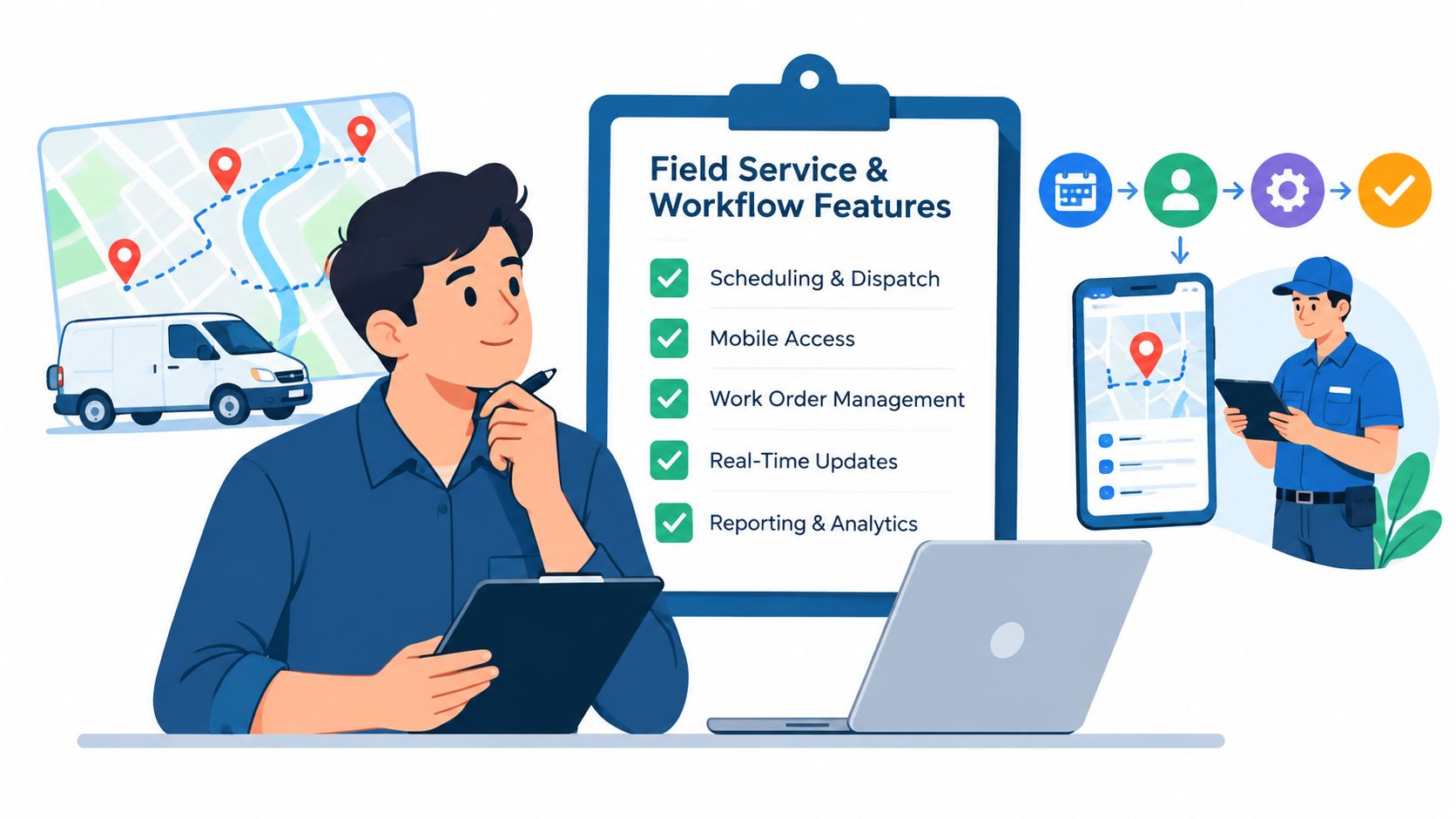
The software choice changes once a business must connect approved work to completed jobs and collected payments. A field-service platform manages the operational record behind an invoice: assignment, property context, documentation, and job status. Square Invoices primarily manages the invoice and its payment, so the business must decide whether those operational steps already exist elsewhere.
Jobber's published product descriptions position it around field-service operations, including on-site invoicing, payment tracking, job forms, customer records, invoice follow-ups, automated reminders, and QuickBooks Online connectivity. Its more meaningful distinction is the connection between quoting and execution. An approved quote can become a job in the mobile workflow, keeping the sale tied to scheduling and completion instead of creating an invoice as a separate administrative task.
Square Invoices supports quote and invoice creation, delivery, and payment collection online, by phone, or in person. Its quote flow remains a separate financial document unless the business connects it to its own calendar, customer database, dispatch process, or job records. That can suit an operator whose work is simple and whose administrative system already handles the rest.
The workflows that justify Jobber
A recurring lawn-care company benefits from turning an accepted quote into repeat service rather than managing disconnected invoices. A plumbing company may need property notes, job forms, and prior work available before payment is requested. A cleaning company may need reminders and customer messages attached to scheduled work.
Jobber fits when several of these needs occur together:
- Scheduling and dispatch connected to the job.
- Route and GPS visibility for field coordination.
- Customer history tied to properties and completed work.
- Automated messages and follow-ups.
- Job documentation, including forms and completion details.
- Invoicing connected to the completed job, not created independently.
Square can remain the more practical choice for a solo painter who schedules personally and sends one-off invoices, or a handyman with customer records maintained in another system. The decision should also account for payment mix. If recurring service produces substantial ACH volume, the operational benefit of Jobber should be weighed against the alternative platform's processing structure and ACH cap, not against the subscription price alone.
Payment acceptance and field coordination solve different problems. Square can collect money efficiently, while the cited product descriptions do not establish that it replaces dispatch, route planning, or property-level service history.
Matching Platforms to Specific Business Models
The better platform depends on how a trade collects money and organizes work. A business with frequent card-present payments has a different cost profile from one billing large recurring invoices by ACH. Ticket size, payment channel, and scheduling complexity should be evaluated together.
Solo cleaners and mobile operators
A solo cleaner who finishes several jobs each day may need only a phone or reader, a customer record, and a way to collect payment at the property. Square can fit that operating pattern when the owner schedules personally and sends mainly one-off invoices. Its card-present rate is lower than its manually entered and card-on-file rate, so the owner should distinguish between tapping a card during the visit and entering payment details later. The channel distinctions and published rate comparisons are summarized in Forbes Advisor's rate comparison.
Jobber becomes more useful when recurring homes, multiple workers, reminders, and route coordination are part of the daily workload. The value then comes from keeping the visit, customer record, and invoice connected. A cleaner can review the next day's appointments and prior notes without recreating that information in separate tools.
Lawn-care and grounds-maintenance companies
A lawn-care operator collecting recurring ACH payments should calculate the fee against the typical contract invoice, then assess the administrative work behind each visit. Square's invoice ACH fee is 1% with a $1 minimum and a $10 cap. On a $2,400 commercial landscaping ACH invoice, that cap would limit the Square fee to $10. An estimated Jobber ACH fee at 1% would be $24, but the comparable Jobber cap remains unconfirmed and should be requested in writing.
Route density also affects the decision. Jobber may support a schedule where crews move between nearby properties, while Square alone does not establish the same route, property-history, or recurring-service workflow. Confirm Jobber's ACH rate, minimum, cap, and deposit timing before comparing payment costs.
HVAC and plumbing contractors
An HVAC technician may need permit documentation, equipment details, photos, job forms, and prior service notes before collecting payment. A plumbing office may need technician assignments, quotes, customer records, payment collection, and accounting synchronization attached to one work order.
Jobber is better aligned when those records must remain connected to the scheduled job. Square can still suit a contractor that already uses separate field-service or accounting software and mainly needs payment acceptance. Square Invoices alone should not be treated as a replacement for dispatch or property-level service history.
Larger invoice businesses
Large project invoices make payment mix more consequential. A business should compare the capped ACH charge with the card fee, then include the cost of quoting, scheduling, job records, and reconciliation. If staff must recreate each sale in another system, a lower transaction charge may not reduce total operating cost.
A payment channel can be cheap while the surrounding workflow remains expensive. Manual scheduling, duplicate customer records, and delayed invoicing belong in the total-cost calculation.
Questions to Ask During a Vendor Demo
Public pricing pages rarely answer every question that affects a field-service business. A demo should produce written answers, especially where payment terms and data access are concerned.
Payment and deposit questions
Ask the vendor:
- Which rate applies to each channel? The answer should distinguish card-present, online, manually entered, card-on-file, and ACH payments.
- Does ACH have a minimum or maximum fee? A stated percentage isn't enough when one provider has a cap and another may not.
- When do funds become available? Ask about standard deposits, weekends, holidays, and any instant-payout option.
- Are tax, tip, deposits, and material pass-through amounts included in the fee base? Square states that its fee is assessed on the transaction total, including tax and tip.
- What happens if a payment is refunded or disputed? The business should ask about refund treatment, dispute fees, and reserve or account restrictions.
Workflow and access questions
The software demo should also test the actual operating day:
- Can a recurring job create future visits and invoices without duplicate entry?
- Can a technician view prior work, photos, notes, and forms from the mobile app?
- Can office staff restrict payment, refund, scheduling, or customer-data permissions by role?
- Can customer and job data be exported if the business changes systems?
- What data migrates from the current platform, and what must be entered manually?
- Does QuickBooks synchronization include the fields the bookkeeper needs?
The final question should concern plan limits. Ask which tier includes each required feature, whether additional users cost more, and whether payment processing changes when the business moves between plans.
A vendor's answer should be captured in the proposal or contract. This is particularly important for Jobber because its public pricing page doesn't publish the card and bank-transfer rates discussed above. Square's published rates are clearer, but plan-specific terms and account restrictions still deserve confirmation.
Final Recommendation for Home Service Owners
For a business choosing between Jobber and Square, the primary recommendation is straightforward: choose Jobber when field operations are the core problem, and choose Square when payment collection and basic invoicing are the core problem.
Jobber suits home-service companies that need scheduling, quoting, customer records, mobile work, reminders, job documentation, and invoicing connected to service activity. That profile includes growing HVAC, plumbing, electrical, landscaping, lawn-care, pest-control, pool, cleaning, and pressure-washing businesses whose office work extends beyond sending a bill.
Square suits a smaller or simpler operation when the owner needs to invoice customers and accept payment without adopting a dedicated field-service platform. Its Free Invoices tier carries $0 monthly software cost, while payment fees vary by channel. A solo painter, handyman, or cleaner with a simple calendar may prefer that lower fixed commitment.
The financial decision
Square has the clearest published payment math in the cited material:
- 2.6% plus $0.15 for standard card-present payments.
- 3.5% plus $0.15 for manually entered or card-on-file payments.
- 3.3% plus $0.30 for online payment links.
- 1% for invoice ACH, with a $1 minimum and $10 cap.
Jobber's plan page doesn't publish comparable card or ACH figures in the cited information. That doesn't make Jobber more expensive or less expensive by itself. It means a buyer needs an account-specific quote before calculating the true monthly cost.
The final choice should therefore be made by payment mix and workflow. A solo operator with frequent in-person payments may find Square's structure compelling. A recurring-service company collecting ACH may value Square's cap, but still choose Jobber if scheduling and customer history save substantial administrative work. A multi-technician contractor should avoid treating Square's invoice features as a replacement for dispatch without confirming those capabilities directly.
The practical buying rule
A business should begin with Square when the operation is simple, payment acceptance is urgent, and field coordination is already manageable. It should move toward Jobber when recurring work, multiple technicians, route planning, service documentation, and customer-history requirements become difficult to manage through separate tools.
Before signing, each owner should calculate payment fees using the actual mix of in-person cards, online cards, card-on-file transactions, and ACH. Then the owner should add the software subscription and the cost of manual administrative work. That calculation will usually produce a more reliable answer than comparing the two monthly headlines.
A home-service owner comparing the platforms should list the business's payment channels, average invoice sizes, recurring-service needs, technician count, and required customer history before requesting a written quote. Square should be evaluated for low-friction invoicing and collection, while Jobber should be evaluated for the complete field-service workflow. The purchase decision should follow the business's real bottleneck, not the lowest advertised subscription.