A plumbing owner can lose a Saturday comparing software plans that look similar until the office dispatcher, field technicians, and part-time helpers all need access. Housecall Pro charges around included users, while Service Fusion uses flat-rate plans with unlimited users. That difference can matter more than another feature checkbox.
For a one-person plumbing shop, Housecall Pro is usually the sensible starting point. For a growing operation with several technicians and office staff, Service Fusion's fixed subscription can become easier to budget. The right choice depends on headcount, dispatch complexity, payment volume, and how safely the business can leave the platform later.
Who a Plumbing Owner Is Choosing Between
A plumbing owner usually is not comparing two apps from a quiet office. He is pricing software between emergency calls, while the phone rings, a tech needs the next stop, and someone at home or in the office is trying to keep the board straight. In that situation, the choice is simple. Pay for a lower-entry system with user limits, or pay for a flat-rate system that lets the whole team in from the start.
That is why this comparison focuses on crew size and total software cost, not a feature checklist alone. A one-person shop mainly needs to book work, send estimates, invoice fast, collect cards, and keep customer communication tight. A growing plumbing company starts caring about dispatch control, route coverage, office access, purchasing, parts, and cleaner job costing. Plumbing software has to fit the way the shop runs.
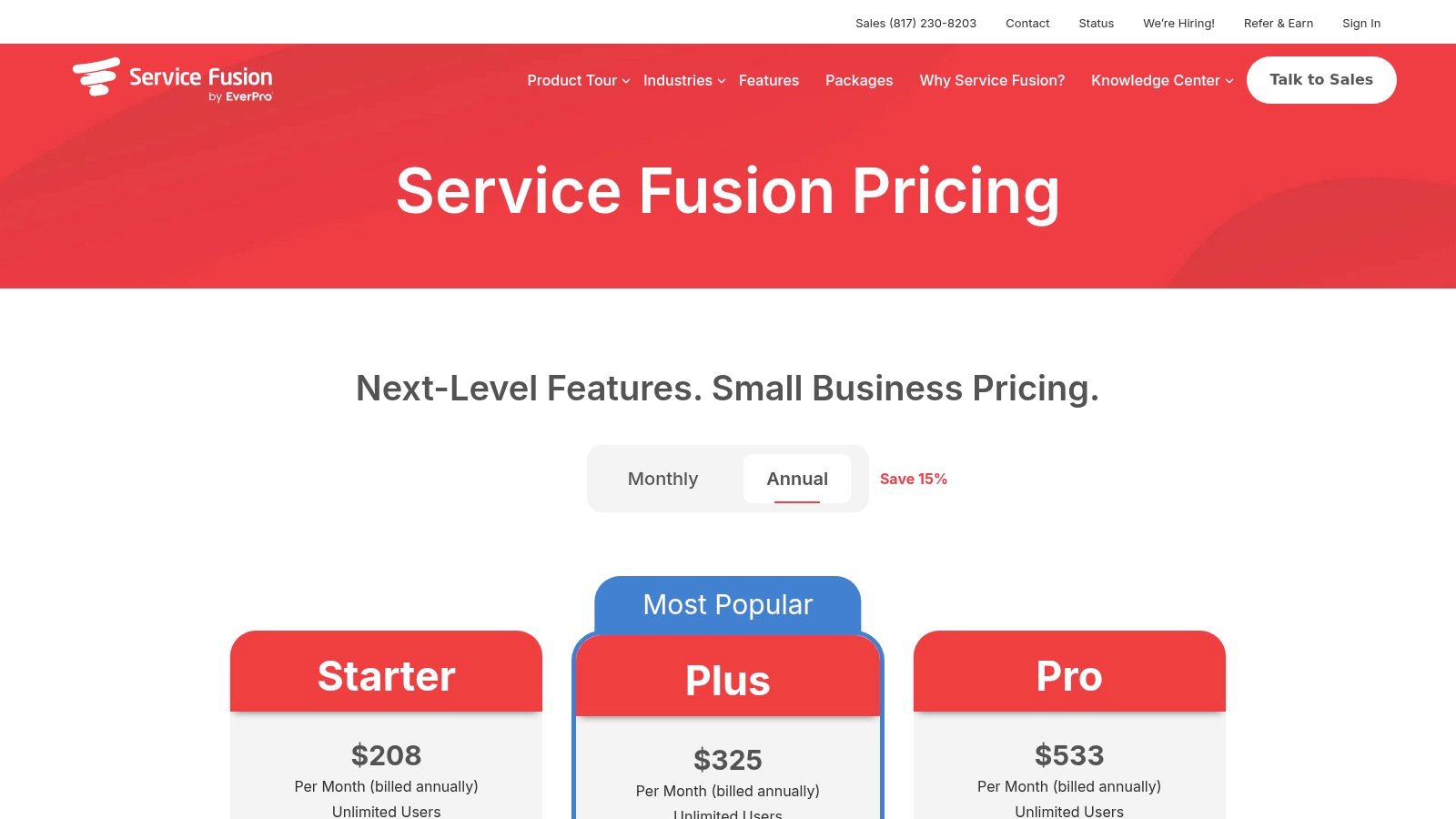
Pricing should be verified directly on Housecall Pro's pricing page and Service Fusion's pricing page. The figures discussed in this article were read on September 6, 2026.
Here is the practical lens that matters:
- Plan cost: What does the business pay at one, three, five, eight, and ten users?
- Seat structure: Do the owner, dispatcher, CSR, bookkeeper, and techs all count as users?
- Plumbing fit: Can the system handle urgent call booking, dispatch, approvals, invoices, and recurring service work without workarounds?
- Leaving later: Can the company export customer history, equipment records, photos, invoices, and service agreements?
- Real bill: What changes once payment fees, onboarding, add-ons, and integrations show up?
- Best fit by crew size: Which system makes sense for a solo plumber, a small crew, or a busier multi-truck shop?
My advice is direct. Housecall Pro fits smaller plumbing teams that want a lower starting price and simpler field workflows. Service Fusion fits growing crews that want predictable user cost and stronger office-side operations.
The Two Pricing Models in Plain English
A solo plumber usually sees the cheap starting plan and stops there. That is a mistake. The question is how the pricing model behaves once you add an office user, a dispatcher, and more trucks.
Housecall Pro uses a tiered seat model. You buy into a plan that includes a fixed number of users, and the top published tier adds extra users for an added charge. Service Fusion sells flat-rate tiers with unlimited users included. For a plumbing shop, that difference matters more than the plan names.
User counting gets messy fast. The owner may need full access. The CSR may only book calls. The dispatcher may live in the board all day. The bookkeeper may only need invoices and payments. Techs need mobile access in the field. Even with different roles, they can still count as users, so ask both vendors a blunt question: who counts against the limit, including office staff, part-timers, seasonal help, and subcontractors?
Published plans and included users
| Vendor | Plan | Monthly price, annual billing | Included users |
|---|---|---|---|
| Housecall Pro | Basic | $59 per month | 1 |
| Housecall Pro | Essentials | $149 per month | 5 |
| Housecall Pro | MAX | $299 per month | 8 |
| Service Fusion | Starter | $208 per month | Unlimited |
| Service Fusion | Plus | $325 per month | Unlimited |
| Service Fusion | Pro | $533 per month | Unlimited |
As noted earlier, these figures were read from the vendors' pricing pages on September 6, 2026.
Monthly billing changes the picture, especially if you want flexibility more than the lowest advertised rate. Housecall Pro lists $79 for Basic, $189 for Essentials, and $329 for MAX on monthly billing. Service Fusion lists $245 for Starter, $382 for Plus, and $627 for Pro on monthly billing. If you are comparing total software cost at one, three, five, eight, and ten users, use the annual numbers for the cleanest seat math, then confirm whether annual billing means a full-year commitment or just an annual term.
Here is the plain-English version. Housecall Pro is built to look better at the low end. Service Fusion is built to stay predictable as headcount grows. For a plumbing owner, that is the core pricing difference that matters.
Where the Crossover Falls
You feel this choice when the shop grows from owner plus one tech into a real office-and-field team. The truck count looks manageable. The user count is what changes the bill.
Using the published annual figures already noted earlier, Housecall Pro runs $59 per month for one user on Basic, $149 for up to five users on Essentials, and $299 for up to eight users on MAX. Additional MAX users are listed at $35 per month each per the vendor's published pricing, read September 6, 2026. Service Fusion's annual-billing tiers are $208 for Starter, $325 for Plus, and $533 for Pro, each with unlimited users, read the same date.
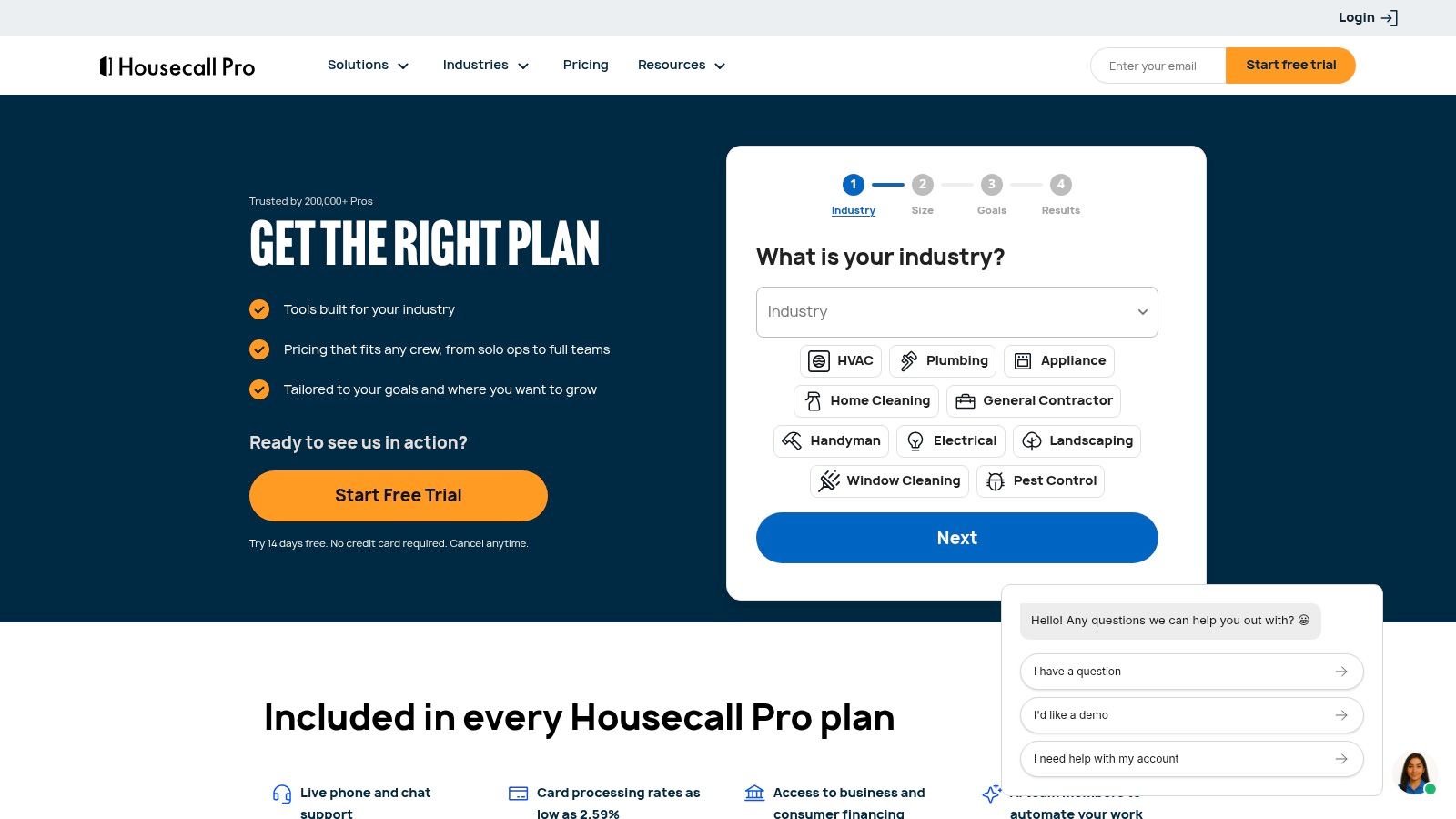
Here is the monthly subscription math on annual billing:
| Total users | Housecall Pro annual-billing model | Service Fusion Starter | Lower subscription |
|---|---|---|---|
| 1 | $59 Basic | $208 | Housecall Pro |
| 3 | $149 Essentials | $208 | Housecall Pro |
| 5 | $149 Essentials | $208 | Housecall Pro |
| 8 | $299 MAX | $208 | Service Fusion |
| 10 | $369 MAX, using two additional users at $35 each | $208 | Service Fusion |
This is the part many comparisons skip. At one, three, and five users, Housecall Pro is the cheaper subscription. At eight users, the crossover hits. Service Fusion Starter comes in lower than Housecall Pro MAX. At ten users, Housecall Pro climbs again because of the added-user charge, while Service Fusion Starter stays flat on subscription price.
For a plumbing shop, the five-user line matters. An owner with four techs and one office user can stay inside Housecall Pro Essentials and keep software cost down. That is a strong fit for a small residential operation.
The next jump is where owners get surprised. A three-truck plumbing company can still have an owner, dispatcher, CSR or bookkeeper, estimator, and field crew all needing logins. If those people count as users, you can hit the higher Housecall Pro tier sooner than the number of trucks suggests. Add a seasonal helper or second dispatcher and the math changes fast.
For a plumbing shop, the practical tipping point is eight users on the published annual figures. Below that point, Housecall Pro can be cheaper. At eight users and beyond, Service Fusion Starter is cheaper on subscription alone.
Check the annual terms before you sign. Confirm the commitment, cancellation rules, seat changes, and whether unused seats can be removed during the term. A lower advertised monthly rate does not always mean a lower cash outlay.
Scheduling, Dispatch, and Field Workflows
A plumbing dispatcher doesn't need a generic calendar. The dispatcher needs to place an emergency leak call without losing a scheduled water-heater installation, see which technician is finishing nearby, and send the field worker the right customer history before arrival.
Housecall Pro is positioned around a visual drag-and-drop calendar, technician status alerts, vehicle-map tracking, automated customer messages, recurring maintenance-plan tracking, and billing workflows. Those tools fit a small plumbing crew that wants to move quickly from phone call to scheduled visit. A dispatcher can adjust the day when a technician is delayed, notify the customer, and keep the job record connected to the appointment.
Service Fusion is positioned around a centralized dispatch board for more complex shifts, priority queuing, skills matching, service-area routing, multi-location inventory, purchase-order tracking, and flat-rate job costing in higher tiers, as described in this field-service workflow comparison. That matters when one technician handles sewer work, another handles commercial service, and a third carries the parts needed for a specific repair.
Plumbing examples that expose the difference
- Emergency dispatch: Housecall Pro's status visibility suits an owner assigning the nearest available technician. Service Fusion's skills and priority tools deserve a closer look when the call requires a licensed specialist or a particular truck inventory.
- Recurring maintenance: Housecall Pro positions recurring maintenance-plan tracking as part of its workflow. Service Fusion also supports service-agreement management, but the buyer should confirm which plan includes the required controls.
- Customer communication: Automated texts and arrival updates can reduce calls to the office. The demo should show whether the message is triggered automatically and whether the customer can reply in the same thread.
- On-site quoting: The technician should be able to build an estimate, present options, capture approval, and turn the approved work into an invoice without retyping the job.
- Routing: A simple map may be enough for a small local crew. A larger operation should test service-area rules, multi-stop routing, and technician qualifications with actual plumbing scenarios.
Both platforms need a live demo using an emergency call, a scheduled installation, and a recurring maintenance visit. Feature names alone won't reveal whether the workflow is fast enough for a busy morning.
The gap most plumbing buyers miss is not the calendar. It's whether dispatch, technician skills, truck inventory, and customer updates stay connected when the schedule changes.
Invoicing, Payments, and Recurring Service Plans
Revenue work starts when the technician presents a quote and ends when the payment clears. A plumbing platform should connect the estimate, approval, invoice, deposit, payment record, and customer history without forcing the office to rebuild the transaction.
Housecall Pro is described as offering estimates, invoice workflows, customer payment collection, automated billing, and recurring maintenance-plan tracking. Service Fusion is described as supporting estimates, invoices, payment processing, service agreements, and progress invoicing in its broader feature set. A plumbing company handling replacement jobs should ask specifically about deposits and progress billing, because a subscription plan may include basic invoicing without including every project-billing workflow.
The payment line deserves separate attention. A field-service buyer's guide reports that vendor-bundled payment processing commonly runs 0.5 to 1.0 percentage points above standard Stripe or Square rates, and that migration budgets can range from approximately $3,000 to $20,000, depending on data volume, cleanliness, and the source system, as described in the field-service software buyer's guide. Those figures are not subscription prices, and they shouldn't be assumed for either vendor without a written quote.
A plumbing owner should confirm:
- Whether the platform accepts card and ACH payments.
- Whether payment links, card-on-file billing, deposits, refunds, and failed payments are supported.
- Whether recurring service agreements create invoices automatically.
- Whether processing fees differ for cards, ACH, mobile readers, or online links.
- Whether a platform surcharge applies to payments collected through the vendor's processor.
- Whether higher-tier plans are required for progress billing, advanced reporting, or service agreements.
Recurring plumbing work makes this more important. Water-heater maintenance, drain-care plans, and inspection agreements depend on accurate property history and reliable renewal scheduling. A missed recurring visit can mean a missed service opportunity and a frustrated customer.
Subscription price is only one line in the bill. Processing fees, payment tools, plan upgrades, onboarding, and migration can change the cheaper option.
Integrations, Imports, and What Happens When You Leave
A spreadsheet import can create customer names and addresses without creating a usable plumbing history. The valuable record is often the property, the equipment, the prior repair, the photos, the invoice, and the recurring agreement connected to that address.
Housecall Pro and Service Fusion should both be asked to identify what an import includes from spreadsheets or a previous field-service platform. The buyer needs a written answer covering customers, properties, contacts, equipment, job history, open invoices, service agreements, price books, attachments, and payment records. “Data migration” isn't specific enough.
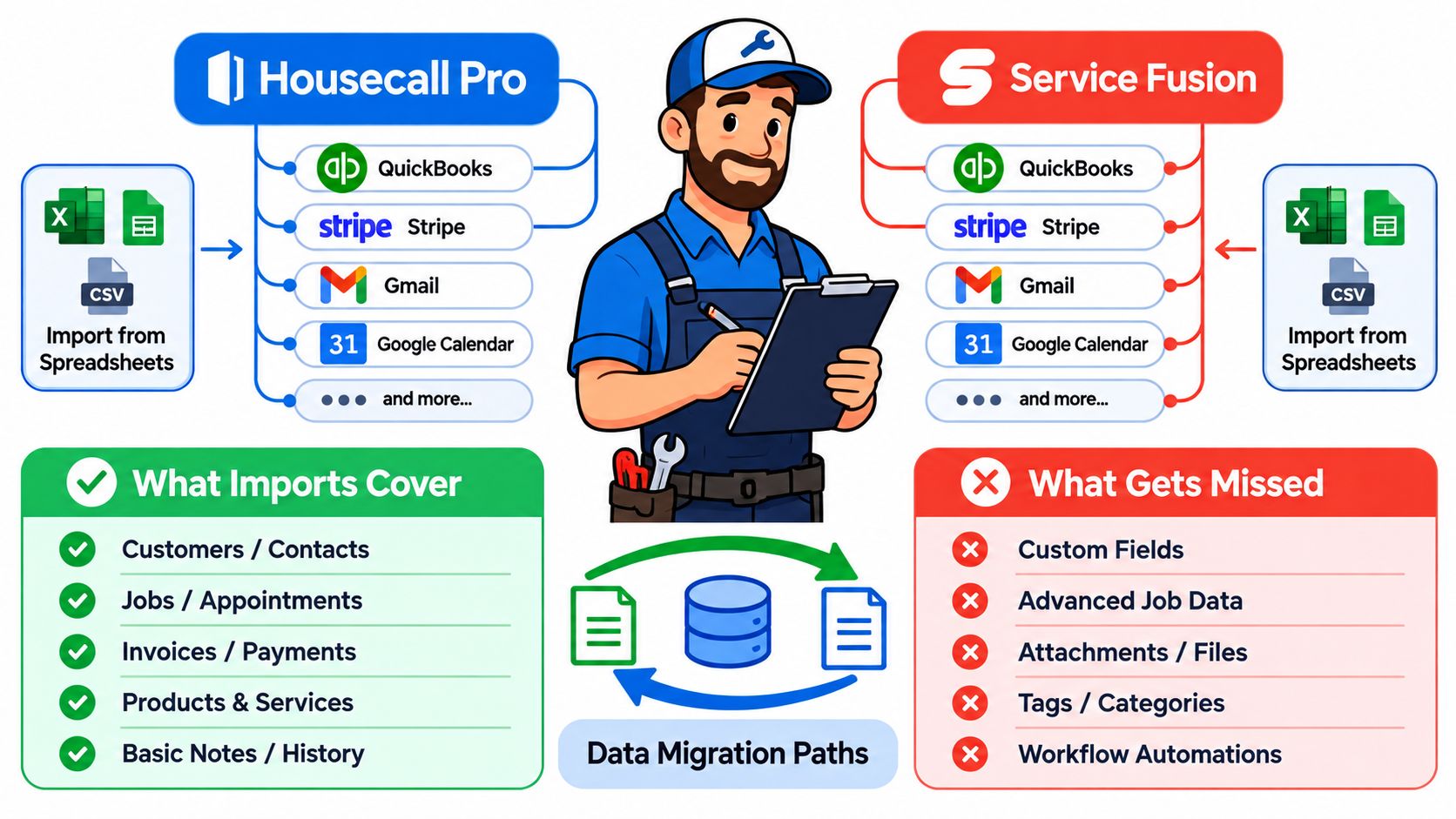
Export matters just as much. One independent review estimates that complete Housecall Pro data extraction may require support assistance and that migration can take two to six weeks, depending on history and integration complexity, as reported in this small-business field-service software review. That estimate shouldn't be treated as a promise for every plumbing business, but it shows why an owner should ask before signing.
Questions about the exit path
- Format: Will exports arrive as CSV, PDF, image files, or another usable format?
- Coverage: Do exports include property records, job notes, photos, estimates, invoices, payment records, and recurring schedules?
- Retention: How long can the business access data after cancellation?
- Attachments: Can job photos and signed documents be downloaded with the related job?
- Ownership: Who owns uploaded customer records, service photos, and documents?
- Reconstruction: Can another platform rebuild recurring jobs and property history from the export?
Native integrations should be tested against the actual plumbing stack, especially accounting, payment, phone, financing, and inventory tools. A connection that syncs customers but not invoices or payment status may leave the office doing duplicate entry.
The best platform isn't always the one with the longest feature list. If its data model makes departure difficult, the business may pay for that decision later through cleanup, lost productivity, replacement integrations, and customer-history verification.
Recommended Buyer Profiles by Crew Size
Solo owner-operator: Housecall Pro is the clear starting recommendation. Basic at $59 per month for one user on annual billing keeps the subscription far below Service Fusion Starter, while the owner gets the core scheduling, estimating, invoicing, and payment workflow expected from a home-service platform.
Small plumbing crew: Housecall Pro remains attractive when the team fits inside Essentials at five users. A shop with an owner, dispatcher, and several technicians should verify that every required role fits the allowance before choosing it. If the crew is approaching eight users, the owner should run the crossover calculation before signing.
Eight users and above: Service Fusion Starter deserves the recommendation on subscription cost because its annual-billing figure stays at $208 per month with unlimited users. That fixed structure is easier to forecast when technicians, office staff, and dispatchers need access.
Complex dispatch or inventory needs: Service Fusion is the stronger candidate when the operation needs more formal dispatch rules, skills matching, service-area routing, inventory controls, purchase orders, and job-cost detail. The buyer should confirm which tier contains each required function.
Neither platform is automatically right for every plumbing company. A business that needs highly customized workflows, deep multi-location controls, or a different mobile experience should also examine alternatives such as Jobber, Workiz, Contractor Foreman, or ServiceTitan. The right third-party option depends on the workflow that creates the most daily friction.
Demo Questions to Bring Into the Sales Call
A plumbing owner shouldn't leave the demo with verbal assurances. Each answer should arrive in writing, tied to the proposed plan and quote.
Pricing and seats
- Which roles count as users, including dispatchers, office staff, owners, helpers, and subcontractors?
- What is the exact monthly and annual price for the current headcount?
- What happens when the business adds one technician?
- Are unused seats removable during an annual term?
- Which features require a higher tier or separate add-on?
Contract terms
- Does annual billing require payment for the full year upfront?
- What are the cancellation and renewal terms?
- Are there minimum commitments or setup charges?
- What happens to access and exports after cancellation?
Payments and surcharges
- What are the card and ACH processing rates for the proposed account?
- Are payment links, card-on-file billing, deposits, refunds, and progress invoices included?
- Are card readers, financing, or payment reminders extra?
- Does the platform add a surcharge to vendor-processed payments?
Imports, exports, and integrations
- Which customer, property, equipment, job, photo, invoice, payment, and service-agreement fields will be imported?
- What export formats are available?
- Can the company export attachments and recurring schedules?
- How long does data remain available after cancellation?
- Which QuickBooks, phone, financing, routing, and inventory integrations are included in the quoted plan?
Plumbing workflows
- Can a dispatcher assign an emergency call by technician skill, location, and availability?
- Can a technician create an estimate, capture approval, collect a deposit, and invoice from the job?
- Can the office see equipment history and prior photos by property?
- Can recurring maintenance visits be created, moved, billed, and renewed?
- Can the system show truck parts or inventory before dispatch?
The answers should be plugged into the user-count model, not reviewed separately from it. If Housecall Pro still fits the crew and workflow, its lower entry price is compelling. If the shop has reached the eight-user crossover or needs broader office controls, Service Fusion's unlimited-user structure may justify the higher starting bill.
A plumbing owner should request written quotes from both vendors using the actual number of technicians, dispatchers, and office users, then ask for a sample export covering a real property record, job history, photos, invoice, payment, and recurring agreement. Choose Housecall Pro for a smaller crew that values lower entry cost and fast field administration. Choose Service Fusion when the operation has reached the unlimited-user crossover and needs predictable access for a growing dispatch team.