The most common advice on Housecall Pro vs ServiceTitan is too simple: Housecall Pro is cheaper, ServiceTitan is more powerful, and larger HVAC companies should pay the premium. That summary misses the central buying problem. Housecall Pro shows a published subscription ladder. ServiceTitan shows “Request Pricing.” Buyers aren't comparing two equivalent price tags.
That difference matters more than a feature checklist. A small HVAC operator can inspect Housecall Pro's public plans in an afternoon. A ServiceTitan buyer has to enter a sales process before the monthly platform cost, implementation terms, user charges, and payment details become clear. The right choice depends on crew size, office structure, dispatch complexity, and how much reporting the business can use, not on which product has the longer feature page.
Why This Comparison Is Really a Price Story
The headline is not a price gap. It is the absence of a public ServiceTitan price. Housecall Pro is positioned for smaller HVAC teams that want published flat-rate plans and faster implementation, while ServiceTitan targets larger, more complex businesses with deeper reporting and enterprise workflows, as summarized by independent field-service software coverage.
That difference determines how buyers should read every comparison. Housecall Pro gives you a visible subscription figure and user limit. ServiceTitan gives you a sales conversation, followed by a quote that may account for technicians, office users, implementation, payment processing, contract terms, and selected modules. Independent guides may estimate ServiceTitan's per-technician cost, but those figures are not a substitute for the vendor's proposal.

The comparison buyers should actually make
Start with three separate price questions:
- What does Housecall Pro publish? Public plans, user limits, billing options, cancellation terms, and visible add-ons.
- What does ServiceTitan publish? Tier names and workflow descriptions, plus a request for a custom quote. No monthly list price.
- What must be negotiated? Implementation, extra users or technicians, payment processing, contract terms, data migration, and modules outside the base package.
Company-size data also reflects different target customers. Housecall Pro appears in the 201 to 500 employee and $25 million to $100 million revenue ranges. ServiceTitan appears in the 1,001 to 5,000 employee and $100 million to $500 million revenue ranges, according to Indeed's company comparison.
For a 6 to 20 person HVAC operation, the useful calculation is the break-even point. Track seat growth, recurring-service requirements, onboarding, reporting, and payment costs. Housecall Pro's lower sticker can lose that advantage as those costs rise. ServiceTitan deserves consideration when its added workflow capacity offsets the implementation and quote-based costs. The decision requires that calculation, not a universal winner.
Housecall Pro's Published Pricing
Housecall Pro puts a usable subscription price in front of buyers. On October 2, 2026, the Housecall Pro pricing page listed Basic at $59 per month when billed annually or $79 per month when billed monthly for one user. Essentials was $149 per month billed annually or $189 per month billed monthly for up to five users, while MAX was $299 per month billed annually or $329 per month billed monthly for up to eight users. Those published figures come from the Housecall Pro pricing page. Confirm the terms before signing.
| Tier name | Monthly price | Annual price | Included users | Notable limits |
|---|---|---|---|---|
| Basic | $79 monthly billing | $59 monthly equivalent, billed annually | 1 user | Entry plan for a single user |
| Essentials | $189 monthly billing | $149 monthly equivalent, billed annually | Up to 5 users | More room for a small office and field team |
| MAX | $329 monthly billing | $299 monthly equivalent, billed annually | Up to 8 users | Extra users are billed separately |
This pricing structure suits owner-operators and small HVAC teams because the subscription cost can be calculated before a sales call. Housecall Pro also says it doesn't require long-term contracts and that cancellation is simple. That flexibility reduces commitment risk, although buyers should verify the current terms in their agreement.
The comparison buyers should make
The subscription price is only the first line in the budget. Housecall Pro presents separate products and add-ons, including its pricing database, marketing tools, and financing offer. Confirm which features belong to the selected tier and which require an additional charge. Extra users also matter once a shop moves beyond the included limit.
Payment processing requires its own review. Housecall Pro Payments may add costs that the plan table does not show. Ask for the terms covering card payments, ACH transactions, refunds, chargebacks, and any other processing charges. The final processing figure should appear in the written proposal, not remain an assumption based on the monthly subscription.
Practical rule: Use the published subscription price to shortlist Housecall Pro, then request written figures for every add-on and operating cost.
The published plans give a small HVAC shop a clear starting point. They do not establish the final cost for a growing team with several office users, recurring-service plans, marketing services, payment volume, and onboarding support. Calculate the break-even point as seats and services increase. Housecall Pro is the lower-cost option at the sticker-price stage, but that advantage narrows when extra users, processing, and implementation costs enter the quote.
ServiceTitan's Pricing Page and What Independent Guides Estimate
ServiceTitan's pricing page makes the price gap impossible to calculate from public information. On October 2, 2026, the page published no monthly figure and directed buyers to “Request Pricing.” It lists Starter, Essentials, and The Works, but gives no subscription amount for any tier. A buyer must request a sales quote before comparing ServiceTitan's cost with Housecall Pro's published plans.
An independent ServiceTitan pricing guide provides a per-technician estimate and discusses implementation charges. That estimate is useful for planning, but it is not a vendor-confirmed price. Use it to set a rough scenario, not as the number in an approved HVAC budget.
| ServiceTitan tier | What ServiceTitan confirms in writing | What the independent guide indicates |
|---|---|---|
| Starter | Tier name and access to a sales quote | A per-technician estimate may apply, but ServiceTitan does not publish the amount |
| Essentials | Tier name and access to a sales quote | A per-technician estimate may apply, but ServiceTitan does not publish the amount |
| The Works | Tier name and access to a sales quote | A per-technician estimate may apply, but ServiceTitan does not publish the amount |
The practical break-even point depends on the quote, not the tier label. Compare technician seats, office users, selected modules, implementation, contract term, payment processing, and any required services. Housecall Pro may retain its lower sticker price for a small team, but added seats, onboarding, and processing costs can narrow that advantage as the operation grows. ServiceTitan's missing public price means the comparison cannot be finished until those variables appear in writing.
What the sales quote must clarify
ServiceTitan is built for operations that need deeper dispatching, reporting, accounting connections, and multi-layer workflows. That scope can suit a larger HVAC company, while giving smaller shops more cost and setup decisions to manage.
Ask whether dispatch, reporting, membership management, customer financing, call-center functions, and accounting integrations are included or priced separately. Request payment terms as well. ServiceTitan supplies payment rates through the quote, and surcharges or PCI-related fees may change the final processing cost.
The vendors also operate at different scales. Housecall Pro was founded in 2013 and has raised $175 million. ServiceTitan's June 2021 Series G raised $200 million and valued the company at $9.5 billion, according to Contrary's ServiceTitan company research. Those figures do not determine software quality, but they help explain the difference in product scope and sales process.
The ServiceTitan budget starts with a sales quote, not the website.
Feature by Feature for HVAC Shops
HVAC owners should compare daily workflows instead of counting feature names. The useful question is whether the system supports the way a shop books service, sends technicians, presents replacement options, collects payment, and manages maintenance relationships.
| Feature | Housecall Pro | ServiceTitan |
|---|---|---|
| Scheduling | Published drag-and-drop calendar, online booking, and customer confirmations | Published dispatch board, technician scheduling, and customer self-scheduling |
| Dispatch and routing | Route-efficiency tools in MAX and live GPS through Marketing and Connected Services | Published live map view, route optimization, and technician tracking |
| Quoting | Flat-rate pricebook and good-better-best options | Good-better-best estimates, multi-option proposals, and Membership Plans |
| Payments | Housecall Pro Payments and card-on-file in MAX | Partner payment processing with rates supplied through a quote |
| Recurring work | Service agreements and recurring plans positioned with MAX | Service agreements and recurring plans available as an add-on |
| Reporting | Simpler dashboards for smaller teams | Deeper reporting and enterprise workflow support |
Scheduling and dispatch
Housecall Pro's published scheduling approach suits an HVAC office that needs fast job entry, online booking, confirmations, and straightforward calendar changes. Route-efficiency tools are associated with MAX, while live GPS is associated with Marketing and Connected Services.
ServiceTitan publishes a more layered dispatch model. Its dispatch board, technician scheduling, live map view, route optimization, and technician tracking are designed for offices coordinating more complex technician assignments. That distinction matters when dispatchers must account for skills, locations, job types, and multiple crews.
Quoting and payments
Both vendors publish good-better-best selling workflows, but ServiceTitan also presents multi-option estimates and Membership Plans within its broader operating system. Housecall Pro's flat-rate pricebook is a simpler fit for standard residential repair and replacement work.
Payment architecture can change the buying decision. Housecall Pro includes card-on-file functionality in MAX and processes transactions through Housecall Pro Payments. ServiceTitan uses a partner processor, and the rate belongs in the sales quote rather than in a generic comparison.
Recurring HVAC work
Service agreements are important for tune-ups, maintenance plans, and repeat visits. Housecall Pro places recurring-plan capability in MAX, while ServiceTitan presents recurring service as an add-on. That doesn't make one automatically better. It means a shop must compare the cost and workflow of the required tier against the number of maintenance customers the office manages.
For a small HVAC shop, easy adoption may matter more than advanced reporting. For a larger operation, dispatch control, agreement reporting, and technician utilization can matter more than a quick setup.
Where the Lower Sticker Stops Being Lower
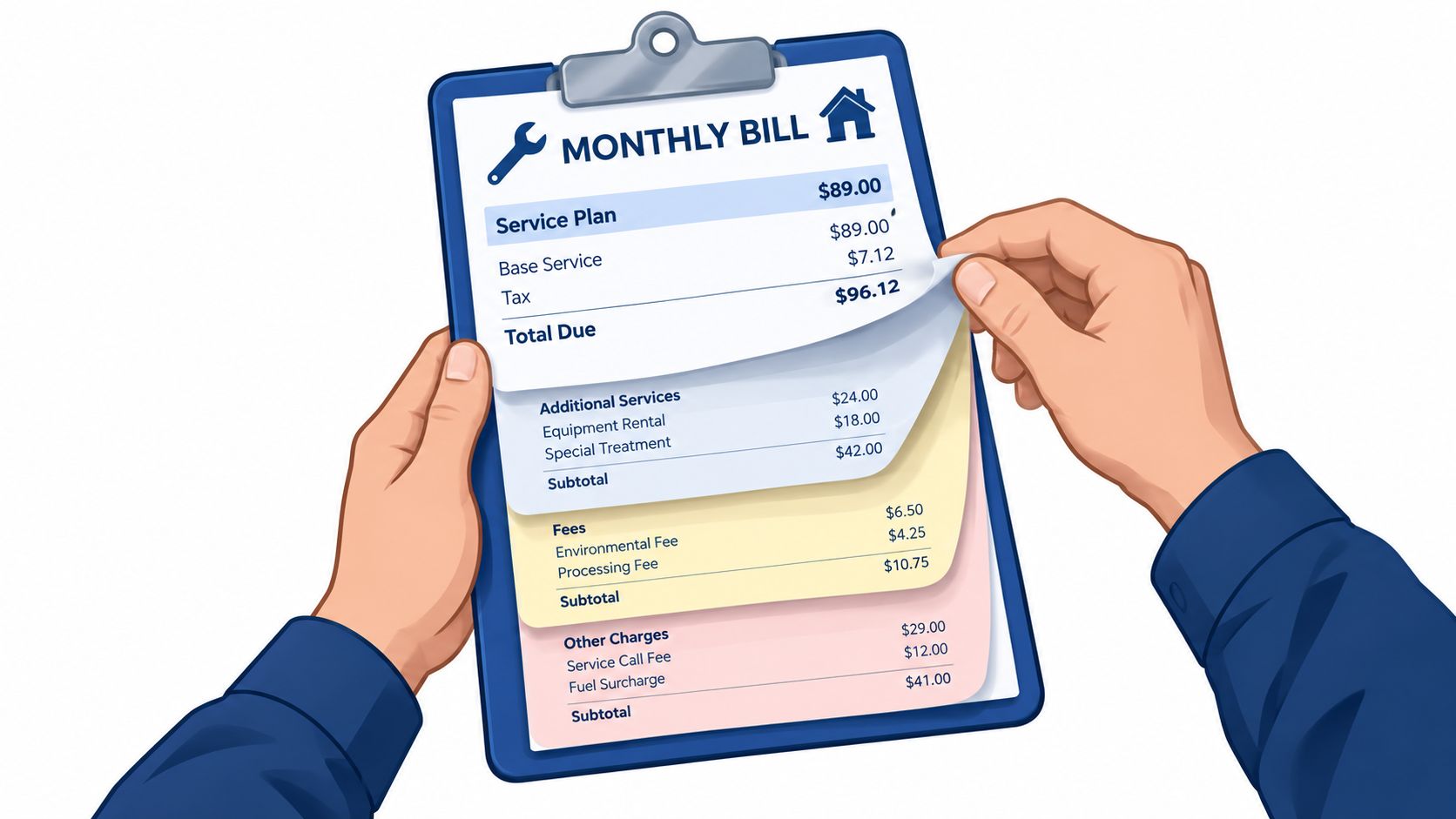
A Housecall Pro comparison becomes misleading when it stops at the base subscription. The proper model starts with the actual roster: technicians, office users, dispatchers, recurring-service needs, marketing requirements, and payment volume.
The requested $189 MAX BASIC per-user model doesn't match the published Housecall Pro tier names. Housecall Pro lists Essentials at $189 per month with monthly billing, while MAX is listed at $329 per month with monthly billing, as shown on the vendor's pricing page. A 10-technician example therefore can't be treated as a verified Housecall Pro calculation without a written quote for the additional users and add-ons.
The line items that change the result
For a shop in the 6 to 20 person range, the calculation should include:
- Seats: Essentials covers up to five users, and MAX covers up to eight users. Extra users on higher tiers are billed separately.
- Recurring service: A maintenance-plan workflow may require MAX on Housecall Pro or an add-on under ServiceTitan.
- Marketing: Housecall Pro lists marketing tools separately from the basic subscription structure.
- Payments: Processing costs depend on transaction volume and the terms offered by the payment provider.
- Implementation: ServiceTitan's implementation cost must come from the sales quote. Housecall Pro's onboarding terms should also be confirmed in writing if paid help is requested.
- Reporting: A shop may need a higher ServiceTitan tier or a separate module for the reporting depth its controller expects.
Why a precise break-even number would be false
A payment example based on 2.6% of $250,000 in annual card volume would produce a precise-looking result, but that rate and volume aren't verified here. They shouldn't be presented as a fact or used to claim that one platform becomes cheaper at a particular seat count.
The same problem applies to ServiceTitan. Independent guides may provide per-technician estimates and setup figures, but the public ServiceTitan pricing page publishes no monthly amount. The comparison can identify the cost drivers, but only matching written quotes can establish the break-even point.
The practical conclusion is direct: Housecall Pro's price advantage is strongest when the shop stays within its published user limits and needs a simple workflow. As seats, recurring modules, marketing, payment volume, implementation, and reporting requirements grow, the gap can narrow. At that stage, the decision should turn on operational value and quoted total cost, not the entry plan.
Which HVAC Shop Each Platform Fits
A two-truck residential HVAC business with one office administrator and standard repair, maintenance, and replacement work belongs on the Housecall Pro shortlist. Basic and Essentials provide a visible starting point, and the owner can compare the subscription against current office needs without waiting for a custom sales proposal.
A growing shop with several trucks, mixed residential and light commercial work, and more complex dispatch should evaluate both platforms. Housecall Pro may remain the better fit if the office needs simple scheduling, online booking, estimates, invoices, and customer messaging. ServiceTitan deserves a serious call when dispatchers need deeper routing, reporting, agreement management, and more structured sales workflows.
The larger operation
A multi-crew commercial HVAC contractor with 20 or more technicians, regional dispatch responsibilities, larger jobs, and service activity spread across multiple states has a different problem. The business may need call-center functions, detailed reporting, complex quoting, technician tracking, and add-ons that match a layered office structure.
That is where ServiceTitan's heavier architecture starts to earn its place. The platform is positioned for larger, more complex operations, and independent comparisons describe it as stronger for HVAC, plumbing, and electrical businesses that need deeper dispatching, reporting, financing, and membership tooling, as summarized by SelectHub's comparison.
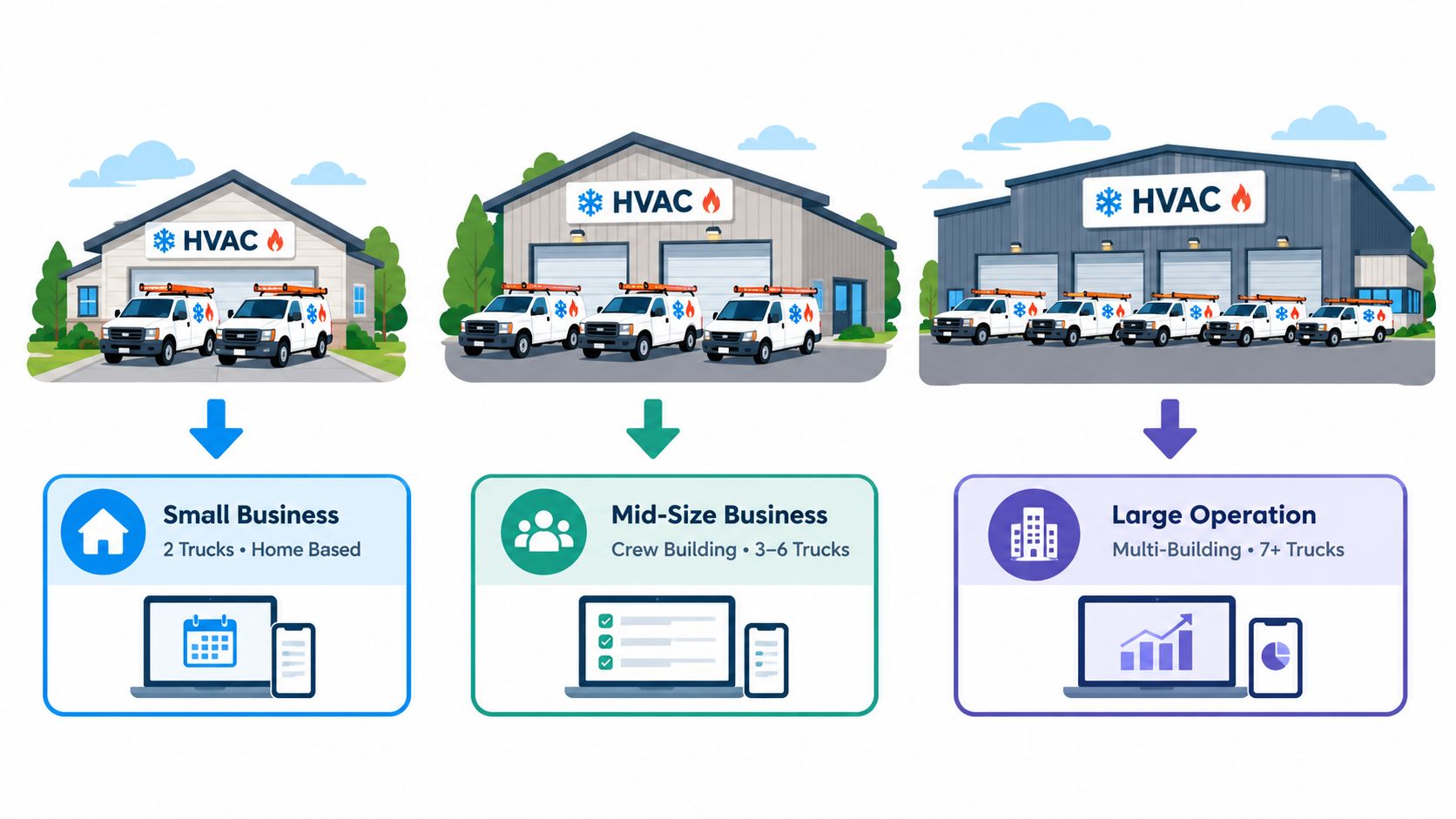
The two-truck boundary is clear. Housecall Pro is the practical first choice when the team needs speed, a known subscription, and modest workflow depth. ServiceTitan earns consideration at scale when reporting, dispatch, agreements, and multiple office roles become central to daily operations.
Migration, Imports, and Demo Questions Worth Asking
Migration risk is easy to underestimate. A shop moving from spreadsheets, QuickBooks, or older field-service software needs to know whether customer records, jobs, invoices, and pricebook items can be imported, and whether historical data arrives in usable form.
Housecall Pro publishes an import guide covering customers, jobs, invoices, and pricebook items. It also describes paid onboarding tiers for larger histories, giving smaller shops a more visible starting path for a move from manual records or a basic system. The exact import scope and service cost should be confirmed before data is prepared.
ServiceTitan doesn't publish a comparable do-it-yourself import path in the available pricing material. Migration is handled through the implementation process, so the buyer should request a written description of the data mapping, cleanup work, historical records, and staff responsibilities before accepting a quote.
Questions for both sales calls
The same questions should be sent to both vendors:
- Contract terms: Is there a minimum term, auto-renewal language, or an early-exit charge?
- User charges: Are office users, technicians, dispatchers, and managers counted differently?
- Payments: What are the card and ACH rates, and are there different terms by card type?
- Pricebook migration: What file formats are accepted, and who checks the imported items?
- Recurring work: Are service agreements included, limited to a higher tier, or sold as an add-on?
- Reporting: Which dashboards are included, and which require a higher plan?
- Implementation: What does onboarding cover, and what happens if the migration takes longer than planned?
- Data export: What records can the business retrieve if the contract ends?
A demo answer isn't enough. The important terms belong in the proposal and contract.
The comparison becomes fair only when both sales representatives answer the same operational questions. A published Housecall Pro plan and a custom ServiceTitan quote can be compared, but only after the quote includes the same seats, workflows, payment assumptions, onboarding scope, and contract protections.
The Shortlist and a Practical Next Step
A small residential HVAC shop should shortlist Housecall Pro first. Its published tiers make the initial budget visible, its smaller-team positioning fits an owner-led office, and its Essentials plan can cover a small group without immediately entering an enterprise sales process.
A larger HVAC operation with multiple crews, dedicated dispatchers, recurring agreements, and management that depends on job-margin dashboards should shortlist ServiceTitan. The lack of a public price isn't automatically a weakness for that buyer. It signals that the purchase is configured around a more complex operating model, so the sales quote needs to be detailed rather than avoided.
Housecall Pro is the better recommendation for the small shop. ServiceTitan is the stronger candidate when dispatch, reporting, and organizational complexity justify a heavier platform. Neither choice should be based on an unverified third-party price estimate.
The next step is concrete. Book both sales calls in the same week, give each representative the same questions about seats, contract terms, payment rates, imports, recurring service, reporting, and implementation, then compare the written answers line by line. Sign only after the proposal reflects the HVAC operation's real architecture, not just the most attractive demo.
For a buyer still deciding, Housecall Pro's published pricing should be used to build the small-shop baseline, while ServiceTitan's Request Pricing process should be used to obtain a complete quote. The winning platform is the one whose total cost and workflow match the shop's current dispatch structure, technician count, and recurring-service plans.