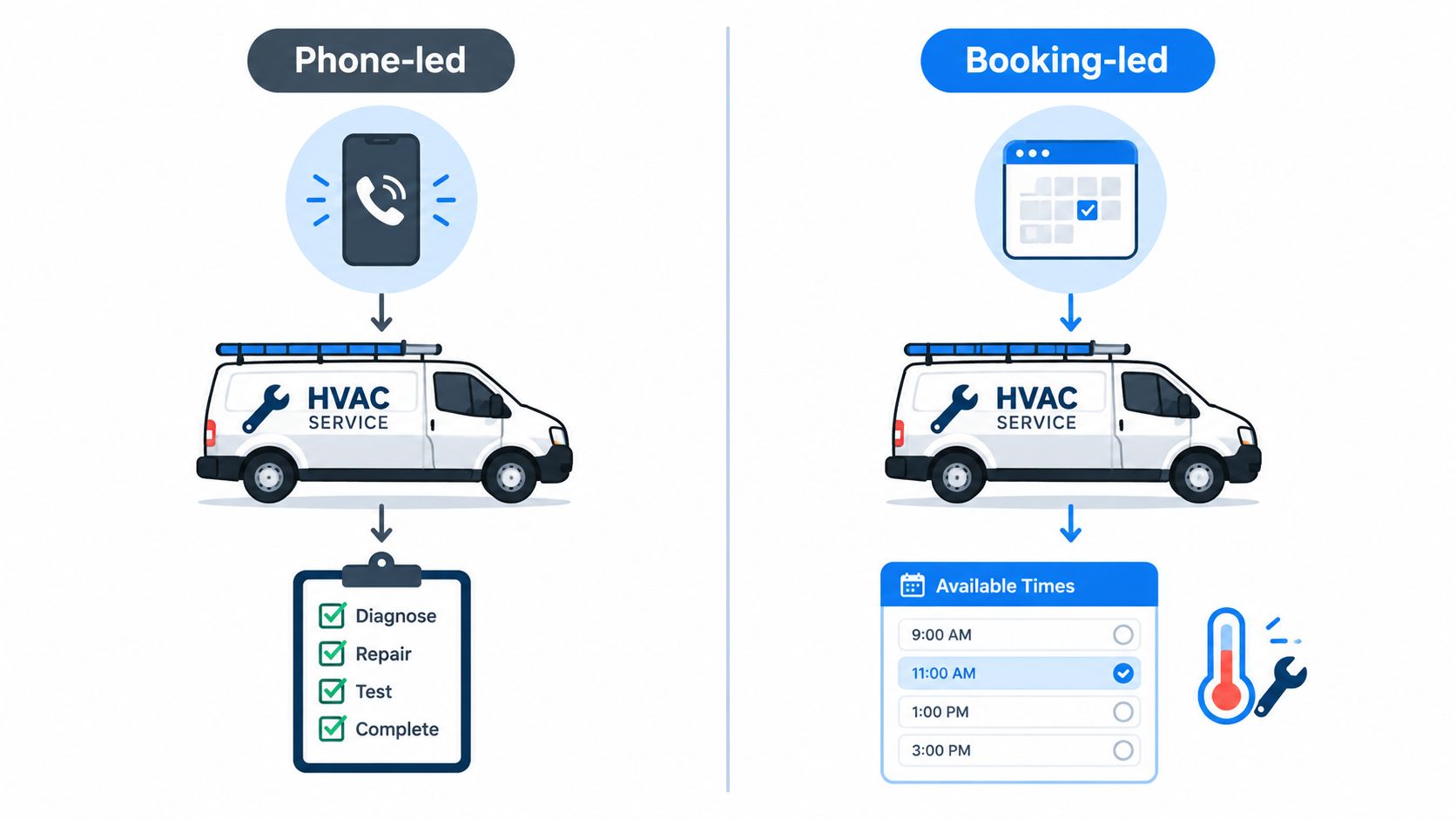
An HVAC owner can have a full board, a ringing office phone, and technicians waiting for better job details, all at the same time. The difficult choice isn't whether to buy field-service software. It's whether the business needs a phone-led system that turns calls into jobs or a booking-led system that improves reminders, payments, and recurring service communication.
Workiz and Housecall Pro answer those problems differently. Workiz puts more weight on phone handling, call records, messaging, and AI-assisted answering. Housecall Pro puts more weight on online booking, customer notifications, review requests, recurring services, and a clearer published entry price. The right choice depends on how HVAC leads arrive, how many people need access, and what the complete twelve-month bill looks like after seats, payment fees, and add-ons.
Why HVAC Owners Compare Workiz and Housecall Pro
A small HVAC company often starts with a personal mobile number, a shared calendar, and invoices created after the truck returns. As call volume rises, that setup creates familiar problems: missed no-cool calls, duplicate bookings, technicians without equipment history, and office staff searching through texts for approval details.
The Workiz versus Housecall Pro decision should begin with the lead source, not a feature checklist. An emergency repair company that wins work through inbound calls may benefit more from Workiz's phone-centered workflow. A maintenance-focused HVAC company that wants customers to book tune-ups online may get more value from Housecall Pro's customer communication and recurring-service tools.
The size of the crew changes the decision. A solo technician may care most about a short setup, mobile invoicing, and avoiding a long contract. A shop with several technicians needs dispatch visibility, property history, clear handoffs, and rules for inactive users. A larger HVAC operation also needs written answers about phone charges, message limits, payment costs, exports, and cancellation.
| Decision area | Housecall Pro | Workiz |
|---|---|---|
| Best starting point | Booking-led HVAC businesses and recurring service work | Phone-led HVAC businesses and call-heavy offices |
| Published pricing visibility | Publishes selected annual-billing tiers | Pricing page publishes no figure and uses a request process |
| Communications emphasis | Booking, reminders, on-my-way messages, reviews | Phone system, call records, transcription, messaging, AI-assisted calls |
| Contract concern | Confirm tier, users, add-ons, and billing choice | Confirm quote, annual commitment, add-ons, renewal, and cancellation |
| Payment consideration | Published card-processing rate and financing ecosystem | Confirm payment terms separately from phone and AI costs |
The comparison matters because the cheaper subscription can lose its advantage once processing fees, phone service, AI answering, extra users, or annual commitments enter the calculation. HVAC owners should compare the full operating workflow, not just the first number shown during a sales call.
Published Pricing Tiers and Contract Terms
Housecall Pro gives HVAC buyers a clearer starting point. On January 15, 2026, its pricing page listed annual-billing tiers of $59 per month for one user, $149 per month for five users, and $299 per month for eight users. It also listed $35 per additional MAX user, so price the next technician before approving a switch.
The same page lists a 14-day free trial and a month-to-month option. Annual billing can reduce the displayed monthly rate, but it creates a longer commitment. Confirm whether the annual term covers add-ons and whether inactive seats continue to generate charges.
Workiz requires a quote-first pricing review
On January 15, 2026, Workiz's pricing page published no subscription figure and directed buyers to request pricing. A third-party comparison of Workiz trial length and contract terms identifies a 7-day trial, describes Workiz as an annual-contract product, and notes that previously listed plans had user limits of up to five users.
Treat the quote as part of the evaluation. It should name the plan, included users, phone lines, AI access, message allowances, payment charges, renewal date, and early-termination consequences. A verbal promise about included features is not sufficient. Ask for every commitment in writing.
Model twelve-month cost by crew and payment volume
For a one-person HVAC business, Housecall Pro's published $59 annual-billing tier provides a visible baseline, while Workiz requires a direct quote. A five-user crew can model Housecall Pro at its published $149 tier, then compare Workiz's quoted subscription, phone costs, payment volume, and any AI charges. For an eight-user operation, Housecall Pro's published $299 tier offers a direct benchmark, while Workiz still needs a written proposal with the full crew.
| Crew scenario | Housecall Pro published baseline | Workiz planning requirement |
|---|---|---|
| One user | $59 per month on annual billing | Request a written quote |
| Five users | $149 per month on annual billing | Confirm included seats and annual terms |
| Eight users | $299 per month on annual billing | Confirm whether the quoted plan supports the full crew |
These figures are subscription baselines, not twelve-month operating totals. Add payment-processing charges based on expected volume, then include phone lines, AI answering, financing, extra users, and cancellation exposure. Phone-led HVAC offices should test whether Workiz's call workflow produces enough booked work to justify its quoted total. Booking-led shops should start with Housecall Pro's published baseline and verify the final cost after seats and add-ons are included.
Scheduling, Dispatch, and Routing Compared
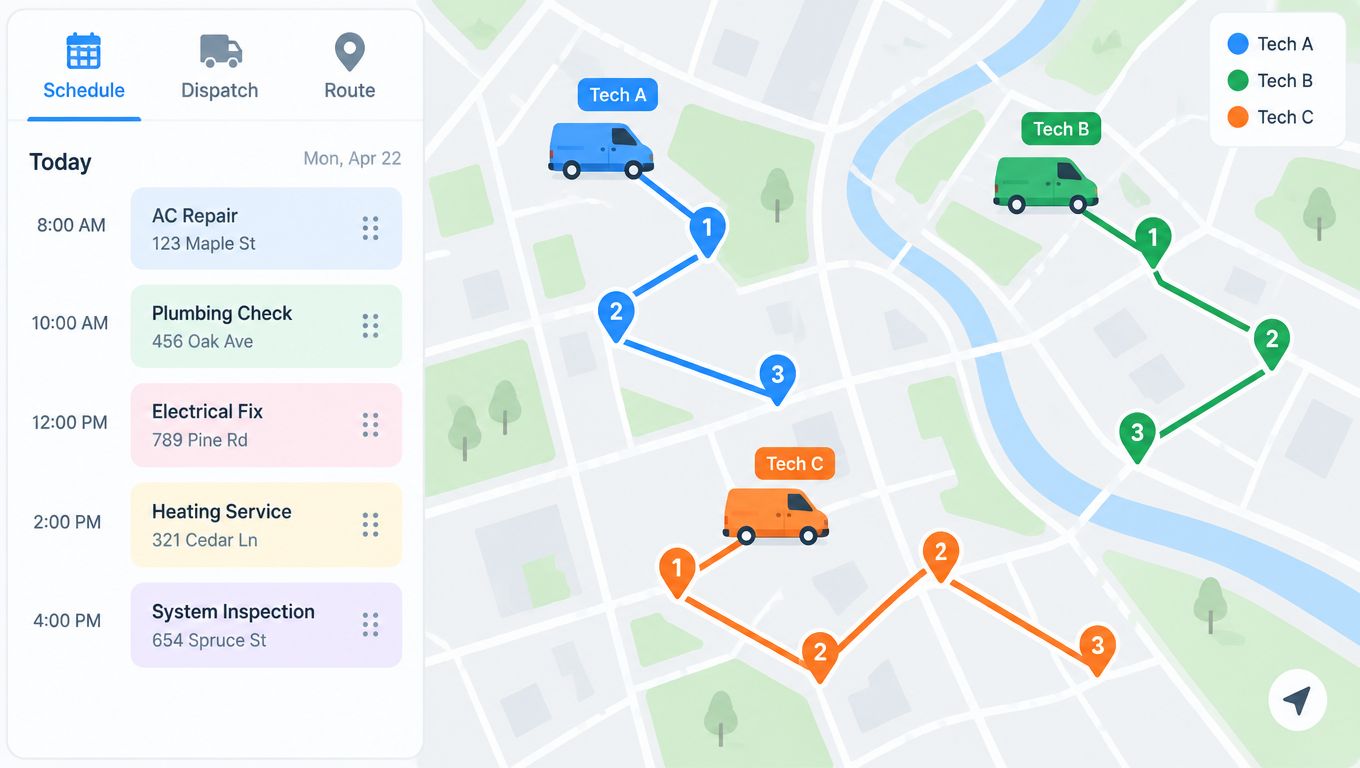
A homeowner calls about a failed furnace while the dispatcher is already moving technicians between jobs. The right platform must capture the call, preserve the property record, assign the visit, and keep the route workable without forcing staff to re-enter details.
Both platforms cover the core HVAC cycle: create a customer, schedule a visit, assign a technician, send job information, prepare an estimate or invoice, and retain service history. Their starting points differ. Workiz fits a phone-led office, while Housecall Pro fits a shop that wins work through online booking and customer messages.
Workiz connects calls, messages, and job records in a phone-centered workflow. An office can record the caller's address and problem description while creating the job, reducing duplicate entry during a busy evening. That setup suits HVAC companies whose dispatch queue begins with inbound calls.
Housecall Pro puts more emphasis on the customer-facing booking sequence. Its tools include online booking, appointment reminders, real-time on-my-way notifications, review requests, and recurring-service workflows, as described in the published product comparison. Booking-led shops should test whether those features reduce office work from lead capture through completed service.
Dispatch needs more than a calendar
Test both products against actual HVAC jobs:
- Same-day emergency work: Can staff create a job during a call, attach the correct address, and assign the nearest available technician?
- Maintenance agreements: Can the office schedule recurring tune-ups, identify overdue visits, and retain agreement history at the property?
- Route changes: Can a dispatcher move one appointment, see the effect on the day's route, and notify the customer?
- Equipment history: Can technicians find model numbers, serial numbers, prior repairs, photos, and notes in one record?
- Quote to invoice: Can an approved repair become an invoice without re-entering labor, parts, tax, and payment details?
The final two tests expose weak implementations. A scheduling screen may look polished while equipment records and property notes remain too shallow for repeat service. Use a furnace replacement, an air-conditioning repair, and a maintenance visit in the demo instead of a blank sample appointment.
Choose Workiz when inbound phone volume drives the office. Choose Housecall Pro when online booking and automated customer communication drive demand. The dispatcher should judge which workflow matches the company's busiest lead source, then include the time saved in the twelve-month cost model, not just the subscription price.
Payments, Phone System, and Add-On Costs
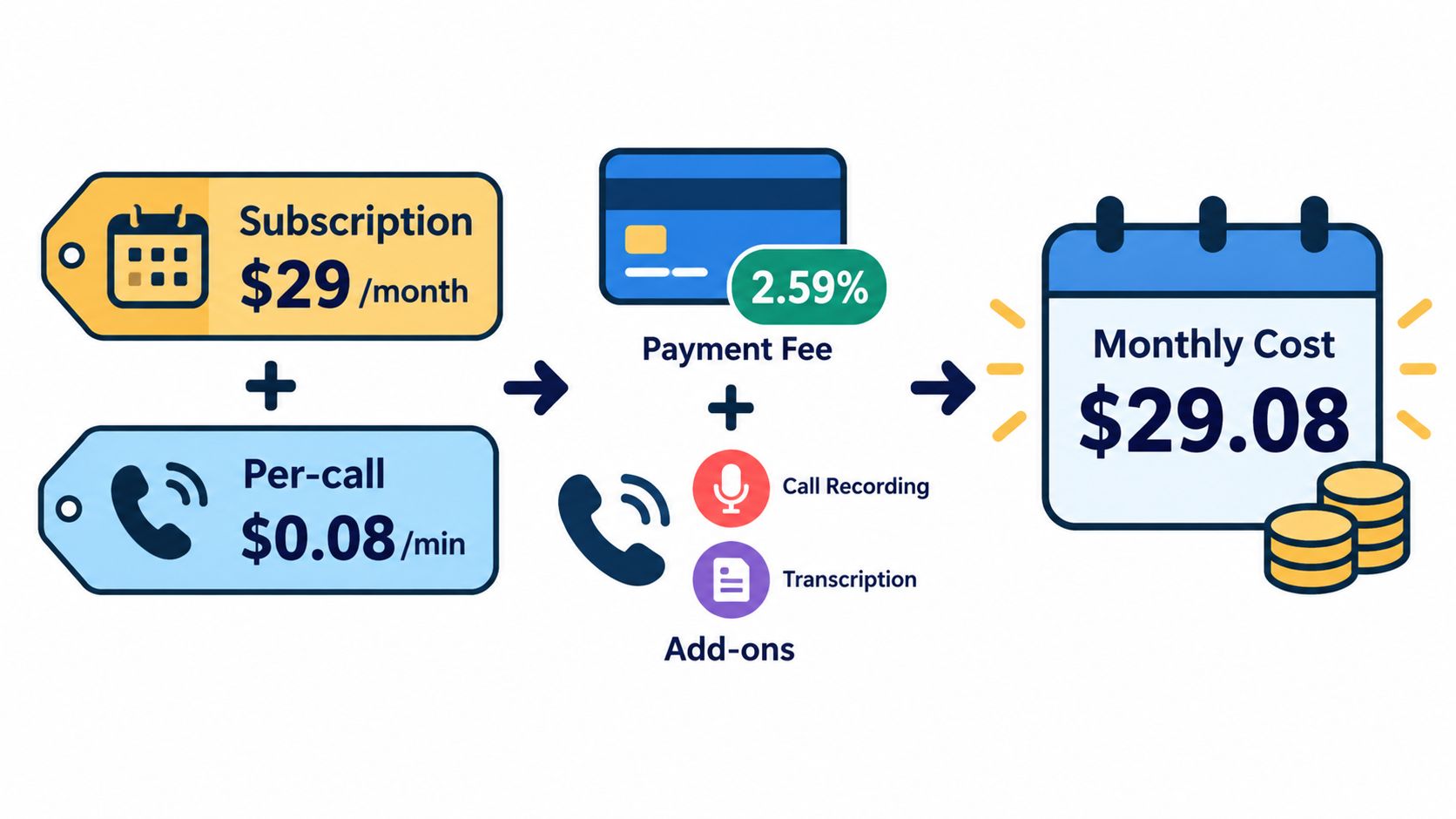
A low subscription can still produce a high annual bill for an HVAC company. Model four separate costs: platform access, card processing, communications, and financing. Then calculate the true twelve-month total by headcount, payment volume, phone usage, and technician capacity.
Housecall Pro's published payment details include a 2.59% card-processing rate, Instapay, and embedded Wisetack financing. Workiz uses a different cost structure, with phone, AI, and messaging capabilities potentially priced separately. Confirm each item in the sales quote rather than comparing subscription tiers alone.
At a 2.59% rate, card processing equals collected card revenue multiplied by 0.0259. For example, a business collecting $20,000 in card payments during a month would calculate that component as $20,000 multiplied by 0.0259. The result excludes subscription charges, ACH fees, financing terms, refunds, and other applicable charges, so it is only one part of the invoice.
Workiz phone costs should pass a booking test
Workiz's phone system, call recording and transcription, bidirectional messaging, and AI-assisted call handling suit a call-heavy HVAC office. They can also add costs that a subscription comparison misses. Require the quote to state whether phone lines, recording, transcription, AI answering, and text messages are included or billed separately.
The break-even question is direct: How many additional booked jobs or recovered missed calls must the phone workflow produce to cover its added cost? Calculate that using actual phone and AI charges, average collected revenue per recovered job, technician capacity, and cancellation rate.
Housecall Pro fits payment-led operations that take deposits, send payment requests, or offer financing for larger repairs. Workiz fits offices that want customer conversations attached to job records and the service-platform phone. Both vendors should provide these details in writing:
- Card and ACH pricing: Request current rates, deposit timing, refund treatment, and failed-payment rules.
- Communication limits: Confirm message allowances, phone lines, recording retention, transcription access, and AI usage rules.
- Financing terms: Request customer disclosures, financing fees, settlement timing, and eligibility limits.
- Data ownership: Confirm that recordings, transcripts, payment records, and message history remain exportable after cancellation.
Cost rule: A low monthly subscription is not low-cost if the business must add a separate phone system, AI answering service, payment tool, or financing workflow. Model each expense across twelve months and by actual payment and call volume.
Workflow Fit by Lead Source for HVAC
A no-cool emergency and a seasonal maintenance visit may involve the same technician, but they begin in different places. The emergency usually starts with a phone call. The maintenance visit may start with an online booking request, an automated reminder, or a recurring service plan.
Phone-led repair businesses
Workiz is the stronger fit when the office wins a large share of work through inbound calls. Its phone-centered workflow can connect the call to the customer and job record, while recording and transcription can preserve details about access, symptoms, quoted prices, and approval discussions.
That record can help an HVAC office handle disputed scope. If a homeowner later says the office promised a different repair, the team has a better chance of finding the relevant conversation when call data stays with the job. The owner still needs to confirm recording rules, retention, and export access before relying on the feature.
Workiz makes the most sense for emergency plumbing-style HVAC operations, after-hours calls, replacement inquiries, and shops where missed calls represent lost jobs. The added phone and AI cost should be judged against actual recovered opportunities, not against a generic claim that every business needs an integrated phone.
Booking-led maintenance businesses
Housecall Pro is the better fit when the business wants customers to book online and receive consistent service communication. Its published customer-experience features include online booking, automated appointment reminders, real-time on-my-way notices, review requests, and recurring-service workflows.
That combination suits seasonal tune-ups, maintenance agreements, filter visits, and planned inspections. The office can spend less time sending routine updates, while customers receive a clearer sequence around the appointment. A business that relies on recurring work may value those touchpoints more than call transcription.
The deciding question is not which platform has more features. It's whether the next profitable HVAC job starts with a phone conversation or a customer-facing booking path.
For a mixed HVAC business, the choice should follow the dominant source of booked work. If emergency calls fill the schedule, Workiz deserves the first demo. If maintenance plans and online requests drive the schedule, Housecall Pro deserves the first contract review. If both channels matter, the owner should price Workiz's communication add-ons against Housecall Pro's payment and service-plan workflow, then test both with the same emergency and maintenance scenarios.
Migration, Imports, and Implementation Caveats
A software switch can disrupt an HVAC office if the migration covers only customer names. Property notes, equipment records, photos, price-book items, maintenance agreements, invoices, payment history, and technician assignments also need a clear destination. Start by separating records that must move from workflows the team can rebuild.
Create an import inventory
Before signing, ask each vendor to label every data type as included, available at an extra charge, customer-prepared, or not supported. The inventory should cover:
- Customer names, phone numbers, emails, and service addresses
- Open jobs, completed job history, estimates, invoices, and payment records
- HVAC equipment model and serial numbers
- Property notes, access instructions, photos, and warranty information
- Price-book items, labor rates, parts, taxes, and service-plan schedules
- Technician accounts, roles, calendars, and routing information
Customer and job imports are usually simpler than equipment records, photos, and recurring schedules. Those records may need field mapping, file transfer, manual cleanup, or re-entry. Require a sample import before transferring the full database. Check whether equipment history appears on the right customer, whether photos open correctly, and whether recurring visits retain their schedule.
Protect the transition
Run a small import first. Have a dispatcher create an emergency repair, reschedule a maintenance visit, attach equipment history, send a customer message, and collect a payment. This test reveals missing fields while the old system remains available.
As summarized earlier, Housecall Pro offers a 14-day trial, while Workiz offers a 7-day trial with an annual-contract structure. Put the renewal date, early-termination consequences, inactive-staff treatment, included users, and post-cancellation access in the order form. Confirm Housecall Pro's month-to-month option and ask whether its terms change by billing method.
Migration safeguard: Require the vendor to state exactly whether customer, job, invoice, payment, recording, and document data can be exported.
Request the export format and a sample file before signing. Test whether records remain readable after cancellation, and confirm whether phone recordings, transcripts, photos, and payment details are included or excluded. For a phone-led HVAC shop, this check matters as much as customer and job imports because call history may support follow-up and dispute resolution. Document the result before the team commits to a full 12-month rollout.
Which One Fits Your HVAC Business
Housecall Pro is the better default for booking-led HVAC companies. Its published annual-billing tiers make the subscription easier to budget, its month-to-month option reduces commitment risk, and its customer-facing tools fit maintenance agreements, tune-ups, reminders, on-my-way notices, and review requests.
For a solo operator, Housecall Pro is the clearer starting point if the work comes from repeat customers, online booking, and planned service. The published $59 per month one-user annual-billing tier gives that owner a visible baseline, but payment charges and any selected add-ons still need to be included in the budget.
A three-to-eight-person HVAC crew should choose based on dispatch behavior. A shop that wants recurring service communication and payment tools should start with Housecall Pro's $149 per month five-user tier or $299 per month eight-user tier on annual billing, then confirm the complete fee schedule. A shop that misses calls or needs every conversation connected to a job should start with Workiz, even if the quote is higher, because the phone workflow may be the more valuable operating tool.
Recommendation by business shape
- Solo, phone-heavy technician: Workiz is the better functional fit if missed calls are a regular source of lost work and the phone stack is priced reasonably. Housecall Pro is safer if contract flexibility and simple customer communication matter more.
- Three-to-eight technicians: Housecall Pro is the stronger choice for booking-led maintenance and recurring plans. Workiz is the stronger choice for a call-led dispatch office that needs phone records, transcription, and messaging close to each job.
- Larger HVAC operation: Workiz deserves serious consideration when the office has dedicated call handling and multiple communication paths. Housecall Pro remains the better fit when the operation prioritizes customer booking, recurring service, payment collection, and a visible seat-based price structure.
The final recommendation is direct. Choose Workiz for phone-led HVAC operations. Choose Housecall Pro for booking-led HVAC operations. Don't select Workiz because a phone system sounds impressive, and don't select Housecall Pro because its entry price is easier to find. Price the workflow that fills the schedule.
Demo Questions to Bring to Both Vendors
A useful demo should follow a real HVAC call from first contact to payment. The owner should ask both vendors to show the same emergency repair, maintenance visit, equipment record, reschedule, invoice, and customer message.
Pricing and contract
- What plan name and user count appear on the order form?
- What is the renewal date, and what happens if the business cancels early?
- Are inactive technicians billable?
- Which phone, AI, messaging, financing, and payment features are included?
- What happens to customer, job, invoice, payment, photo, recording, and transcript data after cancellation?
Payments and financing
- What are the current card and ACH rates?
- When do card and ACH deposits arrive?
- What are the Instapay terms, if selected?
- What customer disclosures apply to Wisetack financing?
- How are refunds, failed payments, chargebacks, and partial payments handled?
Phone and AI
- Is the phone line included, and what does each additional line cost?
- How long are recordings and transcripts retained?
- Can call history stay attached to the customer, property, and job?
- What message or AI limits apply?
- Can the business export recordings, transcripts, and message history?
Import and migration
- Which customer, job, invoice, payment, equipment, photo, and document fields can be imported?
- Who cleans the source data and maps the fields?
- What export format is available if the business leaves?
- Can the vendor complete a sample import before the contract starts?
- How long will the old system remain available during the transition?
Claims that matter should appear in the quote, order form, or contract. Marketing pages can describe the workflow, but only written commercial terms protect an HVAC business from unexpected seats, add-ons, payment fees, and data restrictions.
A HVAC owner ready to compare Workiz and Housecall Pro should request both written quotes, run the same emergency and maintenance workflows in each trial, and calculate twelve months of subscription, processing, phone, AI, financing, and user costs before signing. The best next step is to put the business's actual technician count, monthly card volume, lead sources, and recurring-service needs in front of both vendors and demand a complete fee schedule in writing.