A crew quotes a flat monthly price for a lawn seen only from the curb. Then the side gate stays locked, rain interrupts the schedule, and the customer disputes a skipped visit. The price never explained what the crew expected to find or what the customer needed to provide.
A useful lawn care estimate template records those assumptions beside the work and total. The copyable layout below can become a printable estimate or a spreadsheet exported as CSV. The sample entries and calculations are illustrative, not recommended market rates.
Lawn Care Estimate Template Fields
A customer approves a monthly mowing total, then asks why clipping removal costs extra. A boundary field would have answered that question before the first visit.
A useful template works like a work order and a receipt at the same time. It identifies the parties, describes the work, and records the conditions behind the price. The Federal Trade Commission's written-estimate guidance supports the basic standard of putting the parties, the work, and the price in writing. For lawn care, the estimate should also show estimated crew-hours, access instructions, and exclusions beside the total.
Core Fields for a Lawn Care Estimate
| Field | What to enter | Example |
|---|---|---|
| Document header | Company name, address, and phone | Business contact details |
| Estimate number | Unique ID that carries onto the invoice | LC-MORALES-APR |
| Customer and billing contact | Name, billing address, phone, and email | Jane Morales, billing address and phone on file |
| Service address and access | Property address, gate details, parking, and entry instructions | Service address on file; side gate code on file |
| Lot size | Measured turf area being serviced | Illustrative measured turf area: 6,400 square feet |
| Service type | Recurring, one-time, or project | Recurring weekly mowing |
| Scope lines | Each included task on a separate line | Mow, edge, blow |
| Estimated crew-hours | Crew size and expected labor time | Illustrative: 2 crew members × 1 hour |
| Frequency and start date | Visits per month and first visit date | Weekly, starting April 6 |
| Site assumptions | Conditions the crew expects to find | Illustrative assumption: slope under 10 percent; hose bib on site |
| Exclusions | Work outside the quoted total | Leaf removal, pet waste |
| Price basis | Per visit, monthly, seasonal, or project | Monthly, four visits |
| Payment schedule | Deposit, due date, and accepted timing | Due on the 1st of each month |
| License number | Only where the state or city requires one | State-issued number, if required |
| Acceptance | Customer signature or dated approval | Signature and date line |
The fields work in sequence. The header and estimate number create a record the office can find later. Contact fields separate the person receiving service from the person paying the bill when those are different. Access notes tell the crew how to enter the property without guessing or waiting outside a locked gate.
The scope and assumption fields explain the total. “Mow” leaves questions about edging, bagging, and clipping removal. Separate scope lines answer those questions, while assumptions record conditions such as slope, debris, pets, or a water source. Exclusions place a clear boundary around work the customer may otherwise assume is included.
Lot size should mean the serviced turf area rather than the entire parcel. A house, driveway, patio, and planting beds should not increase the mowing quantity. Label an unverified measurement as provisional until the walkthrough confirms it.
For project work, add an estimated completion date and identify who handles any required permit. Keep the main estimate to one page when the scope allows, with longer descriptions attached as a scope sheet. The estimate number should appear on both documents and on every later invoice.
Line Items and Pricing Logic by Service Type
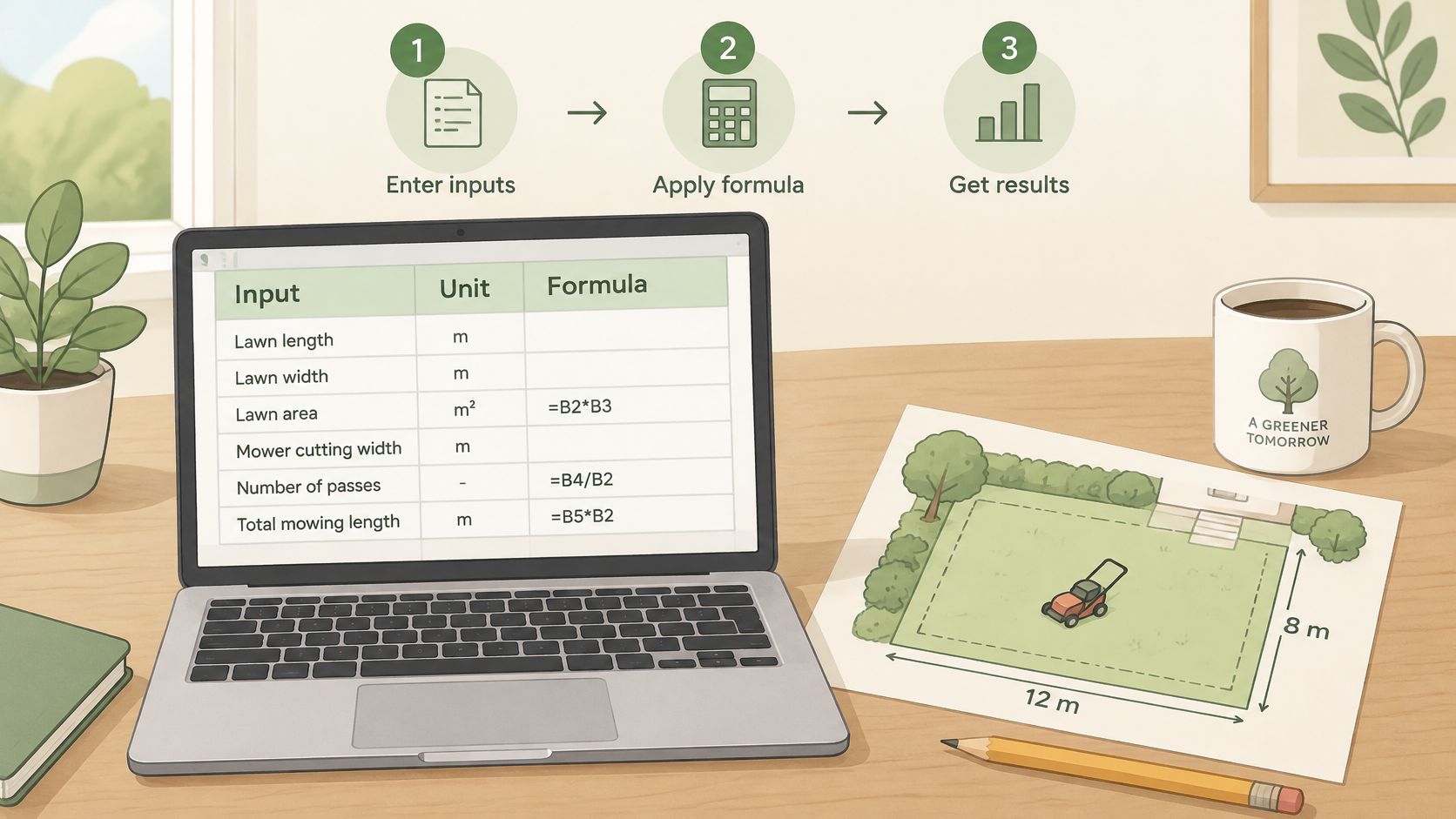
A line item earns its place on the estimate when someone could rebuild the price from it a year later. Each service line starts with a measurable quantity: square feet, linear feet, cubic yards, or visits. The estimator then applies a production rate, meaning the time required to complete a unit of work, to calculate labor. A rate expressed as hours per square foot gets multiplied by area. A rate expressed as square feet per hour requires division instead, so the unit label matters as much as the number.
The basic calculation is:
Estimated total = crew-hours × loaded labor rate + materials + equipment allocation + overhead allocation + desired profit.
A loaded labor rate includes employment costs beyond wages, such as payroll taxes and insurance. Overhead means business expenses assigned to the job, such as office costs. The landscape estimating guidance from Anvil supports measuring production and accounting for indirect labor time rather than pricing only the visible task.
Line Items by Lawn Care Service Type
| Service line | Quantity unit | Labor basis | Pricing note |
|---|---|---|---|
| Recurring mowing | Lot square feet and visits per month | Crew-hours per visit | Monthly price equals visits times per-visit price |
| Edging and trimming | Linear feet of beds and edges | Added minutes per visit | Add-on unless included in the scope |
| Spring or fall cleanup | Cubic yards of debris | Crew-hours by load | One-time project with disposal listed |
| Aeration | Square feet of turf | Machine hours plus crew | Per-square-foot rate or flat fee |
| Fertilizer application | Square feet treated | Application minutes | Material cost plus labor |
| Weed control | Square feet or bed area | Spray hours | Material priced with the application |
| Irrigation checks | Zones inspected | Minutes per zone | Optional add-on on a separate line |
| Minimum visit charge | Per visit | Drive and loading time | Floor price for small or distant lots |
Crew-hours count people, not elapsed time. A two-person crew working for one clock hour produces two labor-hours, a distinction also explained in GreenPal's lawn-care pricing guidance.
An Illustrative Per-Visit Calculation
For a hypothetical 6,400-square-foot lawn, two workers spending 25 clock minutes produce 50 crew-minutes, or approximately 0.83 crew-hours. Using the unrounded time and an illustrative $45 loaded hourly rate, labor comes to $37.50.
Adding $4 materials, $3 equipment, and $6 overhead produces a $50.50 cost. Adding 20 percent of cost, or $10.10, produces $60.60 per visit. That figure is a markup on cost. A 20 percent profit margin on the selling price would require a higher number, so the office should keep the two terms separate when talking to the crew.
Four visits total $242.40, rounded up to the next five-dollar increment for a monthly quote of $245. This simplified calculation excludes separately measured travel, loading, and applicable tax; those entries must be resolved before it becomes a customer quote.
The estimate works like a receipt for your assumptions. A $245 total that sits beside 0.83 crew-hours per visit, a noted slope, and a list of exclusions tells the customer what the number rests on. A bare $245 tells them nothing, which is why the first kind of estimate survives a dispute and the second kind starts one.
A minimum visit charge serves a different purpose. An illustrative 4,000-square-foot property may require the same drive and loading effort as a larger lawn, so area alone shouldn't determine its final price.
How to Customize the Template and Its Calculations
A spreadsheet should keep editable inputs separate from formulas. That lets the office change a measurement without accidentally replacing the calculation behind the total.
Excel or Google Sheets can hold the working estimate. The customer-facing version should show the approved scope, assumptions, schedule, and price, while the internal sheet retains the cost calculations.
Spreadsheet Setup Steps
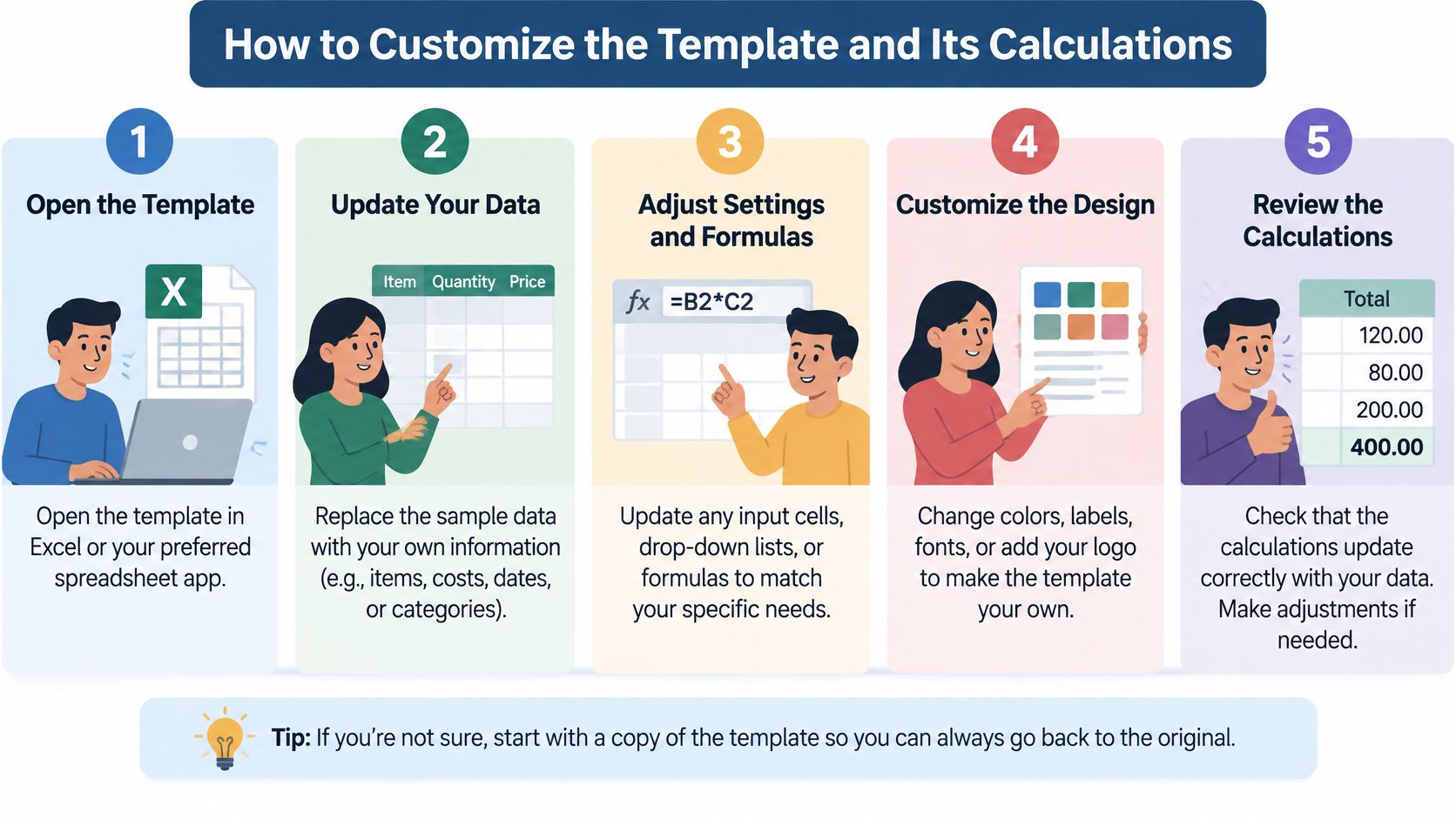
Build the input sheet. The office should copy the field list into a spreadsheet, with columns for input, unit, and formula. Separate customer information from service lines so a new scope doesn't overwrite contact details.
Enter measured turf area. Dividing square feet by 1,000 creates a thousand-square-foot quantity for services priced that way. The unit label must remain visible so the estimator doesn't apply a full-area rate to the converted quantity.
Record production time. As a starting exercise, the crew can time three or four comparable visits, recording onsite minutes, driving, and loading separately. The notes should identify obstacles or wet conditions rather than treating every delay as normal mowing time.
Calculate crew-hours. The formula is clock minutes × crew size ÷ 60. Each time entry needs a clear label stating whether it covers the whole crew or an individual worker.
Build the loaded rate. The rate should account for wages, payroll taxes, workers' compensation, benefits, paid time off, and downtime. Insurance, vehicle costs, and fuel must also be assigned somewhere in the calculation, without charging them again in another category.
Keep cost categories separate. Materials, equipment allocation, overhead, and profit should have their own cells. Travel and loading can be explicit labor entries or recovered through a documented allowance, but they shouldn't disappear or be counted twice.
Set rounding and protect formulas. An illustrative rule could round the monthly total upward to the nearest five dollars. The office should lock calculation cells and leave only intended inputs editable.
Export the transfer copy. The spreadsheet should preserve the working formulas, while the CSV contains the resulting values. The suggested header below provides a basic transfer structure.
Copyable CSV header
estimate_id, customer_name, service_address, lot_sqft, service_type, visits_per_month, crew_size, crew_minutes, crew_hours, loaded_rate, materials, overhead, profit_pct, total, status
The header isn't the complete estimating workbook. Equipment, travel, access notes, and acceptance terms still need dedicated fields or linked records; a receiving platform may require different column names.
Calculation check: The
profit_pctfield should explicitly mean markup on cost or margin on selling price. Those settings aren't interchangeable.
After the first ten completed jobs, the office can compare estimated and actual crew-hours as an initial review checkpoint. Production assumptions should then be revised from completed-job records, with unusual access failures kept separate from ordinary service time.
Terms and Acceptance Language to Include
An estimate records proposed work, pricing, and assumptions. A service agreement establishes the ongoing responsibilities the parties accept. The document should clearly identify what the customer is approving, without assuming that calling it an estimate settles its legal effect.
Payment language should come first. The invoice guidance published at SBA.com identifies transaction descriptions, dates, due dates, and payment terms as invoice details. For lawn care, the estimate should establish the pricing basis and payment expectations before the invoice arrives.
A recurring estimate should say whether the monthly charge covers specified visits or a defined seasonal service plan. A cleanup or installation should identify any deposit, progress-payment milestones, and balance due date after completion. Applicable tax should be shown separately rather than left inside an unexplained total.
Clauses That Need Clear Answers
- Scope exclusions. The estimate should identify omitted work, such as leaf removal, pet waste, bagging, hauling, or overgrown-lawn restoration.
- Access assumptions. The customer's responsibilities should cover open gates, secured pets, clear work areas, and an available hose bib when needed.
- Minimum visit charge. The terms should state when the minimum applies and whether a failed-access return trip requires separate approval.
- Weather and skipped visits. The document should distinguish a postponed visit from a canceled visit and explain the billing treatment of each.
- Price review date. Recurring work should have a stated review point rather than an implied permanent price.
- Approved changes. Extra edging, debris removal, or treatment work should receive a written description and price approval before work begins.
- Customer cancellations. The notice requirement and any permitted charge should be stated before the customer approves service.
Sample Acceptance Language
The following is sample wording for review, not a substitute for state-specific contract advice:
The customer approves the scope, assumptions, and exclusions above, and the monthly price applies from the start date listed.
The acceptance area should identify the customer, approval date, and version of the estimate. If the customer approves by email, the office should preserve that message with the exact document accepted.
The owner should avoid a broad promise that every lawn will remain green regardless of conditions. Where irrigation affects the work, the terms should identify who controls watering and what happens when restrictions or customer irrigation failures affect service.
State contract rules differ. A local attorney should review the wording, and the state licensing board can help identify applicable requirements before the business uses the same terms across its customer base.
Using the Template in Field-Service Software and Real Jobs
Consider the illustrative mowing property again: 6,400 square feet, two crew members, and 25 clock minutes onsite. The worksheet records 50 crew-minutes for the mowing visit. The office then learns that the route requires a 15-minute drive each way.
If both workers make both dedicated trips, travel adds 60 crew-minutes, bringing onsite and travel labor to 110 crew-minutes before loading. Shared-route travel would need a documented allocation instead. The office shouldn't charge every neighboring customer for the same full journey.
When the Planned Visit Changes
If the customer adds edging, the estimator should measure the edge, enter the added production time, and revise the approved total. The original mowing allowance shouldn't silently absorb an extra service.
A locked gate creates a different record. The crew should note the arrival, access problem, customer contact attempt, and whether a return visit was approved. Any additional charge should follow the accepted access terms rather than appear unexpectedly on the invoice.
A service exception should have its own record. Otherwise, the next estimate may treat a locked-gate return trip as normal mowing time.
Treatment Records Stay Separate
For restricted-use pesticide work, the estimate isn't the application record. Under 7 U.S.C. § 136i-1, where a state doesn't impose comparable requirements, records include the product name, amount used, approximate application date, and location, with retention for two years; a commercial certified applicator must provide the client a copy within 30 days of application.
The workflow should also track the applicator, retention deadline, and copy-delivery status. State rules can be stricter, so the estimate shouldn't claim to satisfy every application-record obligation.
Questions Before a Software Import
A small crew comparing Jobber, Housecall Pro, or another platform should ask the vendor to confirm these points in writing:
- Accepted columns. Which customer, property, quantity, and estimate fields can the CSV import?
- Service mapping. Do imported line items connect to existing service items, or only appear as text?
- Tax treatment. Does the import preserve tax settings, and which record controls them?
- Invoice conversion. Can an accepted estimate become an invoice without re-entering its lines and terms?
Those are verification questions, not claims about either product. A spreadsheet may remain the better fit when an owner only needs a clear printable estimate and doesn't need shared scheduling or billing records.
Before a full import, the office should test a single customer, keep export filenames dated, and check each imported price against the last three comparable completed jobs. Exceptions should be investigated before the new price becomes a reusable default.
Confirm the Template Before Your First Estimate
The final review should follow the document from blank inputs to customer approval and invoicing. A correct total isn't enough if the crew can't locate the access note or the bookkeeper can't match the approved scope to the bill.
Pre-Send Checklist
- Unique identifier. The estimate number should be unique, visible in print, and preserved in the saved filename.
- Manual calculation. The owner should calculate a sample estimate by hand and confirm that its labor line matches the spreadsheet's crew-hours.
- Walkthrough match. The exclusions, measured area, and access notes should reflect the property the crew inspected during the walkthrough.
- Plain-language review. Someone who didn't build the sheet should read the terms aloud and explain what the customer would be approving.
- Import trial. The office should resolve the software questions with a test customer before entering live customer records.
- Bookkeeping connection. Each approved estimate should retain its job number and the reference for the invoice created from it.
The IRS small-business recordkeeping guidance treats purchase and sales invoices as supporting documents for books that show gross income, deductions, and credits. It doesn't prescribe a special lawn-care estimate layout or a universal retention period for every document.
Retrieval and reconciliation matter more than decoration. The saved record should let the office find the approved version, explain a changed service line, and connect the resulting invoice to the recorded transaction.
The owner's next step is to save the blank lawn care estimate template as the protected master copy, complete it for an existing customer, and send that estimate for review before rolling the format out to new customers.