
A Monday morning can turn a small service company inside out. Two customers call to move appointments, a technician reports that the previous job is running long, and the owner is trying to remember which crew has the right equipment for the next stop. The spreadsheet still shows open slots, but it doesn't show the true day.
That's where field service scheduling software for small businesses earns its keep. A shared system can connect bookings, dispatch, routes, technician details, customer messages, job history, quotes, and invoices without forcing an owner or office manager to rebuild the schedule every time a job changes.
This guide is for owner-operators and office managers running one to twenty people across pressure washing, cleaning, HVAC, plumbing, landscaping, lawn care, pest control, electrical, handyman, pool, and painting businesses. It focuses on the decision that matters most: whether a product fits a solo operator, a crew of 2 to 5, or a growing team of 6 to 20.
The shortlist includes Jobber, Housecall Pro, ServiceM8, and Workiz, with larger systems such as ServiceTitan considered where the operation has more complex needs. Pricing, user limits, migration work, and contract terms matter just as much as a polished calendar. A low monthly figure won't help if the team must buy extra seats, pay for essential features separately, or manually rebuild recurring customers.
Introduction for Small Crews Choosing Scheduling Software
An owner-operator often starts with a calendar, a phone, and a spreadsheet. That combination works until several jobs overlap, a customer asks for a recurring visit, or a technician needs the full property history before arriving. At that point, the office isn't just booking work. It's solving a routing puzzle while answering calls and protecting the day's revenue.
A two-person cleaning company has a different problem from a six-person HVAC business. The cleaner may need recurring appointments and customer reminders, while the HVAC office needs skill matching, arrival windows, equipment history, and fast reassignment when an emergency call comes in. A landscaping company may care more about route density and seasonal visits, while a pressure washing company may prioritize estimates, deposits, and weather-related changes.
The right platform should reduce the number of decisions made from memory. It should give the office one schedule, give technicians current job details, and give customers clear updates without requiring separate texts, notes, and calendar entries.
Practical rule: A calendar that stores appointments is useful. A scheduling system that understands people, places, time, skills, and changing job conditions is much more valuable.
The crew-size lens keeps the buying decision practical:
- One person: The priority is fast booking, customer records, estimates, invoices, and a mobile workflow that doesn't create office work.
- Two to five people: Shared dispatch, technician availability, recurring visits, route planning, and automated customer communication become more important.
- Six to twenty people: The business needs permissions, reliable reassignment, reporting, integrations, standardized job forms, and a clear path for adding staff.
The following sections separate the software category from the sales pitch. They explain what scheduling engines do, which features deserve a demonstration, how pricing models affect total cost, what migration usually misses, and which vendors deserve a closer look for each crew size.
What Field Service Scheduling Software Actually Does
A basic calendar answers one question: when is the appointment? Field service scheduling software should answer several more: which technician can do the work, how long the job will take, where the technician is coming from, whether the technician has the required skill, and what happens to the rest of the route if the appointment changes.
A useful analogy is a paper route map versus a dispatcher who knows every constraint. The paper map shows locations. But the dispatcher also knows that an HVAC diagnostic can take longer than a filter replacement, that a plumbing job may require a licensed technician, and that a technician's working hours limit the available slots. The software becomes useful when it calculates those conditions rather than placing every job into the next empty box.
Independent guidance on constraint-aware field service scheduling describes feasible schedules as calculations based on job duration, travel time, technician skills, and working hours. Those inputs matter because a schedule can look full while still leaving a technician idle, assigning the wrong skill, or creating impossible drive times.

Calendar first, optimization second
The system needs accurate job data before it can make a good schedule. The office should record an estimated duration, service type, location, required skill, appointment window, and any special access or equipment note. Technician profiles should include working hours, service skills, and availability.
A true scheduling engine should recalculate when a job runs long, a customer cancels, a technician calls out, or traffic changes the route. Without that feedback loop, the product is mainly a digital calendar with drag-and-drop assignment.
The owner or office manager should track operational measures that reveal whether the software creates capacity:
- Drive time versus on-site time, which shows whether routes are practical.
- Jobs completed per technician per day, which shows whether the schedule supports more billable work.
- Reassignment rates, which reveal how often dispatchers repair the original plan.
- Arrival-window performance, which connects scheduling quality with customer communication.
Market research summaries report advanced optimization ranges of 15% to 25% lower travel time and 12% to 18% higher technician utilization, with field-service cost reductions of 10% to 20%. These figures appear in the field service scheduling market summary, but they should be treated as a reason to measure results, not as a promise from any particular vendor.
Core Features That Matter for Home Service Teams
Small service businesses don't need every feature in an enterprise platform. They need the right features in the order that work moves through the company, from incoming request to completed payment.

Scheduling and dispatch
The calendar should support drag-and-drop changes, technician availability, appointment windows, and clear job statuses. For a solo pressure washing operator, simple booking may be enough. For a plumbing or electrical crew, dispatch needs to show who is qualified, who is already committed, and which technician is closest to the next service call.
A demo should include a deliberately messy example. Ask the vendor to move a long job, reassign the next appointment, notify the customer, and preserve the original notes. If the representative can only show a clean sample calendar, the important questions remain unanswered.
Routing and recurring work
Routing matters most when technicians visit several properties in a day. The software should show the sequence of stops, account for travel, and make changes visible on the mobile app. Lawn care, landscaping, pest control, and cleaning companies should also test recurring jobs across different days and service frequencies.
Recurring service plans need more than a repeat button. Ask whether the system handles skipped visits, seasonal pauses, price changes, different technicians, and customer cancellations without creating duplicate appointments.
Quotes, approvals, and payments
An on-site quote can prevent office delays. The technician should be able to create or adjust the estimate, show the customer the scope, collect approval, and move the accepted work into the schedule. This is especially useful for painting, handyman, HVAC, landscaping, and exterior services where the final scope may change after inspection.
The buyer should confirm whether approved quotes become jobs automatically, whether deposits can be collected, and whether payment processing is included or billed separately. A feature name on a marketing page doesn't answer those workflow questions.
Messages and property history
Automated reminders reduce repetitive phone calls, but the office needs control over the message timing and content. Ask whether the system sends booking confirmations, arrival updates, reschedule notices, and payment reminders by text, email, or both.
Job history should sit under the customer and property record. An HVAC technician may need prior equipment notes, while a pest-control technician needs access details and treatment history. A cleaning or pool company may need recurring instructions that shouldn't disappear inside a single appointment note.
- For one person: Prioritize booking, estimates, invoices, reminders, and a usable mobile app.
- For two to five people: Add shared dispatch, recurring work, route visibility, and technician updates.
- For six to twenty people: Require permissions, reporting, integrations, standardized forms, and reassignment controls.
Pricing Breakdown and Hidden Costs to Check
A pricing page can make a product look affordable while leaving the actual bill unclear. Small businesses should first identify whether the vendor charges per user or per company, then check which users count as billable seats.
A 2026 cost guide places common per-seat plans around $30 to $65 per user per month, while flat-rate plans range from about $49 to $299 per month for the company. The same guide places annual totals between $1,800 and $9,000. Those are broad market ranges, not quotes for a particular product, and they show why crew size must be part of the comparison. The figures are listed in the field service software cost guide.
| Pricing Model | Typical Range | Best Fit Crew Size | Watch For |
|---|---|---|---|
| Per-seat subscription | $30 to $65 per user monthly | One person or small crew | Every technician, dispatcher, and office user may add cost |
| Flat company plan | $49 to $299 monthly | One to five people | User caps, feature gates, and extra charges |
| Annual commitment | $1,800 to $9,000 yearly | Teams with stable usage | Renewal terms, cancellation rules, and prepaid seats |
A published pricing table for a major FSM vendor shows how caps change the calculation. Its entry plan is $59 per month with annual billing or $79 month to month for 1 user. Its middle plan is $149 per month annually or $189 month to month for up to 5 users. The higher plan is $299 per month annually or $329 month to month for up to 8 users, with $35 per additional user on that tier, as shown in this small-business FSM pricing table.
What the headline price leaves out
The buyer should request a written total for the actual crew, not a generic starting price. The total may change with extra technicians, office logins, advanced routing, automated messaging, payment tools, customer portals, accounting integrations, or implementation support.
Payment fees deserve separate attention. A scheduling platform can include invoices while charging separately for card or ACH transactions. Ask whether the vendor applies a platform fee, whether the payment processor is optional, and whether customers can pay without creating an account.
Setup also has a cost in staff time. Someone must clean customer records, build service templates, configure permissions, test integrations, train technicians, and decide which old data is worth importing.
Buyer rule: Compare the first invoice, the renewal invoice, the cost of adding one technician, and the cost of leaving. Those four answers reveal more than a large feature grid.
Moving Off Spreadsheets and What Import Really Covers
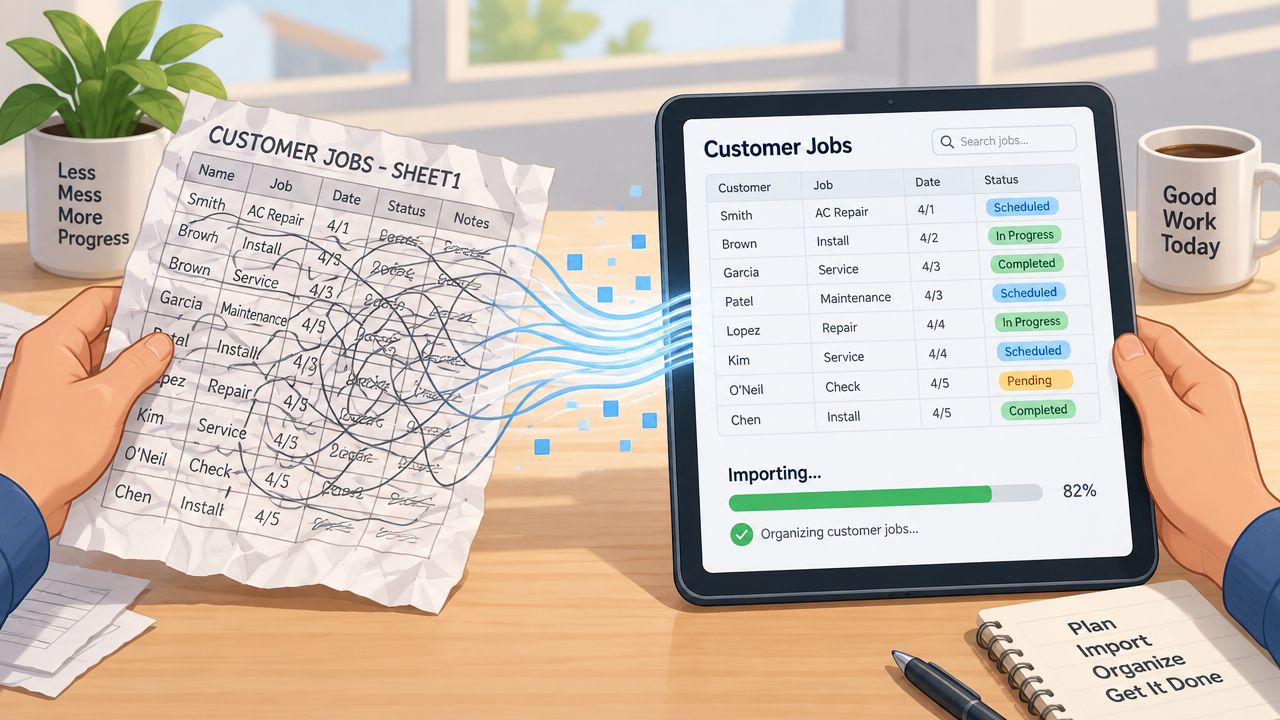
Migration is where many small software purchases become difficult. An owner may expect to upload a customer list and start working, but a customer import rarely creates a finished operating system.
For a 5 to 10 technician team, independent small-business guidance estimates that setup can take one to three weeks, with longer timelines when the business is migrating from an older platform. The small-business field service software guide identifies work-order templates, roles, automations, and integrations as configuration areas that need careful attention.
What usually moves
Most imports focus on structured records such as customers, addresses, phone numbers, email addresses, open jobs, and selected service history. The buyer should ask for the exact spreadsheet columns required and whether the vendor performs the import or provides a template.
Data cleanup should happen before the file is uploaded. Duplicate customers, incomplete addresses, old phone numbers, inconsistent service names, and missing property details create problems inside the new system just as they did in the spreadsheet.
The following items often need to be rebuilt or configured separately:
- Work-order templates: Forms, checklists, required photos, and technician instructions.
- Automations: Reminders, status changes, follow-ups, and recurring appointment rules.
- Roles and permissions: Access for owners, dispatchers, technicians, bookkeepers, and subcontractors.
- Integrations: Accounting, payment, phone, messaging, calendar, and lead sources.
- Mobile workflows: Offline behavior, photo uploads, signatures, and status updates.
Questions that belong in the contract
Ask whether the import includes historical notes, attachments, payment records, recurring schedules, and custom fields. Confirm who fixes rejected rows, how the team reviews the imported data, and whether a second import is included after cleanup.
Integration limits also need a written answer. A vendor may list an integration while restricting it to a higher plan, limiting sync direction, or requiring a separate connector. The same applies to user permissions. A system may offer roles but not allow the owner to restrict pricing, customer exports, or financial information in the way the business expects.
Before cancellation, the company should know how to export customers, jobs, notes, photos, invoices, and payment history. The contract should state the export format, access period, retention policy, and any fees. A clean exit plan protects the business if the vendor changes pricing or the system stops fitting the crew.
Shortlisting Vendors for Small Team Needs
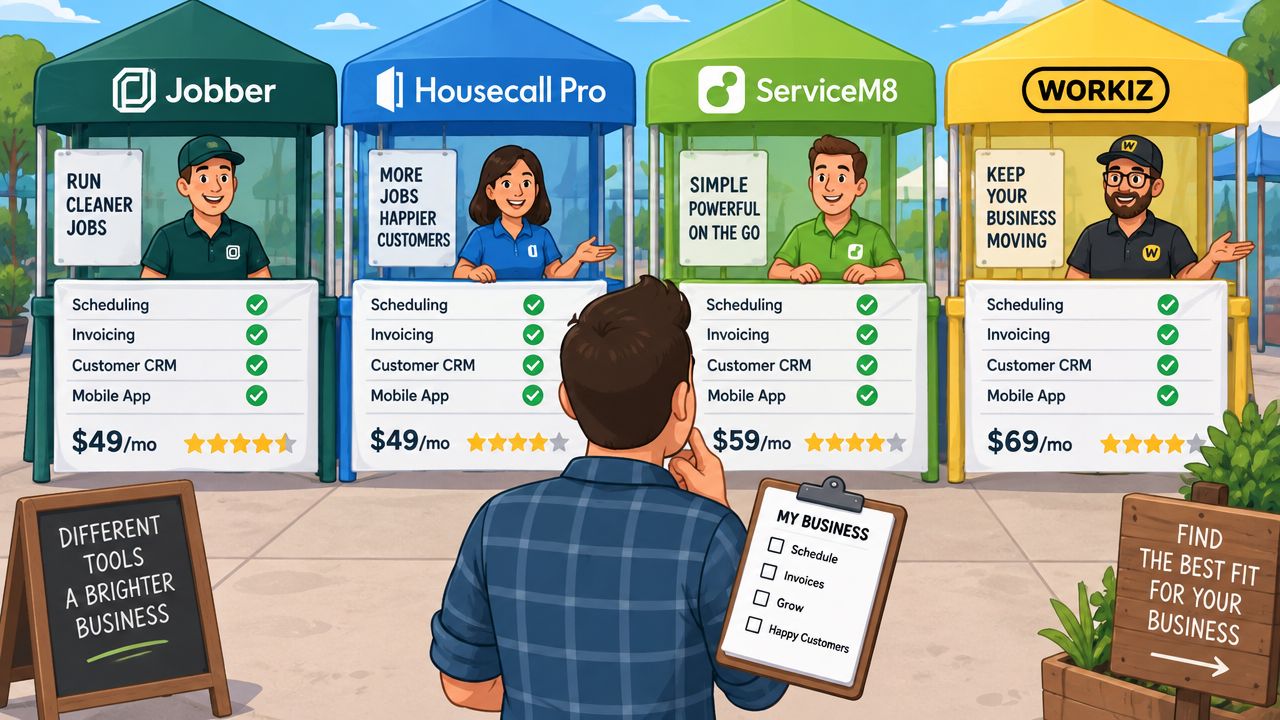
The shortlist should reflect the job, not a universal ranking. Jobber is a sensible first look for a solo operator or small service company that wants scheduling, quoting, invoicing, and customer communication in one approachable system. It can suit cleaning, lawn care, landscaping, pressure washing, painting, and handyman businesses that don't need deep dispatch rules. Published pricing should be verified directly on Jobber's pricing page before purchase, because the vendor's own page is the controlling source for current plan names, figures, and limits.
Housecall Pro deserves attention from mobile-first teams. Its product positioning centers on scheduling, estimates, payments, customer communication, and technician work from a phone, which makes it a practical candidate for independent contractors and crews of 2 to 5. HVAC, plumbing, electrical, cleaning, and other local services can benefit from the mobile workflow, but buyers should test reporting depth and higher-user costs before choosing it. Current plan figures and inclusions belong on Housecall Pro's pricing page, read on September 16, 2026. The pricing page publishes Basic at $79 per month.
Where ServiceM8 and Workiz fit
ServiceM8 is worth considering for small teams that value mobile forms, online booking, quotes, text messages, and structured job records. It can fit cleaning, electrical, plumbing, HVAC, and recurring property services when technicians do most work from a mobile device. A solo operator may find it attractive if mobile documentation matters more than a large office dashboard. Current plan details and limits should be taken from ServiceM8's pricing page, read on September 16, 2026. The pricing page publishes Starter at $9 per month.
Workiz is the stronger shortlist candidate for call-driven local businesses. Locksmiths, appliance repair companies, garage door services, junk removal teams, and similar operators need fast booking, call tracking, dispatch, estimates, invoices, and payments tied to the lead source. A small crew can benefit from that pipeline view, while a larger 6 to 20 person operation should confirm reporting, permissions, and call-volume terms. Workiz's pricing page was read on September 16, 2026, and it publishes pricing by plan without a public dollar figure.
When a larger system makes sense
ServiceTitan is aimed at contractors and trade businesses that need deeper operational coverage, including dispatch, call booking, memberships, invoicing, marketing, and reporting. It may fit a growing HVAC, plumbing, or electrical business with a dedicated office function, but it is likely excessive for a solo cleaner or a two-person lawn-care crew. ServiceTitan's pricing page was read on September 16, 2026, and it publishes no public dollar figure.
The practical fit map is straightforward:
- One person: Start with Jobber, Housecall Pro, or ServiceM8. Choose the cheapest product that handles booking, quotes, payments, and customer history without extra administrative work.
- Two to five people: Compare Housecall Pro, Jobber, ServiceM8, and Workiz around dispatch, recurring work, routes, and technician communication.
- Six to twenty people: Add Workiz or ServiceTitan to the comparison when call volume, permissions, reporting, and office coordination become central.
Buyer Checklist and Demo Questions That Shorten Sales Calls
A focused demo should use the company's real workflow, not a perfect sample account. The owner or office manager should bring one recurring customer, one urgent job, one reschedule, one estimate, and one technician with a specific skill requirement.
The purchase checklist
- Scheduling: Can the office assign, move, split, and cancel jobs without losing notes?
- Dispatch: Can the system show technician skills, hours, location, and current status?
- Routing: Does it sequence stops and recalculate after delays or cancellations?
- Recurring work: Can it pause, skip, reschedule, and renew service visits?
- Customer records: Does history stay attached to the property as well as the contact?
- Mobile use: Can technicians update status, capture photos, collect signatures, and work with weak connectivity?
- Commercial terms: Are user caps, add-ons, annual billing, payment fees, setup charges, and cancellation terms written down?
- Data exit: Can the business export customers, jobs, notes, photos, invoices, and payment history?
Questions that expose limits
Ask the representative to show the exact steps for adding a technician, changing a route, reassigning a late job, and sending a customer update. Then ask which plan includes each action and whether the workflow changes on mobile.
The final decision should match the crew's present operating problem. A solo painter doesn't need an enterprise dispatch stack, while a growing electrical company shouldn't choose a basic calendar that forces the office to repair every route manually.
Request a written quote for the actual crew size, a written import scope, and a written export policy before signing. Then run a short pilot with real job types and make the decision only after the office can schedule, dispatch, update customers, and close invoices without returning to the spreadsheet.
Choose two or three vendors that match the crew-size category, send each the same workflow questions, and require written answers on pricing, user limits, integrations, migration, and data export. That simple comparison will give the business a defensible choice for its next scheduling system, rather than another subscription selected from a headline price.