A home service owner signs a software plan that looked affordable on the pricing page. Then the order form reveals an extra-user charge, an automatic renewal, and an export restriction that could complicate leaving. The scheduling problem may be solved, but the office has inherited a new set of deadlines.
Contract terms and conditions set the rules for that relationship: what the business pays, what the vendor promises, and what happens when either side wants to stop. Reading them works best as an office task, with a checklist, a calendar, and written answers saved alongside the agreement.
The Contract Terms That Decide Your Real Cost
The monthly price is like the sticker on a work van. The mileage allowance, insurance requirements, and financing terms determine what owning it costs. Software deserves the same attention.
A contract contains switches that control charges, commitment, access, and exit. An attractive subscription becomes a different purchase if the owner must pay for unused seats or renew for another full term.
Contract terms to check before signing
| Term | What It Controls | What to Confirm in Writing |
|---|---|---|
| Billing period | How often the business is charged and whether an annual plan renews | Monthly or annual billing, and the renewal price |
| Fees | Setup, add-on, and payment processing charges | Which fees are one time and which repeat |
| User limits | How many logins or technicians count toward the price | What counts as a user and the cost of each added user |
| Trial | How long evaluation lasts before the first charge | Whether a card is required and whether the trial converts automatically |
| Minimum commitment | The minimum term or seat count the business must pay for | Early termination charges and unused-seat rules |
| Cancellation | How and when the business can end the contract | The channel, notice period, and date billing stops |
| Price changes | Whether the vendor can raise prices or remove features mid-term | The written notice period and right to exit without penalty |
| Data handling | What the business can export and when access ends | Export formats, export fees, and backup deletion timing |
Which document controls
A salesperson may answer from an order form, but the agreement can also incorporate online policies and schedules. The owner should request a document-precedence clause, which identifies the controlling document when provisions conflict. Fornaro Legal's terms-of-service guidance also recommends preserving the exact accepted terms version and an acceptance audit trail.
Practical rule: A sales promise that matters to the purchase belongs in the signed documents.
The review shouldn't stop at these commercial terms. Governing law identifies the applicable legal framework; dispute language identifies the process for resolving disagreements; liability provisions address responsibility when something goes wrong. A Consumer Finance Monitor discussion of contract fine print illustrates why arbitration and class-action provisions deserve attention rather than being treated as administrative text.
Before the demo ends, the owner should request the complete agreement, including linked policies, not merely a sales summary. Unclear liability or dispute language is a reason to seek legal advice before acceptance.
Vendor Terms to Compare by Fit
Housecall Pro, Jobber, ServiceM8, GorillaDesk, Workiz, and ServiceTitan are names an owner may encounter while building a shortlist. The useful comparison isn't the brand name alone. It's the written offer for the actual crew, trade, and workflow.
A solo pressure washing operator and a plumbing company with office staff need different demonstrations. Neither should accept a recommendation that assumes every plan includes the same permissions, billing tools, or exit rights.
Match the quote to the operating model
- Solo owner or small crew: A quote from ServiceM8, Jobber, or any other candidate should identify the simplest plan that can handle the owner's scheduling and invoicing routine. Unused dispatch features shouldn't justify a larger commitment.
- Growing office and field team: Quotes from Housecall Pro, Workiz, Jobber, and other shortlisted vendors should separate office access, technician access, dispatch requirements, and optional charges.
- Larger operation: A business considering ServiceTitan alongside other candidates should request a full-roster quote and written implementation scope, rather than compare a custom offer with another vendor's headline subscription.
For recurring lawn care, cleaning, pest control, or pool work, the owner should ask each candidate, including GorillaDesk, to demonstrate recurring visits and property histories. HVAC, plumbing, and electrical shops should bring examples involving estimates, deposits, and follow-up work.
The best-fitting plan is the least complicated written offer that covers the business's required workflow without an unacceptable commitment.
A defensible top pick requires current vendor documentation and a crew-specific quote. A vendor shouldn't be labeled cheapest, easiest, or best for a trade without that evidence. Each shortlisted company should provide its pricing, included features, user rules, cancellation procedure, and export scope before the owner chooses.
How Billing Terms and Fees Shape the Bill
Billing frequency isn't contract length. A subscription charged monthly may still require payment throughout an annual commitment. An annual plan billed upfront raises a different question: whether the next renewal creates another full-term obligation.
The agreement should define the price, invoice schedule, due date, accepted payment method, and consequences of overdue payment. The UK Small Business Commissioner's contract guide identifies these as core contract details, alongside duration, renewal, and termination. Those are useful review categories for a US buyer, not a statement of US legal requirements.
Separate the subscription from other charges
The office manager should request an itemized quote identifying:
- One-time charges: Setup, training, configuration, and data import work.
- Recurring additions: Optional modules, messaging services, integrations, or other extras included in the proposed purchase.
- Transaction charges: Card or bank-transfer processing fees and any separate platform surcharge.
Each charge should have a trigger. For example, an import fee should identify the records included, who corrects rejected records, and what constitutes completed work. An add-on should identify whether its billing term ends with the main subscription.
Protect service during an invoice dispute
A clause permitting termination for any overdue amount deserves scrutiny. If the office disputes an unexpected charge, that language could allow the vendor to suspend scheduling access before anyone resolves the invoice.
The owner should request:
- A written dispute procedure: Where the office sends an objection and how the vendor responds.
- Continued payment of undisputed amounts: A disputed item shouldn't become a reason to withhold the entire bill.
- Notice and a cure period: The vendor must provide a defined opportunity to resolve the problem before pausing access.
For the first two billing cycles, the office manager should compare each invoice with the signed quote. The checklist should cover the charge amount, charge date, plan name, and every fee absent from the original offer. An unexplained line item should be documented while the relevant order form and sales correspondence are easy to find.
User Limits and Seat Counts by Crew Size
User questions by crew size
These are planning scenarios, not published vendor allowances. The office should replace each example with its actual roster.
| Crew Size | Logins to Plan For | Question to Settle Before Signing |
|---|---|---|
| Owner working alone | One owner login | Does a read-only or customer login count toward the limit? |
| 2 to 5 people | Owner, office, and two to three field staff, accounting for overlapping roles | Are technicians billed the same as office users? |
| 6 to 10 people | Office manager, dispatcher, and five to eight field staff, adjusted to the actual roster | Is there a cap on jobs, properties, or users at each tier? |
| 11 to 20 people | Full office and field roster with seasonal help | Is a team plan cheaper than per-user pricing at this size? |
A seat is a billable unit defined by the contract, not necessarily a full-time employee. The owner should identify everyone who needs access: office staff, technicians who only view jobs, subcontractors, and customers using a portal.
For the solo operator, the concern is whether outside access consumes a paid seat. For a small crew, it's whether a technician with limited permissions costs the same as an office administrator. Shared passwords aren't a sound substitute for a clear access policy because they make individual responsibility harder to track.
Test the seasonal roster
A growing business should compare its quiet-season roster with its busy-season roster. A landscaping company, for example, might need temporary field access without wanting to keep paying for those seats after seasonal work ends.
The written quote should address more than adding people:
- Read-only access: Whether viewing schedules or records requires a paid seat.
- Seat reductions: When a removed user stops generating charges.
- Activation timing: Whether additions begin immediately, at renewal, or at another defined point.
- Other limits: Whether jobs, properties, storage, or activity create a separate restriction.
The owner should record the maximum included users at signing, the cost of each extra user, and the effective date of every seat change.
How to Test a Free Trial Before the First Charge
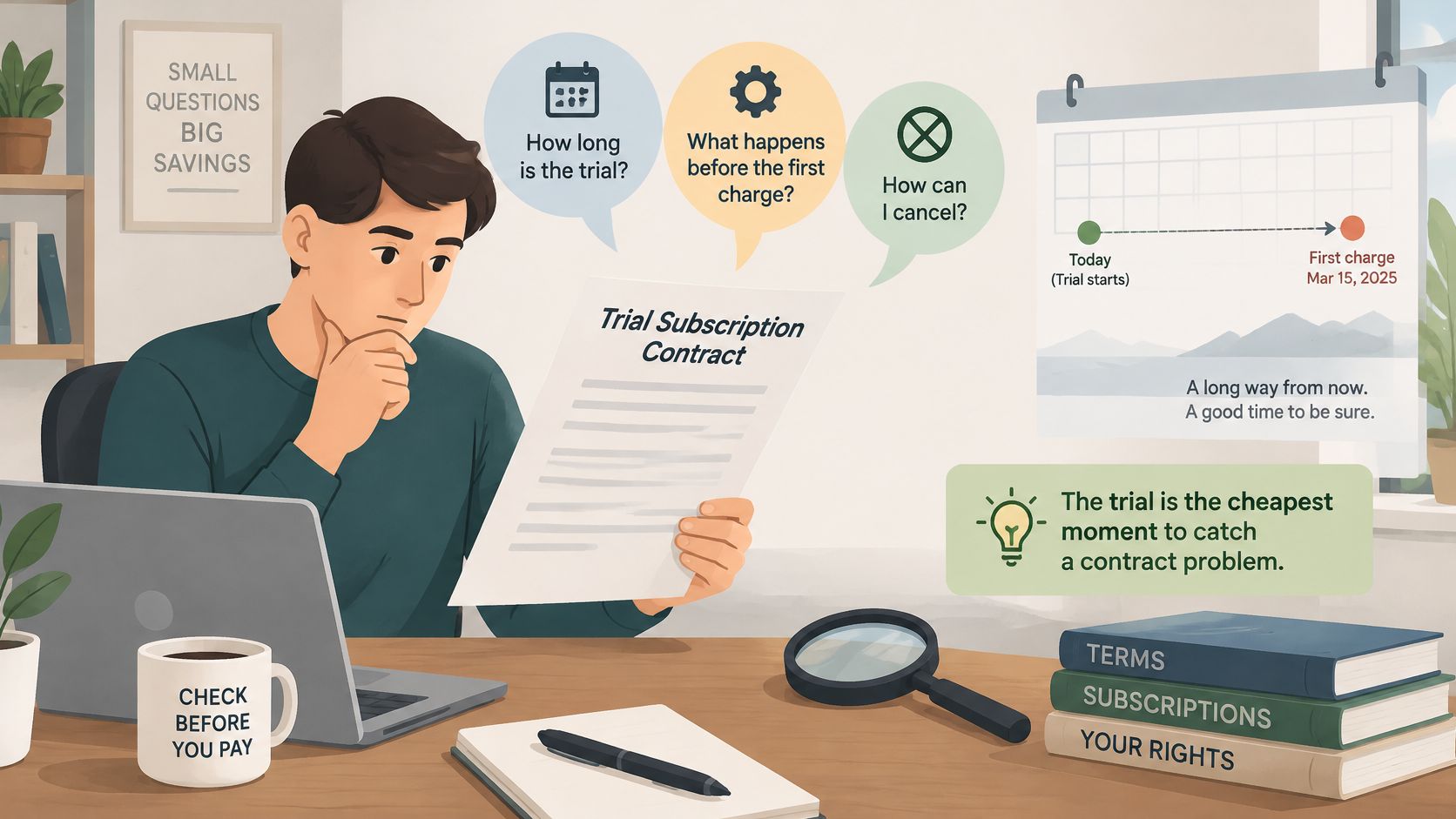
A trial is the right time to uncover a mismatch before the business commits. The agreement should first answer how long the trial lasts, whether starting requires a payment card, and whether paid service begins automatically.
Run an office-to-field routine
Record the trial end date immediately. The office calendar should include the cutoff time and time zone stated by the vendor. Relying on a reminder email leaves the deadline outside the business's control.
Confirm the payment-card and conversion rules. The owner should establish whether a second approval is required before billing. Entering a card shouldn't be treated as a harmless setup step without reading the associated consent.
Import a small, authorized set of real customer records. Existing addresses, property details, and custom fields reveal mapping problems that polished demo records may hide. Sensitive information should stay out until the business has reviewed the vendor's data protections.
Complete a quote-to-payment workflow. The owner should create an estimate, convert it into work, produce an invoice, and check the payment process, including a field user's phone. Any live payment should be intentional because processing or refund charges may apply.
Export a job history and open it in a spreadsheet. The office should compare the exported fields with the original record. A successful download isn't enough if the file omits information needed to continue servicing the property.
Test the cancellation route before trial expiry. The owner should first confirm whether canceling immediately removes access, then save the acknowledgment and stated billing outcome. Deleting the app isn't evidence that the subscription ended.
Commitment check: The agreement should state what remains payable if the business cancels in month two.
That answer should distinguish outstanding subscription obligations, completed setup work, and any early termination charge. A free evaluation doesn't necessarily mean the resulting paid agreement is flexible.
Cancellation and Renewal Deadlines to Calendar
A short billing cycle doesn't guarantee an easy exit. In a hypothetical month-to-month arrangement with a 30-day notice requirement, a moving notice window could make departure harder to manage than an annual agreement with a clearly documented end date.
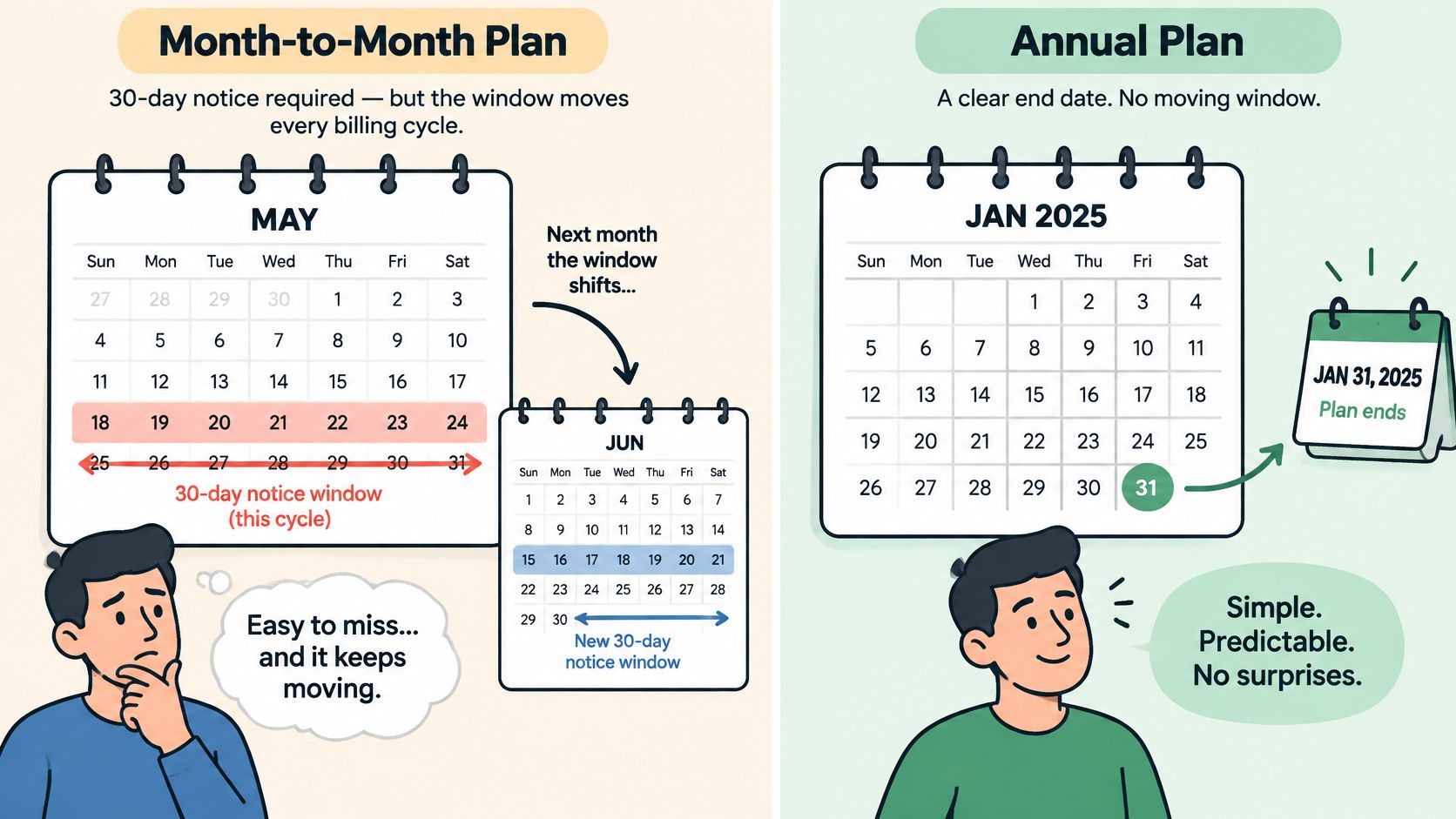
The office should calculate the deadline by subtracting the contractual notice period from the term end date. It should also identify the earliest date notice will be accepted and whether the agreement measures calendar days, business days, or receipt by a specified time.
Cancellation Deadline Examples
| Term End | Notice Period | Latest Notice Date |
|---|---|---|
| December 31 | 30 calendar days | December 1 |
| March 31 in a non-leap year | 60 calendar days | January 30 |
These are hypothetical calendar calculations, not vendor policies. The non-leap-year qualification matters because February changes the second calculation.
Confirm the required channel
The owner should establish whether notice must go through an account page, support ticket, or email, and whether a phone request counts. The agreement should distinguish submitting notice, ending access, and stopping billing.
California's automatic-renewal statute provides a useful consumer-subscription benchmark: qualifying online offers must permit online termination without obstructive additional steps, using a prominent direct link or button, or an immediately accessible termination email. Its application to business software depends on the transaction; it doesn't establish a universal early-exit right for commercial subscriptions.
The renewal calendar should identify:
- Term end and earliest notice date: When the commitment finishes and when notice can first be submitted.
- Required channel: The approved submission route.
- Confirmation standard: The acknowledgment the office must retain.
- Price-change notice period: How much warning the vendor must provide.
- Responsible person: The owner or office manager accountable for acting.
Treat price changes separately
The contract should state whether the vendor can raise prices or remove features mid-term, the required written notice, and whether the customer can leave without penalty after a change. The order form should also identify the renewal price or the rule used to determine it.
Each price-change notice should create a new calendar task to review the response deadline. After cancellation, the office should obtain written confirmation that notice was accepted and that billing will stop on a specific date.
What You Can Export and What to Get in Writing
Data ownership isn't the same as usable exit. A contract may recognize customer ownership while offering an export that contains contact details but omits the records needed to resume work elsewhere.
The owner should request a sample covering customers, properties, job history, photos, estimates, invoices, payment records, recurring-service schedules, message history, and attachments. ContractRev's SaaS agreement review guidance identifies export formats, retrieval access, and deletion commitments as practical contract protections. The sample should reveal whether custom fields, technician notes, identifiers, and relationships survive in CSV or JSON.
Separate retrieval from migration assistance
The agreement should specify export availability during service, the post-termination retrieval window, and any retrieval charge. Optional migration assistance is different from charging the business to recover its core records.
NIST's cloud-computing guidance treats termination as a data-governance issue, including continuing confidentiality obligations and data sanitization. Production-data deletion and backup deletion therefore need explicit schedules, not a general ownership promise.
Written request to send before signing
- Agreement: Complete terms, incorporated policies, and controlling-document order.
- Billing: Billing period, renewal price, and all additional charges.
- Users: Billable-user definition and extra-user cost.
- Trial: End date and automatic-conversion rule.
- Exit: Cancellation channel, notice period, and price-change notice.
- Records: Sample export, retrieval window, export fees, and backup deletion timing.
The owner should obtain a current written price from the vendor before buying and attach the answers to the contract record. On the day the agreement is signed, the office should calendar the cancellation deadline and first renewal date, with a named person responsible for both.