Most advice about the best CRM for home service business gets the sequence wrong. It starts with contact records and sales pipelines, then treats scheduling, dispatch, payments, and repeat service as optional extras. For most home service companies, that's backwards.
A home service CRM often has to hold much more than names and phone numbers. It may need quotes, recurring visits, property history, technician notes, reminders, route planning, invoices, card or bank payments, and crew communication. An owner-operator with one truck usually needs a faster way to quote, book, and collect. A small crew usually needs better visibility across the office and the field. A larger team often needs controls around dispatch, memberships, reporting, and role-based access.
That's why the strongest options here split into different types. Some are broad field service systems with CRM built in. Some are lighter tools that help small teams get off spreadsheets. One is better understood as a marketing-led CRM than a dispatch platform.
The comparison below focuses on what buyers usually need to sort first: published pricing, scheduling depth, recurring work support, payments, communications, route fit, and who each system is best suited to. Pricing and feature details can change, so the linked vendor pages should be checked for current terms as of the reading date noted in each entry.
1. Jobber
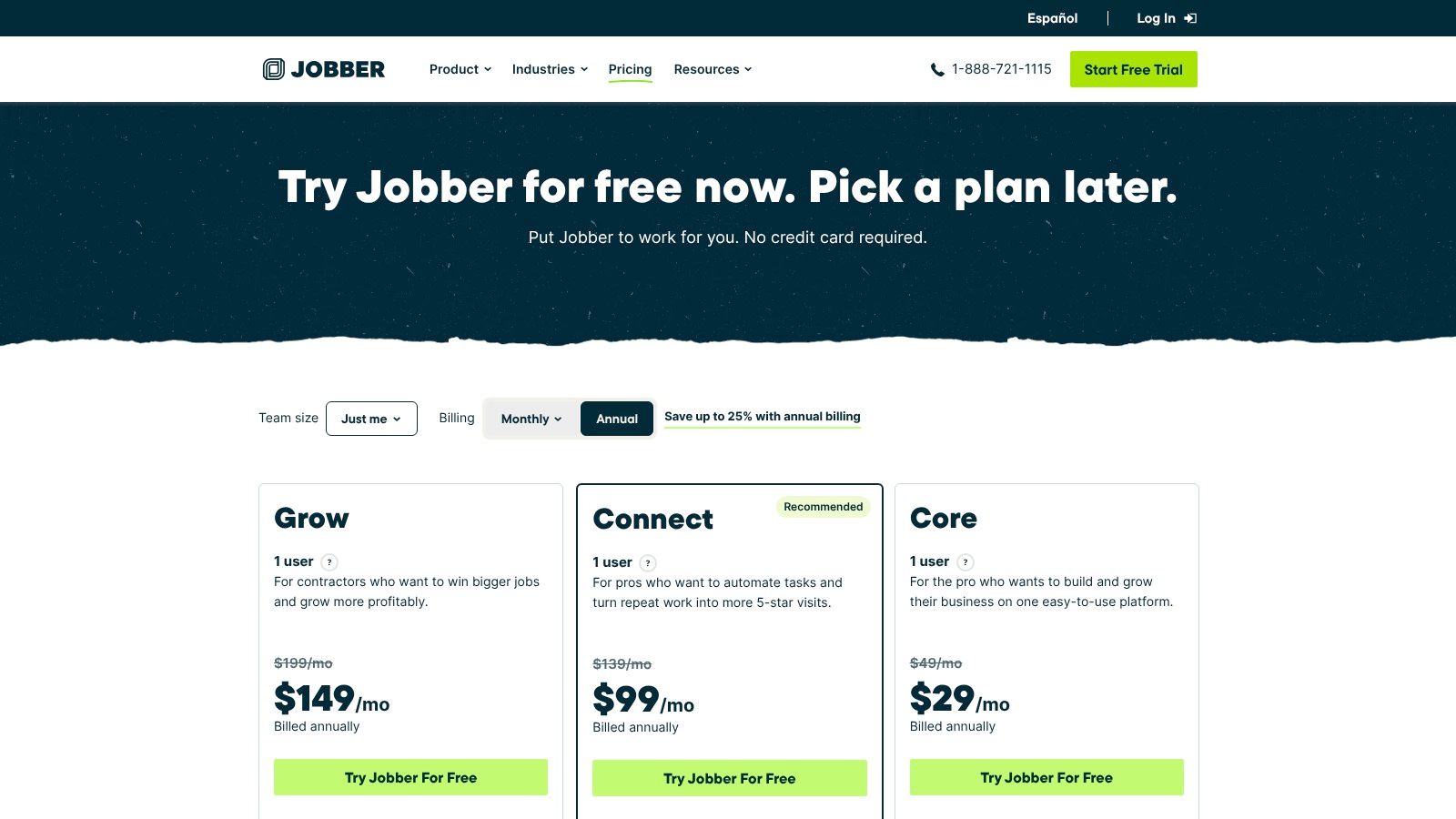
Jobber makes the most sense for small service businesses that need an operational CRM, not a sales department CRM. It fits the point where paper notes, text messages, and a basic spreadsheet stop being enough, but the business still wants software that feels approachable.
On Jobber pricing, read September 19, 2026, Jobber publishes plan prices including Core at $39 per month, Connect at $119 per month, and Grow at $199 per month when billed annually. The same page also publishes a 14 day free trial, plus add-ons including Marketing Suite, Pipeline, and Receptionist AI.
Where Jobber stands out
Jobber's published pricing page centers the basic workflow many owner-operators need first: quoting, jobs, invoices, online booking, and a client hub. It also publishes payment support for card, ACH, and tap to pay, with QuickBooks Online, Zapier, Gusto, and Home Depot price book listed in its marketplace on the same pricing page.
That mix matters for cleaning, lawn care, handyman, pressure washing, and exterior services. These businesses often don't need the deepest dispatch logic first. They need clean customer records tied to jobs and money collected.
Practical rule: If the office still retypes the same customer details into estimate, schedule, and invoice steps, a lighter FSM with CRM features is usually a better fit than a generic pipeline CRM.
Best fit and tradeoffs
Jobber is a strong broad pick for one to ten person teams that want to move quickly. It's less attractive once user limits, reporting needs, or heavier automation push the business into higher tiers and add-ons.
Key tradeoffs are straightforward:
- Best for small crews: The lower learning curve suits teams that need adoption fast.
- Watch the plan limits: Growing teams should confirm user allowances and which automations sit behind higher tiers.
- Good payments stack: Published card, ACH, and instant payout details make cost planning easier than quote only pricing.
2. Housecall Pro
A generic CRM can track leads. That is not the hard part in home services. The harder question is whether the system keeps the customer, property, schedule, technician, invoice, payment, and recurring follow-up connected well enough that the office does not fall back to phone calls, spreadsheets, and manual reminders.
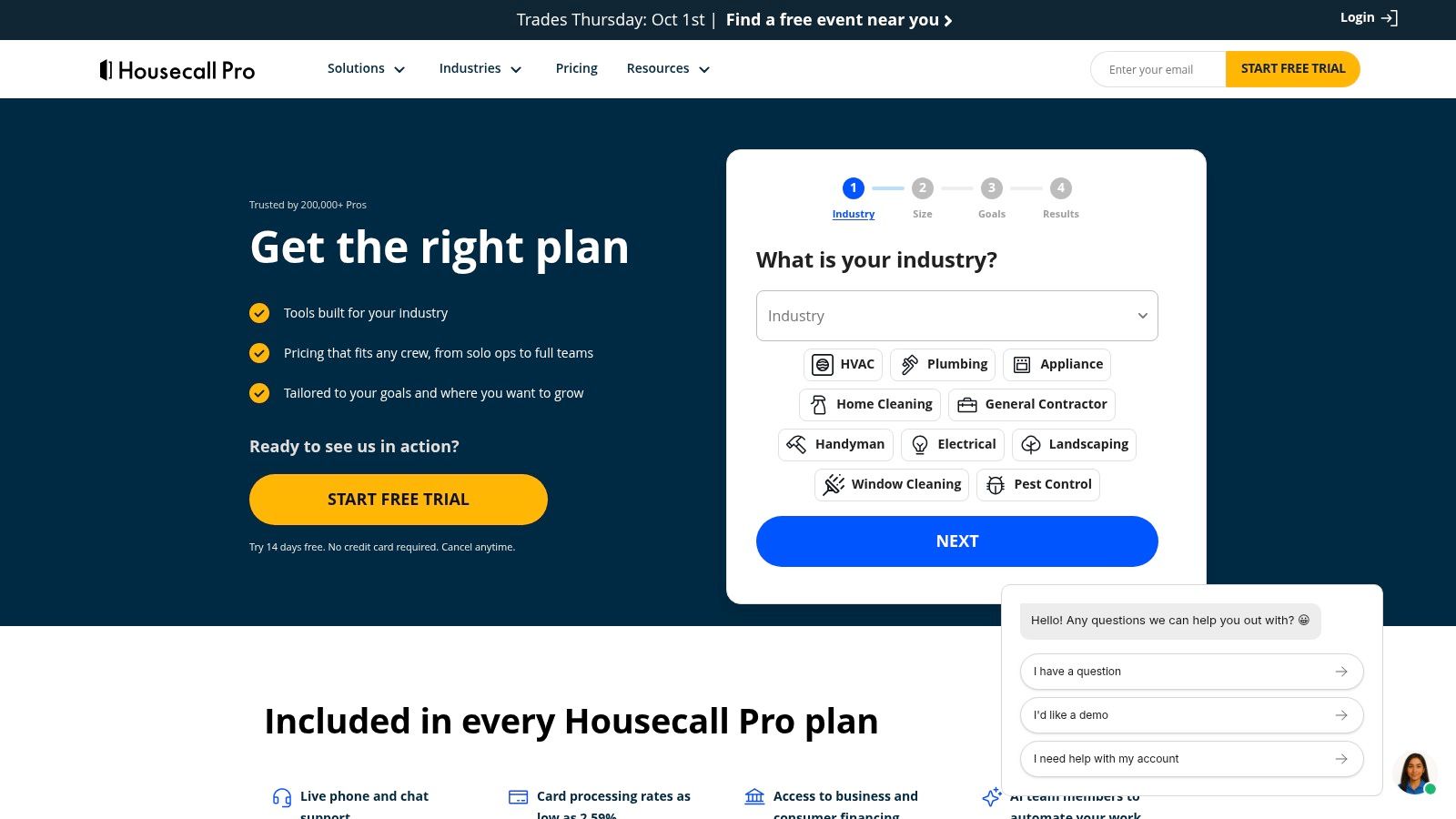
Housecall Pro is a serious option because its published product pages frame it as more than a contact database. On Housecall Pro pricing, read September 19, 2026, Housecall Pro lists Basic, Essentials, and Max plans, though visible monthly pricing and package combinations change based on the business profile selected on the page. Its Housecall Pro features page publishes capabilities including new and recurring jobs, calendar management, technician notifications, job details, digital invoicing, automated reminders, QuickBooks connection, card and bank payments, and instant financing.
That places Housecall Pro in a useful middle tier of this market.
For owner-operators, the value is less about classic CRM depth and more about reducing context switching. For small crews, the appeal is that scheduling, invoicing, reminders, and payment collection appear to live in the same operating system. For larger teams, the evaluation should get stricter. The question shifts from "can it run jobs?" to "how much operational detail is available at the customer and property level, and which controls require higher plans or add-ons?"
The published positioning also makes Housecall Pro different from a marketing-led platform. Its center of gravity is dispatch and job workflow, not pipeline management first. That matters because many searches for the best CRM for home service business are really searches for field-service software with enough CRM function attached.
A practical way to assess Housecall Pro is to separate what its pages clearly show from what a buyer still needs confirmed in a demo.
Published pages indicate strength in:
- scheduling and technician coordination
- recurring job setup
- invoicing and payment collection
- reminder automation
- financing support
- accounting connection through QuickBooks
Questions still worth getting in writing:
- Property-level history: Does the customer record clearly separate multiple service addresses, asset history, prior notes, and technician photos in a way that works for repeat service businesses?
- Recurring revenue logic: Are recurring visits, recurring billing, and service plans bundled together, or sold through different tiers and extras?
- Routing depth: Is route optimization basic calendar dispatch, or does it materially improve drive-time planning for multi-tech days?
- Communications record: Do SMS, reminders, estimates, and payment requests all stay visible in one timeline tied to the job and customer?
- Pricing controls: Are price book, job costing, approvals, reporting, and API access included in the quoted package, or reserved for higher plans?
Those questions matter because Housecall Pro can fit three very different buyers for three different reasons. A solo cleaner or handyman may care most about getting estimates out and payments in. A five-tech plumbing or electrical shop may care more about repeat-customer records, dispatch visibility, and recurring work. A larger operation should examine migration effort, permission controls, reporting limits, and whether the published feature set stays intact once multiple office users and field workflows are involved.
Housecall Pro looks strongest for businesses that want broad field-service coverage without jumping straight to enterprise complexity. Buyers who need deeper pricing transparency, advanced routing proof, or very detailed property history should ask for a customized walkthrough and written scope before treating it as their long-term CRM system.
3. Workiz
Many home service platforms treat communication as a supporting feature. Workiz appears to treat it as part of the operating system.
That distinction matters for businesses where booked work starts with a live call or text exchange, not a form fill. Locksmiths, garage door companies, appliance repair shops, and some HVAC or plumbing teams often need the CRM to capture the conversation, route the job, and keep the record attached to the customer and job history. A general CRM can store contacts and follow-ups. A dispatch-focused tool with built-in phone and messaging features can do more, if those features are included in the quoted package and billed predictably.
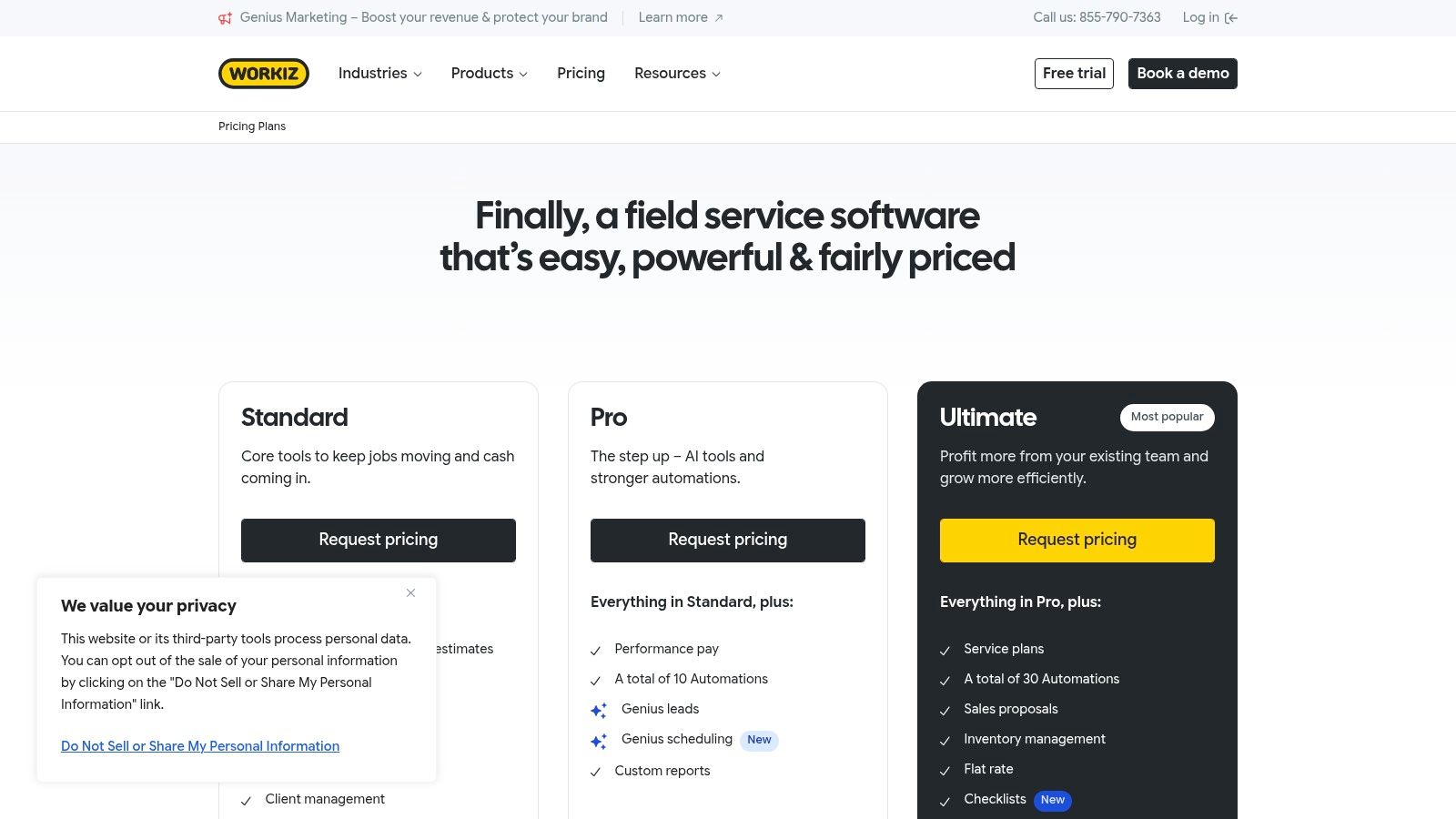
On Workiz pricing and plans, read September 19, 2026, Workiz does not publish a standard monthly rate. The page instead directs buyers to request pricing, while listing a 7 day free trial and features such as online booking, integrated phone, two way SMS, estimates, service plans, and payments.
A useful way to assess Workiz is to separate CRM value from communications value. Its published pages emphasize call recording, number masking, messaging, online booking, proposals, Workiz Pay, tap to pay, consumer financing, and integrations including QuickBooks Online, Yelp, Angi, Zapier, and CompanyCam. For an owner-operator, that may replace separate phone and texting tools. For a small office with dispatch staff, it may also tighten the handoff from inbound call to scheduled job. Larger teams should confirm whether call data, texts, job notes, and property-level service history remain easy to review across multiple users and repeat visits.
The main limitation is not feature breadth. It is buying clarity.
Because pricing is quote-based, Workiz is harder to compare than tools with public entry plans. That matters less for companies that already know they want phone-first workflow software. It matters more for smaller teams deciding whether they are buying a CRM with dispatch features, or a dispatch platform with a communications layer that adds separate usage costs.
Before a demo, narrow the evaluation to the parts that most affect total cost and day-to-day fit:
- Confirm how seat pricing changes as office users and technicians are added.
- Ask whether phone numbers, call recording, SMS volume, and masking are bundled or metered separately.
- Verify how customer communication history appears inside the job record and whether that history is visible at the property level for repeat service.
- Check whether recurring service plans and recurring billing are linked in one workflow or handled through separate setup steps.
- Ask what migration support is available for importing customers, tags, estimates, and prior job history.
Workiz looks most persuasive for service businesses where speed to answer, speed to book, and visibility into conversations are as important as scheduling itself. Buyers who mainly need route depth, price-book controls, or heavy reporting should ask for a custom walkthrough and written scope before assuming the communications-first positioning covers those operational needs.
4. ServiceTitan
ServiceTitan is usually the premium answer, but that doesn't make it the default answer. For many smaller businesses, it's too much system, too much implementation, and too much process. For larger HVAC, plumbing, and electrical companies, that depth can be the point.
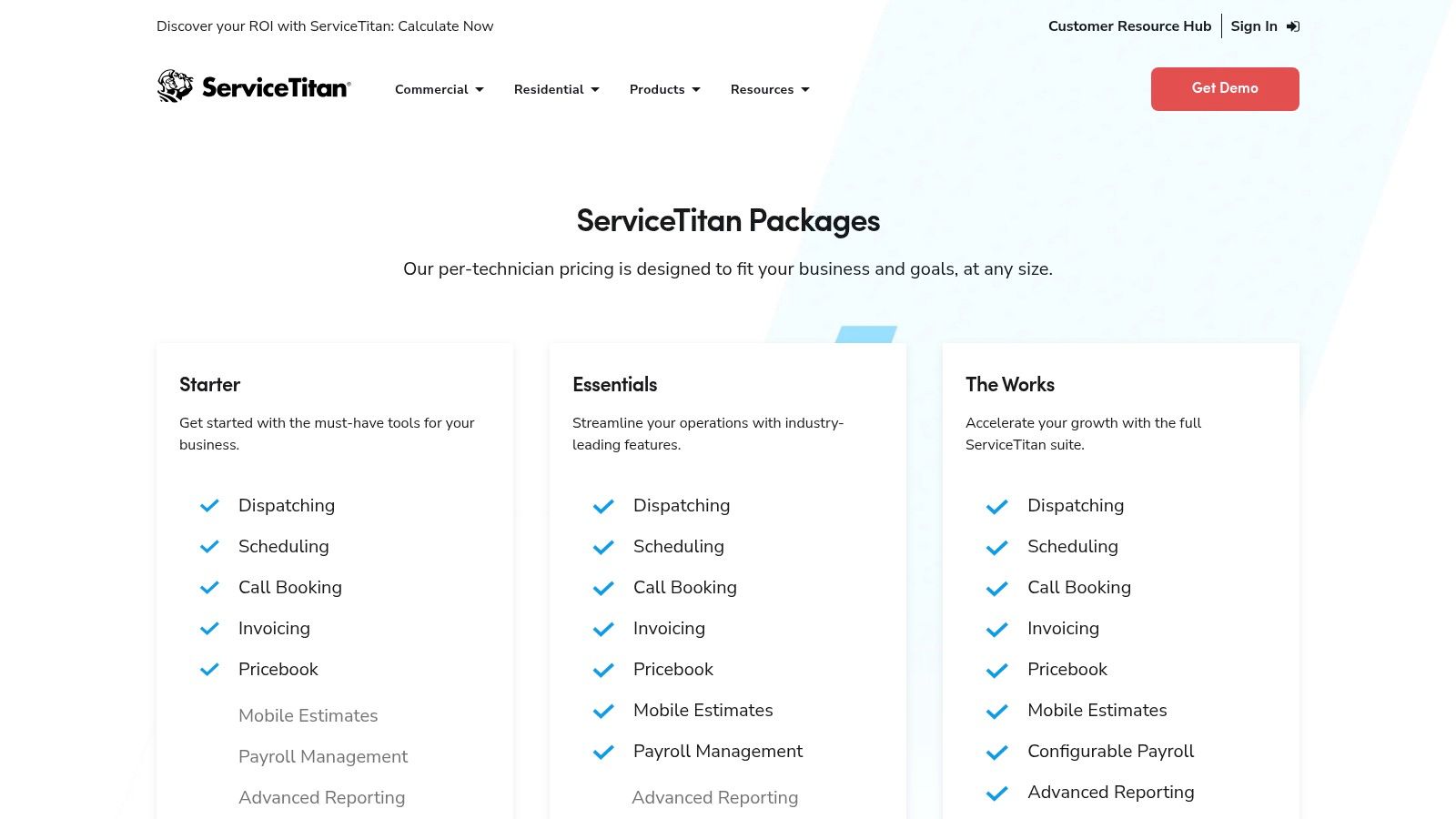
On ServiceTitan get pricing, read September 19, 2026, ServiceTitan publishes no public plan figure. Its home service CRM overview describes call booking, customer property data, recurring services, scheduling, dispatch, follow-ups, two way SMS, marketing tools, financing, pricebooks, and reporting.
Best for established trade operations
ServiceTitan is strongest when the business already has dedicated office workflows, multiple technicians, and a reason to formalize how calls, estimates, memberships, dispatch, and reporting work together. Its product pages describe CSR scripts, call tracking, drag and drop scheduling, recurring service follow-up, automated reminders, and technician on the way notifications.
That's a different buying context than a solo operator shopping for a better calendar.
Who should skip it
Smaller companies with simple job flow should be careful. A platform with deeper controls can create more setup work than value if the business doesn't need that complexity.
Buying angle: The right question isn't whether ServiceTitan has more features. It does. The real question is whether the business will use those features within the next six months.
Before signing, buyers should get written answers on implementation scope, training, exported data access, contract length, and which functions are standard versus sold separately.
5. Service Fusion
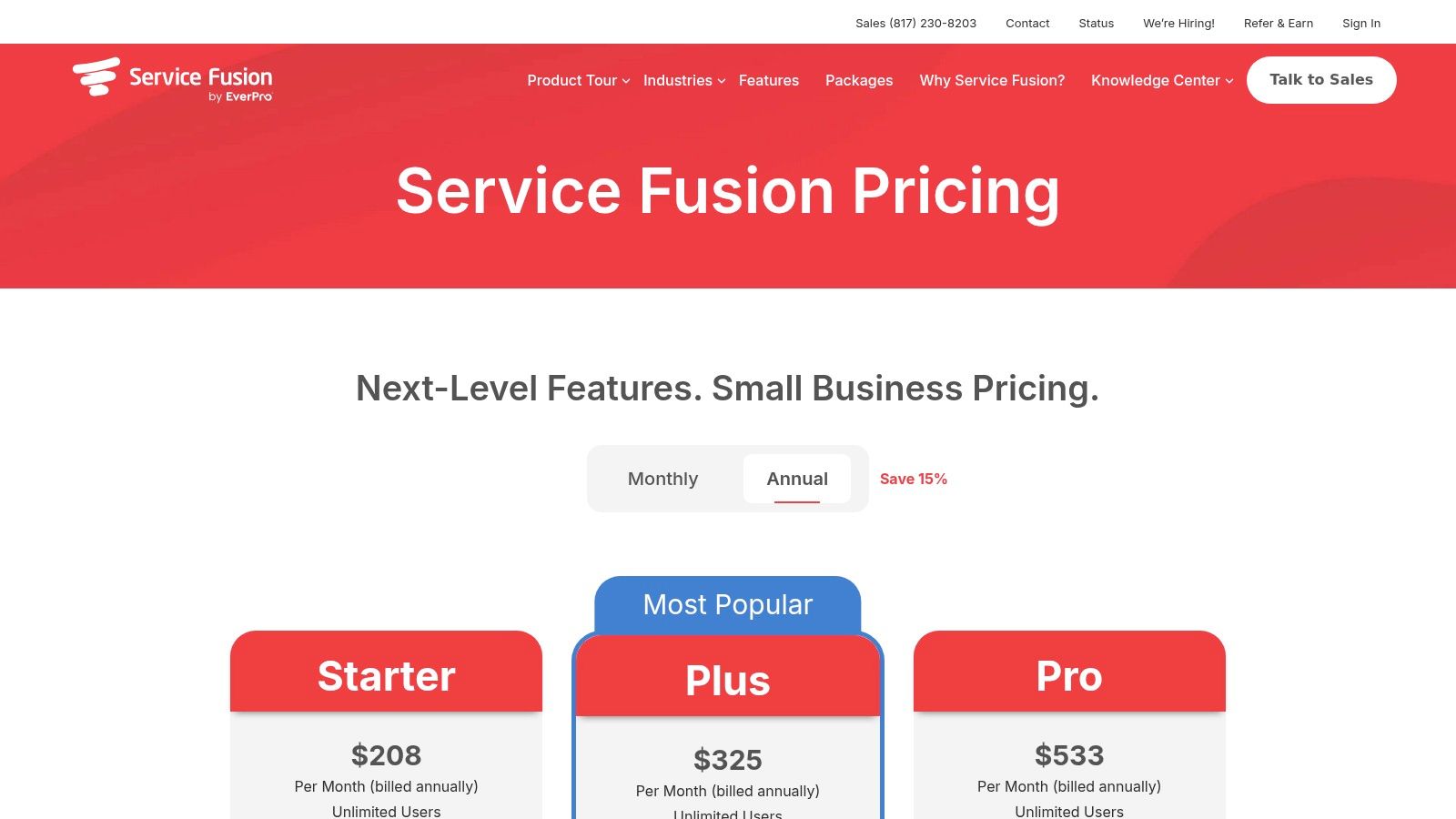
Service Fusion stands out less for broad CRM ambition and more for pricing logic. For a home service company adding office staff and technicians, unlimited-user plans can matter more than a long feature list.
On Service Fusion pricing, read September 19, 2026, Service Fusion publishes Starter at $225 per month, Plus at $350 per month, and Pro at $575 per month when billed monthly, with lower effective monthly pricing shown for annual billing. The same page says all plans include unlimited users.
That structure puts Service Fusion in a different buying category than seat-based tools. A solo operator may not feel much benefit. A small but growing team often does. Once a company needs a dispatcher, office admin, field techs, and possibly an estimator in the same system, per-user pricing can change the total cost faster than buyers expect.
Where it fits
Service Fusion looks strongest for teams that want dispatch and billing depth before they want a marketing-led platform. Its published plan details emphasize estimates, jobs, scheduling, dispatch, invoicing, and mobile access. That points to an operations-first product, not a system built primarily around pipeline management or campaign tooling.
There is a tradeoff. Buyers who want polished customer self-service, built-in communications across every tier, or advanced CRM-style follow-up should read the plan differences carefully rather than assume those functions are standard.
What the published pages show, and what still needs confirmation
Service Fusion publishes customer portal and e-sign on Pro, integrated voice and text on higher tiers, and GPS fleet tracking as an optional add-on. That creates a practical distinction by team size.
For owner-operators, the main question is whether the dispatch stack is more software than the business needs right now. For small crews, the flat pricing can become attractive quickly if several people need access. For larger teams, the more useful question is whether the operational controls are deep enough at the property-history, recurring service, routing, and communication level, or whether the company will outgrow the platform and need a heavier system later.
Before purchase, ask for written answers on these points:
- Which plans support the business's recurring billing model, including any progressive billing requirements
- Whether voice, texting, and GPS are included in the quoted price or sold separately
- How customer property history is structured, and whether technicians can easily see prior visits, notes, and equipment details in the field
- What migration help is included for customer records, open jobs, invoices, and service agreements
- Whether route optimization is native, limited, or dependent on add-ons or integrations
6. FieldPulse
A home service CRM does not become a better choice just because it looks more like a general CRM. For many service companies, the harder question is whether the system goes far enough on dispatch, property history, agreements, and field communication without turning setup into its own project.
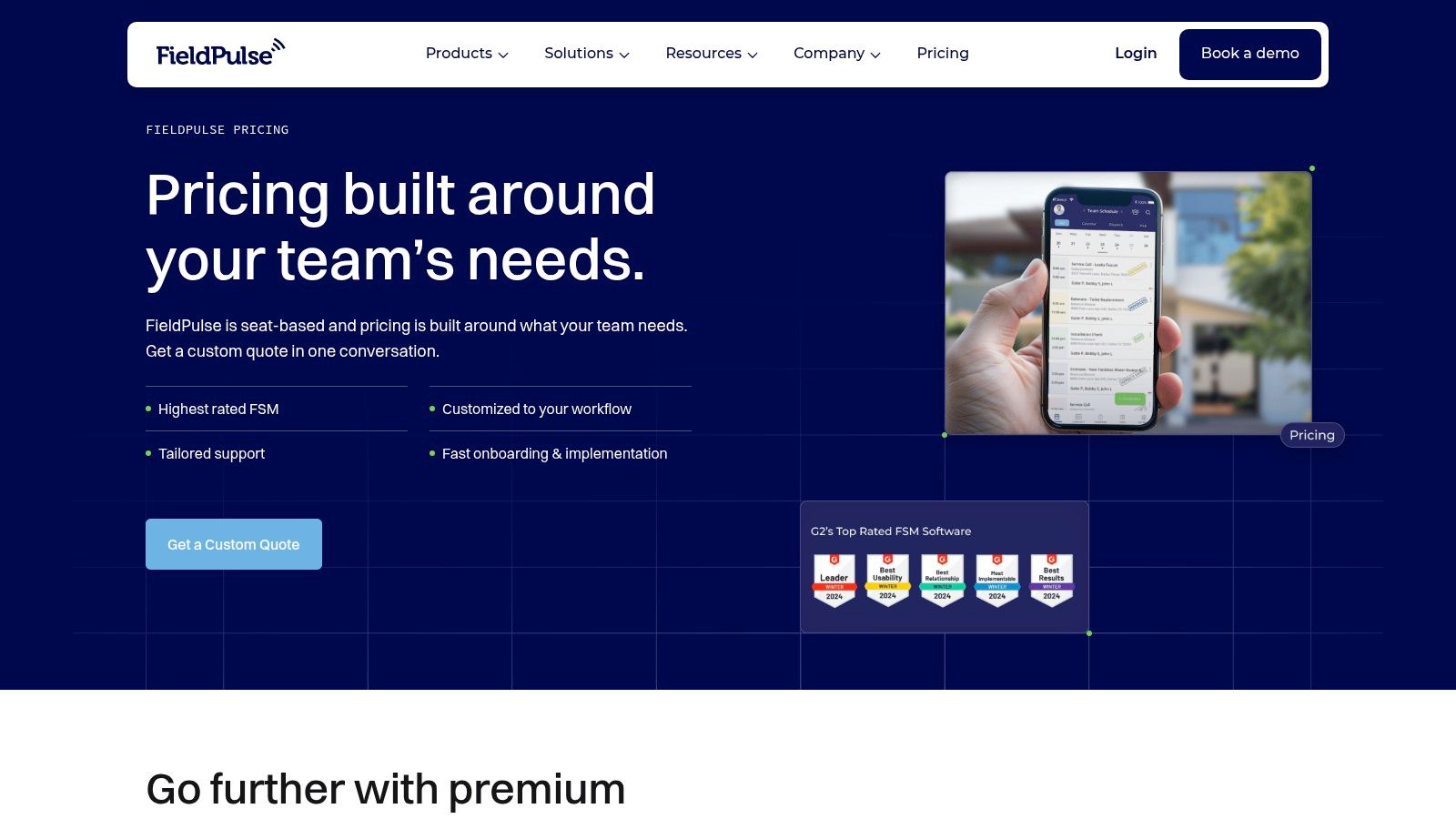
FieldPulse sits in that middle category. On FieldPulse pricing, read September 19, 2026, the company does not publish standard monthly pricing and instead routes buyers to sales. Its published materials highlight scheduling and dispatch, estimates and invoices, maintenance agreements, job costing, custom forms, fleet tracking, and communication products such as Engage and Operator AI.
That positioning matters.
Some tools on this list are easier to classify. A marketing-led platform may win on pipeline, follow-up, and broad contact management, while a dispatch-first tool is judged more by calendar control, route logic, technician visibility, and service history tied to a location. FieldPulse appears closer to the second group, even though it also markets CRM functions.
For owner-operators, that can cut both ways. The upside is one system for jobs, agreements, forms, and customer communication. The downside is that the software may ask for more initial configuration than a very small operation wants to absorb.
For small crews, the practical test is whether the extra structure improves daily work fast enough. FieldPulse publishes maintenance agreements, job costing, custom forms, and built-in communication tools. Those are stronger signals for businesses that need repeatable service workflows, not just lead capture and basic invoicing.
Larger teams should examine a different set of tradeoffs:
- Whether customer and property records let office staff and technicians see prior visits, notes, equipment details, and agreement status without extra clicking
- How recurring billing and maintenance agreement renewals are handled in the quoted package
- Whether routing is true optimization, simple map-based dispatch, or dependent on another module
- Which communication functions are included natively, especially VoIP, texting, call logging, and AI-assisted intake
- How much migration work falls on the buyer for forms, templates, attachments, notes, and open jobs
The main limitation is pricing visibility. Since the public page does not publish standard monthly figures, cost comparison against per-user tools and flat-rate dispatch platforms requires a sales conversation.
Before buying, ask for a live walkthrough of one completed customer record, one recurring agreement, and one dispatched job from booking through invoice. That will show more than a feature list. It also helps separate published capability from details the vendor still needs to confirm, especially around implementation effort, module boundaries, and data migration.
7. ServiceM8
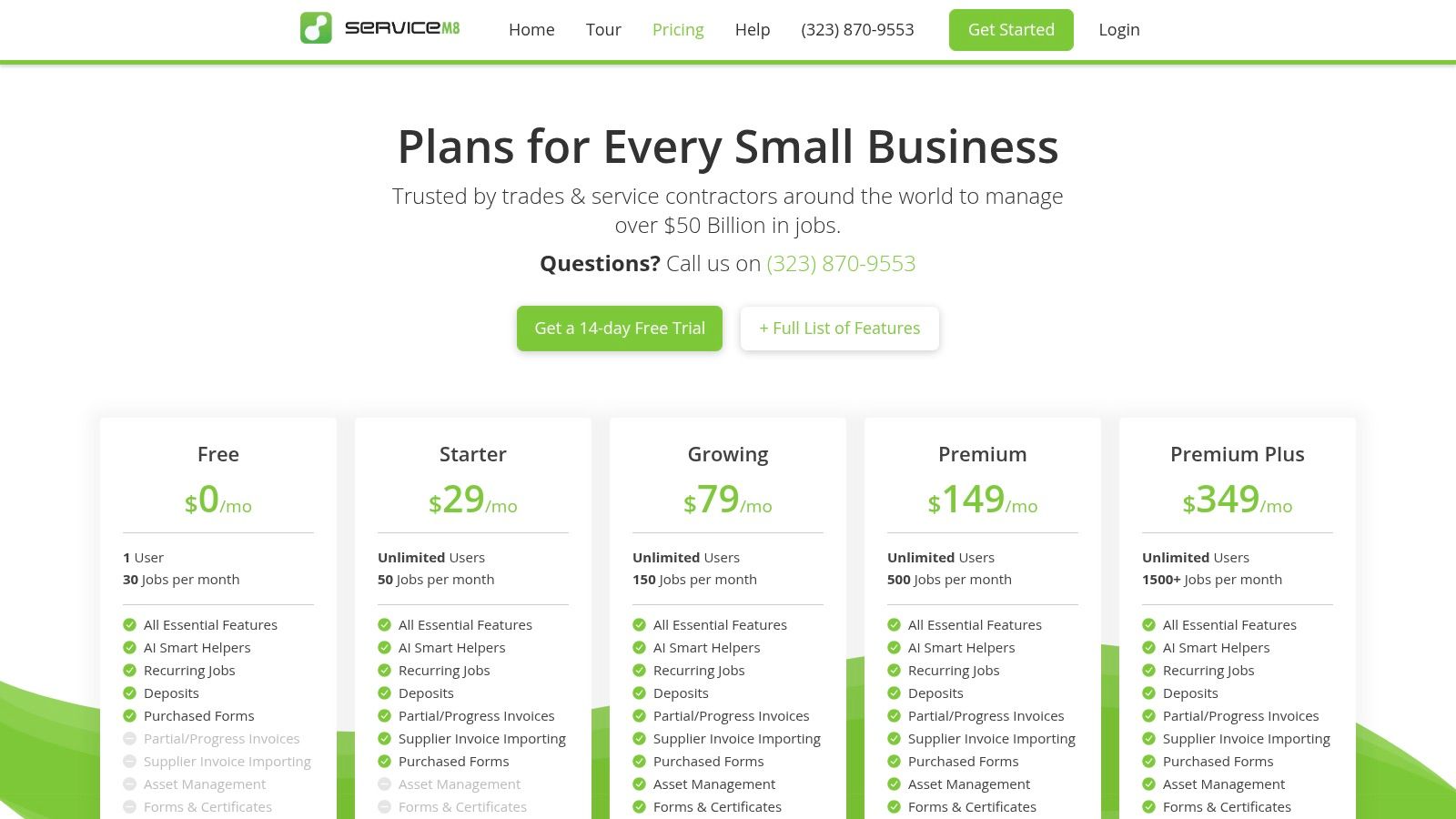
ServiceM8 uses a different logic from most of the list. Instead of charging by user in the usual way, it centers pricing around jobs per month. For very small teams, that can be easier to live with.
On ServiceM8 pricing, read September 19, 2026, ServiceM8 publishes multiple plans including Starter, Growing, and Premium, with pricing tied to monthly job allowances rather than standard per user billing. The same page also publishes that paid plans have no per user charges and that the full app experience is built around iPhone and iPad, while Android access is limited to ServiceM8 Lite.
Best for iOS first operators
ServiceM8 is a strong fit for one to few truck teams that mostly run on Apple devices and want tight mobile workflows. Its pricing page and feature material emphasize quotes, jobs, progress invoicing, reminders, forms, assets, proposals, and on my way texts.
That's especially useful when the business owner still handles a lot of quoting and field work personally. The product is oriented around moving jobs through repeatable steps quickly.
For small operators, the most expensive CRM is often the one nobody updates from the field.
What to watch as the business grows
The model is simple early on, but it needs a closer look once job volume rises. Buyers should confirm how job caps, SMS overages, add-ons, and phone functions affect the monthly bill.
This is also one of the easiest tools to rule in or out fast. If the team uses Android heavily, ServiceM8 usually stops being the obvious answer.
8. Service Autopilot
Service Autopilot is less about generic CRM polish and more about recurring, route dense service operations. That distinction matters for lawn care, landscaping, fertilization, recurring cleaning, and similar businesses.
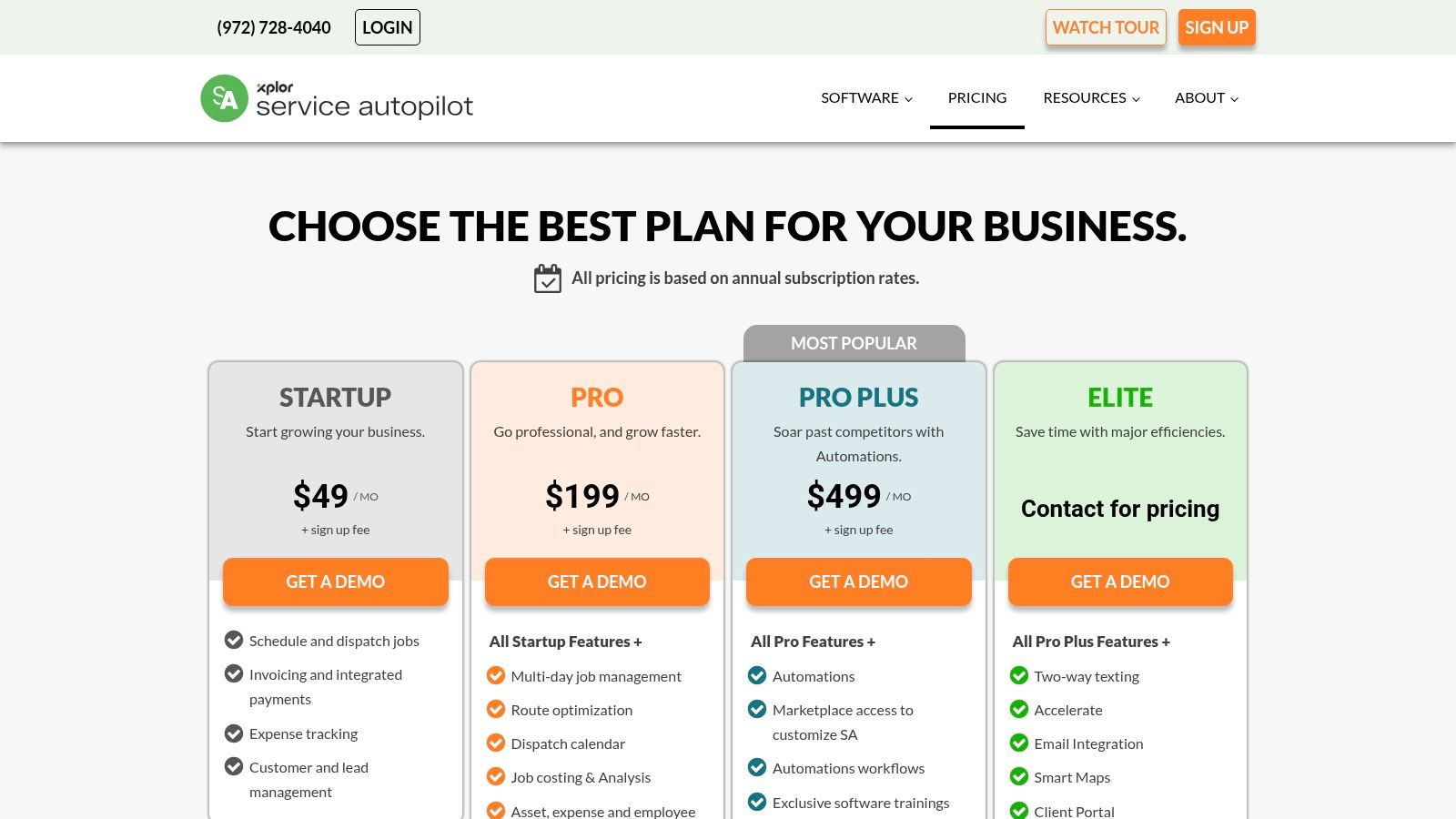
On Service Autopilot pricing, read September 19, 2026, the pricing page publishes no standard monthly figure. Its pricing and product pages describe CRM, estimates, routing, dispatch, job costing, contracts, recurring service plans, automations, equipment management, and QuickBooks sync.
Where it fits best
A lot of home service CRM content overweights lead capture and underweights repeat service operations. Service Autopilot is stronger where route building, contracts, recurring visits, and job profitability sit near the center of the business.
That can make it a better fit than a broader generalist app when a company mainly grows by managing an existing service base well.
Questions that matter more than the feature list
Because public pricing detail is limited, the most important buying work happens in the sales process. Buyers should get written answers on contract handling, recurring billing support, route tools, mobile use in the field, and any add-ons needed for automations.
A lawn or cleaning company should also confirm whether property notes, gate codes, crew instructions, and photo history stay easy to access on recurring jobs. Those details often matter more than a polished sales pipeline.
9. GorillaDesk
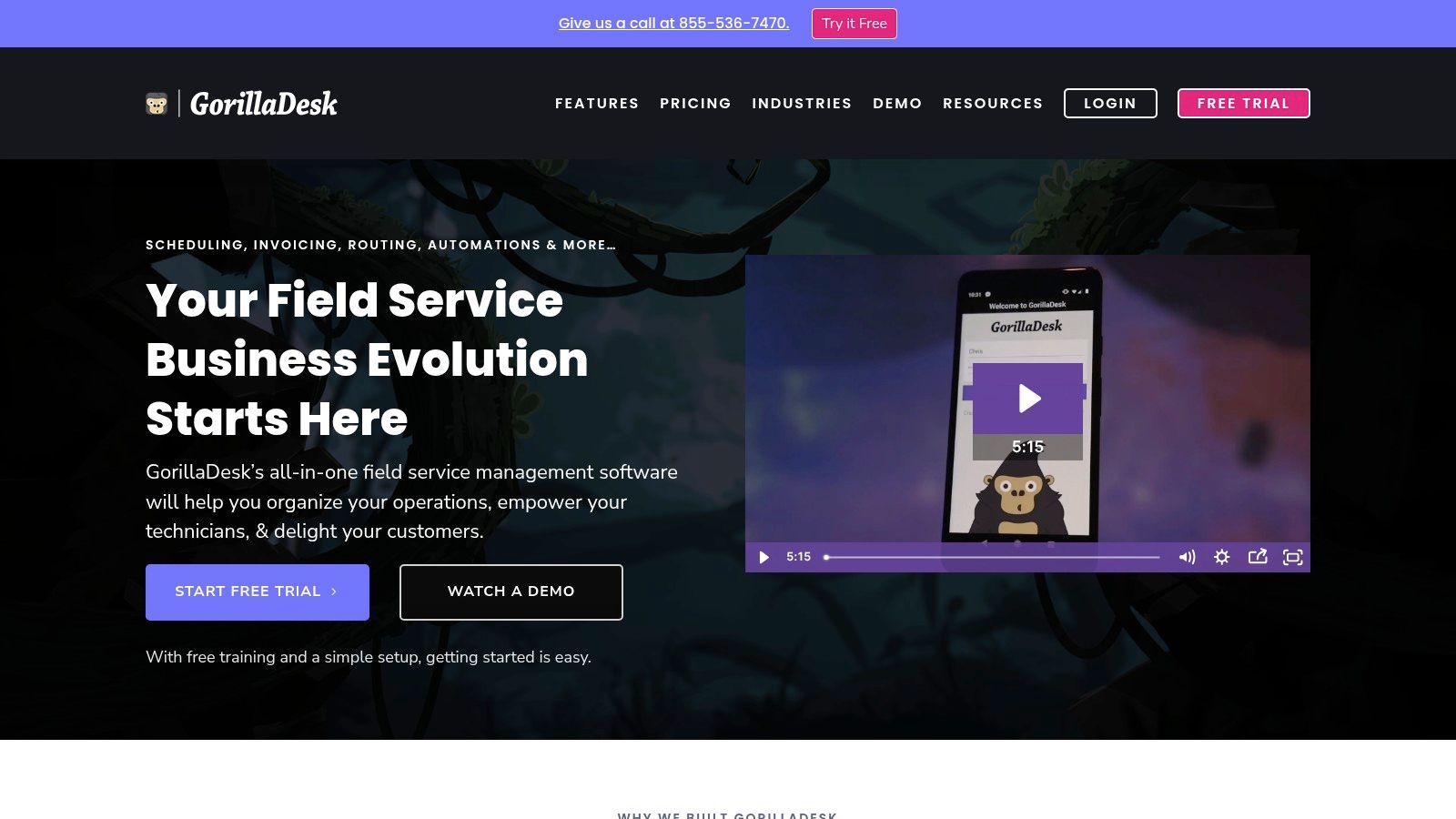
GorillaDesk is one of the clearest route first options in this group. It's well known in pest control, but the reason is broader than branding. Its structure aligns with route based service work.
On GorillaDesk, read September 19, 2026, the website highlights route management, scheduling, invoicing, payments, two way SMS, sales pipeline, and pest control oriented records and documentation. The site's public pages also frame pricing around routes rather than only around individual users.
Why route based pricing can be easier to budget
Per route pricing changes the conversation for businesses that grow by adding crews and route density, not by building a large office team first. Pest operators, recurring exterior service companies, and some lawn businesses often think in routes and renewals, not just in seat count.
That makes GorillaDesk easier to understand for the owner who wants to know, "What happens to software cost when another crew goes out next season?"
Best use case
GorillaDesk is strongest when the business values routing, on site payments, recurring service handling, and trade specific records more than advanced reporting or broad enterprise controls.
Its likely limit is the opposite of its strength. Heavier commercial workflows or companies that want deeper analytics and more layered process control may outgrow it.
10. Kickserv
Low price alone is not a useful buying signal in home services. The better question is whether a lower cost platform still covers the field-service basics that break first in the world: dispatch, property history, reminders, invoicing, and payment collection. Kickserv stands out because its published plans suggest it is trying to cover that operational core, not just contact management.
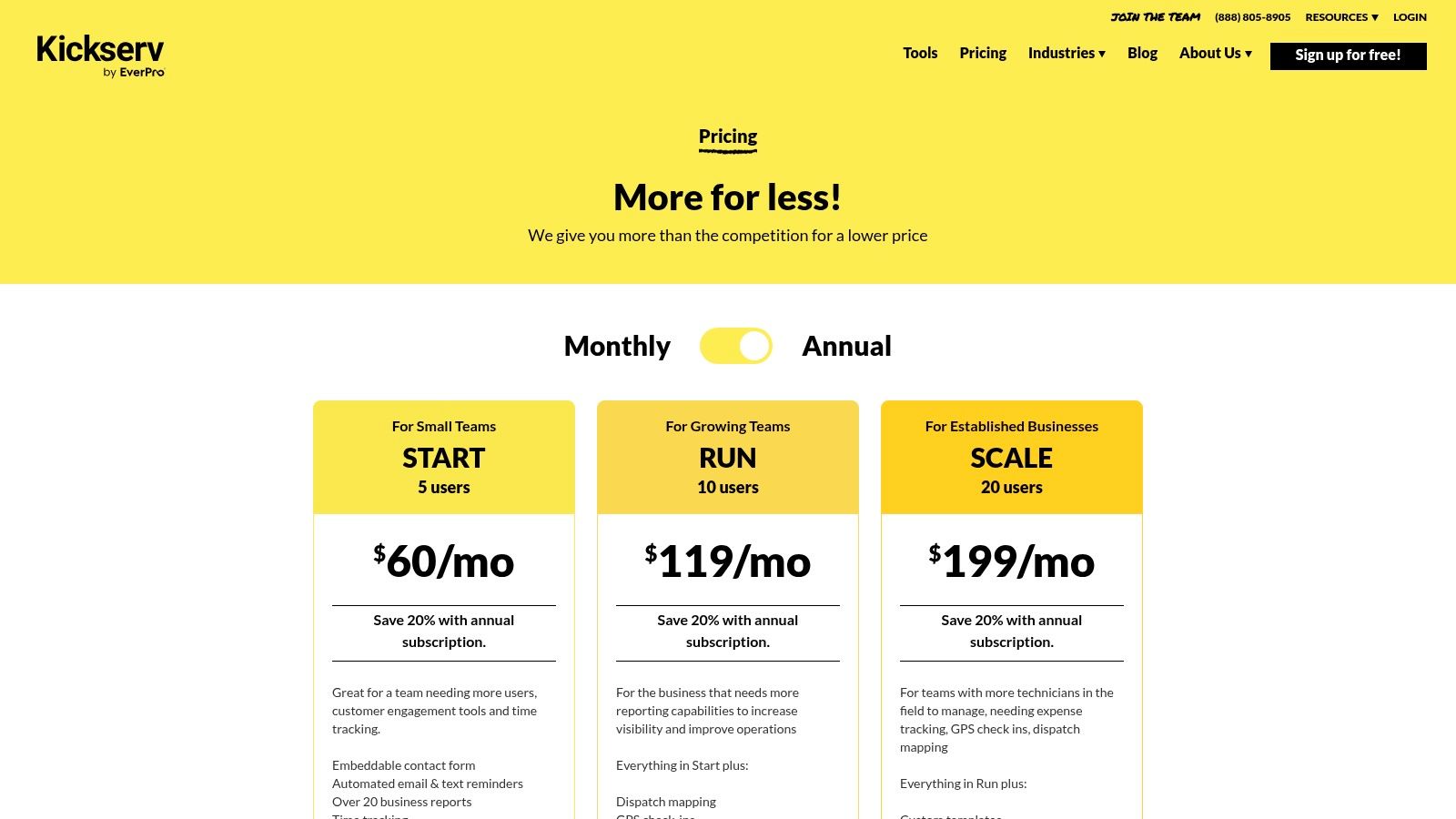
On Kickserv pricing, read September 19, 2026, the company publishes Start, Run, and Scale tiers, along with included user counts and a 30 day free trial. The same page lists quotes, jobs, invoices, scheduling, dispatch mapping, GPS check ins, reminders, and QuickBooks integrations.
That combination matters for a specific type of buyer.
A general CRM can track leads and follow ups, but many home service owners outgrow that model once work has to be assigned by day, technician, and address. Kickserv's public positioning reads more like an entry level dispatch system with CRM functions attached than a marketing first platform. For owner operators and small crews, that distinction is often more important than advanced sales automation. If the business runs on repeat jobs, route logic, and completed work at the property level, field-service depth usually beats a prettier pipeline.
The limits are also fairly clear from the public materials. Kickserv appears easier to justify for businesses that want operational coverage at a controlled monthly cost than for teams that need deeper reporting, more layered permissions, heavier automation, or more complex commercial workflows. Larger teams should treat migration risk more seriously here, because a lower starting price does not answer whether the system will still fit once dispatch volume, office coordination, and recurring billing complexity increase.
Questions worth bringing to a demo are practical rather than generic:
- How does customer history appear at the property or job-address level for repeat service?
- Which reminder channels and message types are included in each tier, and which carry extra cost?
- How far does recurring service and recurring billing go before manual work increases?
- What routing or dispatch constraints can be handled natively versus through workarounds?
- What is included for QuickBooks Desktop or other accounting connections, and what requires a separate connector?
- For teams switching from spreadsheets or a general CRM, what data migration is supported for customers, job history, invoices, and scheduled visits?
Kickserv makes the most sense for small service businesses that need field operations software before they need a heavier management system. That is a narrower claim than calling it a top all around CRM, but it is the more useful one.
Top 10 Home Service CRMs Comparison
| Product | Core features | Best for (trades & team size) | UX & onboarding | Pricing & trial | Unique strengths | Notable caveats |
|---|---|---|---|---|---|---|
| Jobber | Booking, quotes, scheduling, invoicing, client hub, payments, integrations | Cleaning, pressure washing, lawn care, handyman; 1 to 20 techs | Low learning curve; strong mobile app | Public plans; 14‑day trial; core-plan user limits; published card/ACH fees | Simple workflows; wide integrations; transparent payment fees | User limits push upgrades; advanced automation/reporting often add-on |
| Housecall Pro | Booking, quotes/proposals, dispatch, invoicing, financing, review mgmt, price book | HVAC, plumbing, electrical, cleaning, landscaping; small crews | Guided plan selection; user-friendly | Public FAQ shows rates; 14‑day trial; add-ons/extra users raise cost | Consumer financing; review & price‑book tools | Advanced features/team sizes often require higher tiers |
| Workiz | Integrated phone (recording/masking), 2‑way SMS, booking, proposals, payments, integrations | Locksmiths, garage door, appliance, HVAC/plumbing; inbound‑call teams | Deep communications stack; reduces need for external VoIP | Quote-only public pricing; 7‑day trial; extra member fees noted | Built‑in telephony & messaging; strong integrations | No public pricing; shorter trial; extra user costs in fine print |
| ServiceTitan | Pricebook/proposals, call tracking, CSR scripts, advanced reporting, financing | Established HVAC/plumbing/electrical; larger teams (>10 techs) | Very powerful but complex; needs implementation | No public pricing; per‑technician model; higher TCO | Most complete toolkit for multi‑truck trades; strong implementation support | Expensive; often overkill for small/simple operations |
| Service Fusion | Estimates/jobs, scheduling/dispatch, mobile app, QBO sync, customer portal, voice/text | Generalist fit; 5 to 20 person teams wanting predictable pricing | Straightforward; clear public plans | Public three‑tier pricing; unlimited users; month‑to‑month or annual | Unlimited users on plans; clear flat‑rate pricing | GPS/advanced voice/recurring billing may require add-ons |
| FieldPulse | Scheduling/dispatch, estimates, maintenance agreements, Engage (call/text), Fleet/AI dispatch | HVAC, electrical, plumbing; teams needing customization & AI | Highly customizable flows; stronger setup required | Quote-only pricing; seat counts and add-ons by quote | Workflow builder, Operator AI, built‑in comms | No public price list; setup time and extra modules add cost |
| ServiceM8 | Quotes, jobs, progress invoicing, templated workflows, on‑my‑way texts | One‑to‑few‑truck teams; iOS‑first operators | Excellent iPhone/iPad UX; fast templated workflows | Job‑credit / tiered add‑ons; no per‑user fees on paid plans | No per‑user fees; superb mobile usability | iOS‑centric; SMS overages and job‑credit model complicate scaling |
| Service Autopilot | CRM, routing/dispatch, job costing, contracts/recurring, assets, automations | Lawn, landscaping, fertilization, route‑dense recurring ops | Feature‑rich; heavier setup than plug‑and‑play apps | Public pricing sparse; setup and add‑ons can increase cost | Strong routing & recurring service tools; profitability focus | Can feel heavy; pricing/details not always clear |
| GorillaDesk | Scheduling/dispatch, invoicing, two‑way SMS, route management, compliance docs | Pest control and route‑based services | Simple, route‑centric UX; predictable scaling | Per‑route pricing; publicly available; scales per crew | Per‑route pricing; compliance templates for pest control | Lighter marketing/reporting; may outgrow for complex commercial work |
| Kickserv | Quotes/jobs/invoices, scheduling/dispatch, GPS check‑ins, reminders, QBO | Budget‑minded trades; small teams wanting core ops | Mature, easy start; simple workflows | Transparent low list prices; included user counts; 30‑day trial; Kickserv Kickback | Generous users per tier; affordable list pricing | Fewer advanced automations/analytics; some integrations may cost extra |
Match the Software to the Next Six Months of Work
The best CRM for home service business isn't always the tool with the longest feature list. It's the one that matches the work the company is about to do.
Jobber and Housecall Pro are the broadest small business picks. Jobber is often easier to justify for owner-operators and smaller crews that want quoting, scheduling, invoicing, online booking, and payments without much friction. Housecall Pro suits similar businesses but reaches a bit further into recurring jobs, financing, and more developed trade workflows. If a company wants one mainstream option to compare against almost everything else, those are the first two names to put on the shortlist.
ServiceM8 is the most distinct fit for iPhone and iPad centered operators. It works best when the owner wants fast field use, repeatable job steps, and no standard per user pricing model. If the team is mixed device or Android heavy, that advantage fades fast.
GorillaDesk and Service Autopilot deserve more attention from recurring and route heavy operators than they usually get in generic CRM roundups. Pest control, lawn care, landscaping, and recurring exterior service companies often need route logic, service plan structure, and property level repeat history more than a prettier sales dashboard. Those businesses should be careful not to buy a generalist CRM that treats repeat field work as secondary.
Workiz is the one to look at when calls and texting drive the business. A company that books most work by phone should ask harder questions about communications than a standard dispatch comparison usually covers. That includes number ownership, recording, text costs, and what happens to message history if the account is closed.
ServiceTitan is the right comparison point for larger residential trade teams, especially in HVAC, plumbing, and electrical, where dispatch depth, memberships, reporting, and sales process control justify more system. For smaller shops, it may be more software than the business can use well in the near term.
Before any switch, buyers should prepare migration questions in writing. Ask whether the import includes customer records, property history, job notes, attachments, recurring plans, invoices, estimates, tags, and communication history. Ask whether stored payment methods move over or have to be rebuilt. Ask what happens to data at cancellation, how exports work, whether add-ons are required for the quoted workflow, how seats are counted, and whether annual terms change the exit options.
The strongest demo questions are narrow and written. Ask the vendor to confirm whether the quoted tier includes scheduling, dispatch, recurring billing, route support, technician mobile access, customer job history, and payment collection. Ask whether those functions are standard, limited, or sold separately. Ask what won't import. Ask what takes manual cleanup. Written answers make the sales conversation much more useful than a polished walkthrough.